Recover lost work with Lost & Found
Lost & Found searches the reflog, GitTree’s recovery references and, if you ask, unreachable objects for commits that no branch points to any more. Preview what each one holds, then keep it on a new branch. Nothing is checked out, reset or deleted.
Works in GitTree Free: every local Git feature, with no account needed.
On this page
Before you start
- The work was on this computer: Lost & Found reads only this repository’s local history, never the remote.
- Git has not pruned it yet: unreachable objects are removed by garbage collection, and reflog entries expire after about 90 days by default.
Where to find it
- The TOOLS section of the left panel: Lost & Found.
- Tools in the toolbar, the repository tab’s menu or the Reflog dialog: Lost & Found, or
Alt+Shift+D. - The command palette: Lost & Found.
| Action | macOS | Windows and Linux |
|---|---|---|
| Lost & Found | ⌥⇧D | Alt+Shift+D |
| The command palette | ⌘⇧P | Ctrl+Shift+P |
Steps
Open Lost & Found
It opens in its own window, on the Start page. Where GitTree looks names the three sources: Reflog, GitTree recovery references and Unreachable objects (deeper scan).
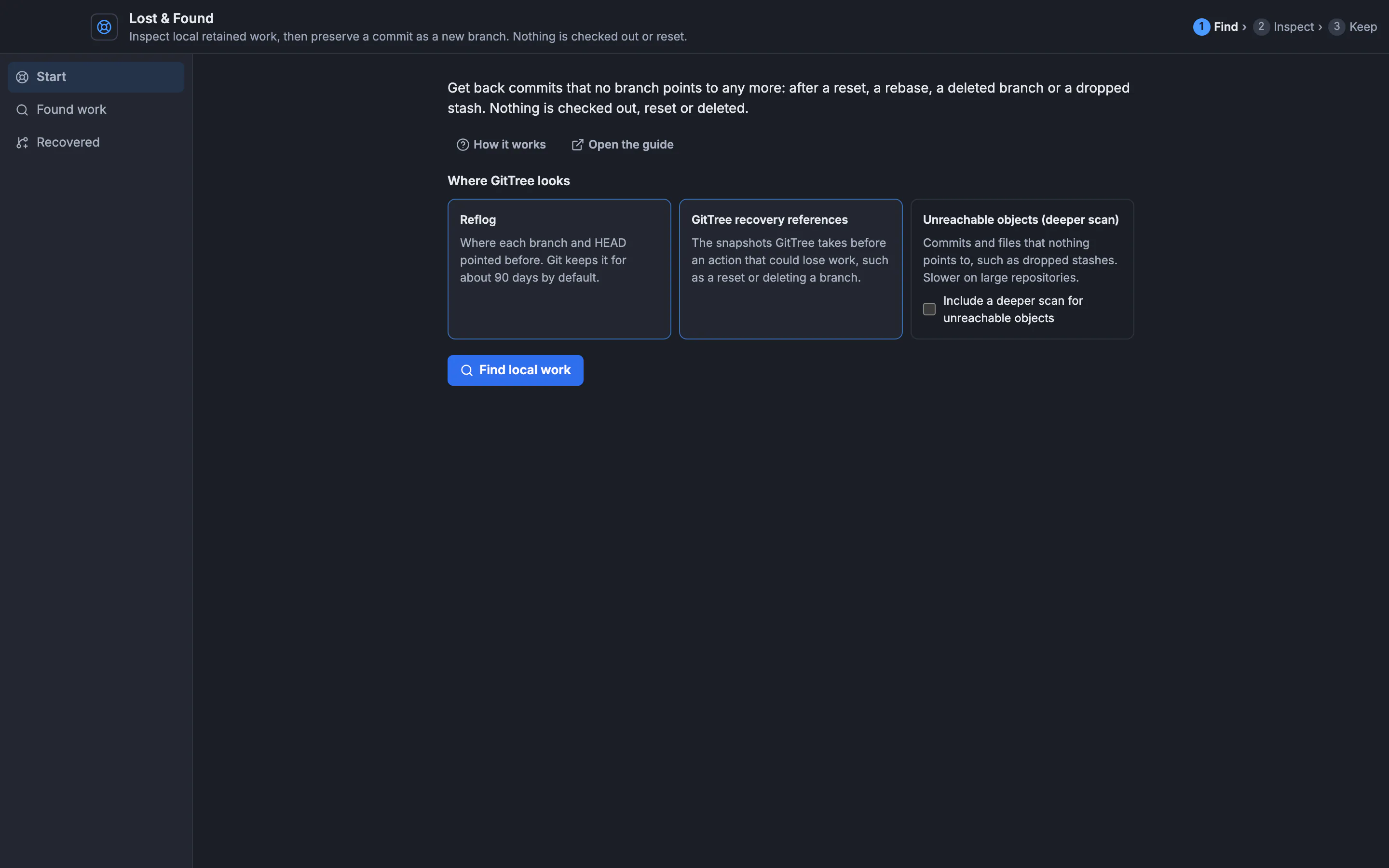
Find local work reads those sources. Scanning does not check out, reset or delete anything.GitTree interface with a demonstration repository. Find local work
Tick Include a deeper scan for unreachable objects to also list commits and files nothing points to, such as a dropped stash; it is slower on large repositories. Press Find local work. Stop ends a long scan.
Inspect a result
Found work lists the results with their source and when they were seen. Filter by commit, message or source narrows them. Select one: Why this object appears shows its evidence, the commit message or file content is shown below, and each file under Files opens its content.
Keep it on a branch
Under Keep this commit, type a New branch name and press Create recovery branch. GitTree says Created branch …. Your checkout is unchanged.
Show it in the graph
Recovered lists the branches you created. Show in graph closes Lost & Found and selects the commit in the graph.
Expected result
The commit is on a new local branch, so Git keeps it. Your current branch, checkout and working files are as they were. Merge, cherry-pick or push the branch like any other.
What each source means
| Source | What it holds | When to use it |
|---|---|---|
| Reflog | Where each branch and HEAD pointed before | After a reset, a rebase or an amend |
| GitTree recovery reference | The snapshot GitTree took before an action that could lose work | After a reset, a deleted branch or a discard in GitTree |
| Unreachable object | Commits and files nothing points to | A dropped stash, or work done in a terminal |
Entries that are only in the reflog can still be reachable from a branch, so they are hidden at first. Include retained reflog history shows them too.
Recovering a dropped stash
A stash is a commit with more than one parent. Keeping it on a branch preserves its changes, but it does not restore the stash’s index or untracked-file layout. Check out the branch, or compare it with your work, to take the changes back.
Lost & Found or the reflog
View Reflog… shows one reference’s history in order (find previous branch tips). Lost & Found searches every source at once and adds objects that no reflog mentions. For a step you just took in GitTree, Undo is quicker (undo and redo).
If something goes wrong
“This object is no longer available locally. It may have been pruned.”
Git’s garbage collection removed it. Try another result, or a clone that still has the commit.
“Some sources were unavailable or reached their limits. These results are incomplete.”
The repository has more history than one scan reads. Use the filter to find what you need, or run the deeper scan.
The branch name is refused.
Use a name no branch has yet, without spaces or characters Git does not allow.
Questions
Is Lost & Found part of the Free plan?
Yes. It reads only your local repository and needs no hosting account.
Can Lost & Found change my repository?
Only Create recovery branch changes it, by adding one branch. Scanning and previewing change nothing.