Set up Nour, the AI assistant
Nour is GitTree’s AI assistant. It runs the coding-agent CLI you already use, such as Claude Code, Codex or Gemini CLI, with your own subscription: GitTree never sees your keys. In Ask mode Nour only looks and answers; in Agent mode it can act within what you allow. Nour is part of GitTree Pro.
Needs GitTree Pro or a running trial; Free keeps every local Git feature. Compare the plans.
On this page
Before you start
- GitTree Pro or a running trial (Free and Pro).
- A coding-agent CLI installed and signed in on this computer: Claude Code, Codex, Gemini CLI, Antigravity, Qwen Code, OpenCode, Kimi CLI, Cursor Agent or one of your own.
Where to find it
- Nour at the end of the toolbar, or the shortcut below.
- Preferences › Nour (AI) for the agent and what Nour may do.
| Action | macOS | Windows and Linux |
|---|---|---|
| Show or Hide Nour | ⌘⇧Space | Ctrl+Shift+Space |
Steps
Turn Nour on and pick an agent
In Preferences › Nour (AI), keep Offer Nour, the AI assistant on and choose the Agent for new chats, or First one installed to let GitTree find one.
Open Nour
Press Nour in the toolbar. The panel knows the repository and branch you are on, shown under the message box.
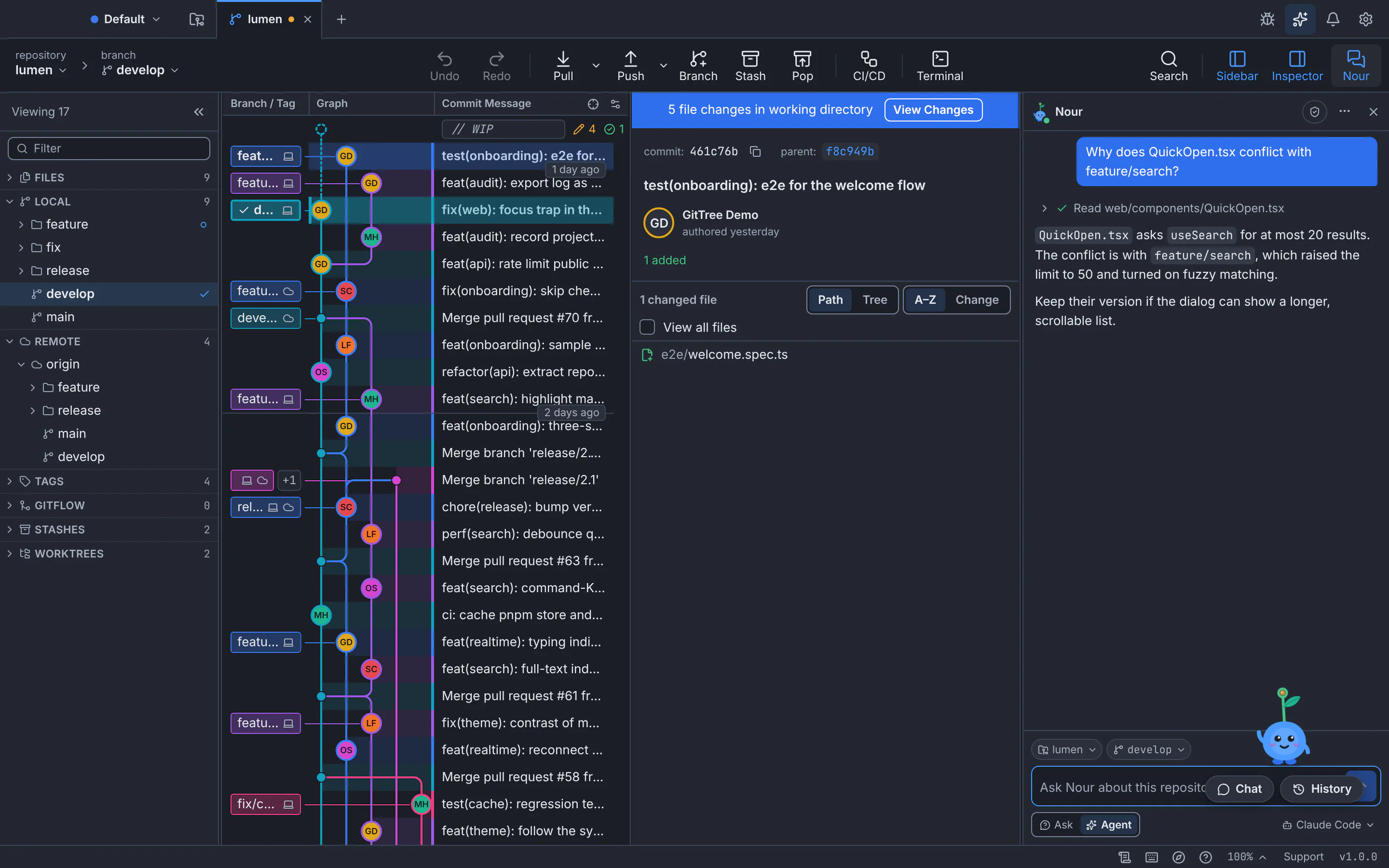
Nour reads the file it needs, says what it read, and answers about this repository.GitTree interface with a demonstration repository. Ask
Type in Ask Nour about this repository, such as “What changed on this branch since main?” or “Explain the last commit”, and press Enter.
Choose Ask or Agent
In Ask, Nour only looks and answers: nothing is changed. In Agent, Nour can act, such as staging or creating a branch, within what you allow, and asks for your approval before some of them.
Expected result
Nour answers from your repository, and each look-up or action it took is listed above its answer.
Stay in control
- Under What Nour may do in Preferences, Let Nour act in GitTree turns acting on or off, and limits such as Most actions in one reply stop a reply that does too much.
- An action Nour asks about is refused if nobody answers in time.
- Nour’s actions go through the same safeguards as yours: destructive steps are saved first, and Undo takes them back.
If something goes wrong
“No agent set up yet. Open Nour settings.”
GitTree found no supported agent CLI. Install one, sign in to it in a terminal, then choose it in Preferences › Nour (AI).
“Nour is part of GitTree Pro.”
Your trial has ended or was never started. Everything else in GitTree keeps working on Free.
Questions
Does Nour send my code anywhere?
Only to the agent you chose, the same way that agent works in your terminal. GitTree itself collects no telemetry.