Customize graph columns
The graph shows the branch labels, the lanes and the message by default. The Graph columns menu adds Author, Date and SHA columns and switches to compact rows; you can resize every column and hide the side panels.
Works in GitTree Free: every local Git feature, once you are signed in.
On this page
Before you start
- A repository is open.
Where to find it
- Right-click the column headers, or use the sliders button at their end, for Graph columns.
- The command palette: Show Author Column, Show Date Column, Show SHA Column and Compact Graph Rows.
| Action | macOS | Windows and Linux |
|---|---|---|
| Toggle Sidebar | ⌘J | Ctrl+J |
| Toggle Inspector | ⌘K | Ctrl+K |
| Toggle Full View | ⌘⇧F12 | Ctrl+Shift+F12 |
Steps
Open the columns menu
Right-click a column header such as Graph, or choose the sliders button at the end of the headers.
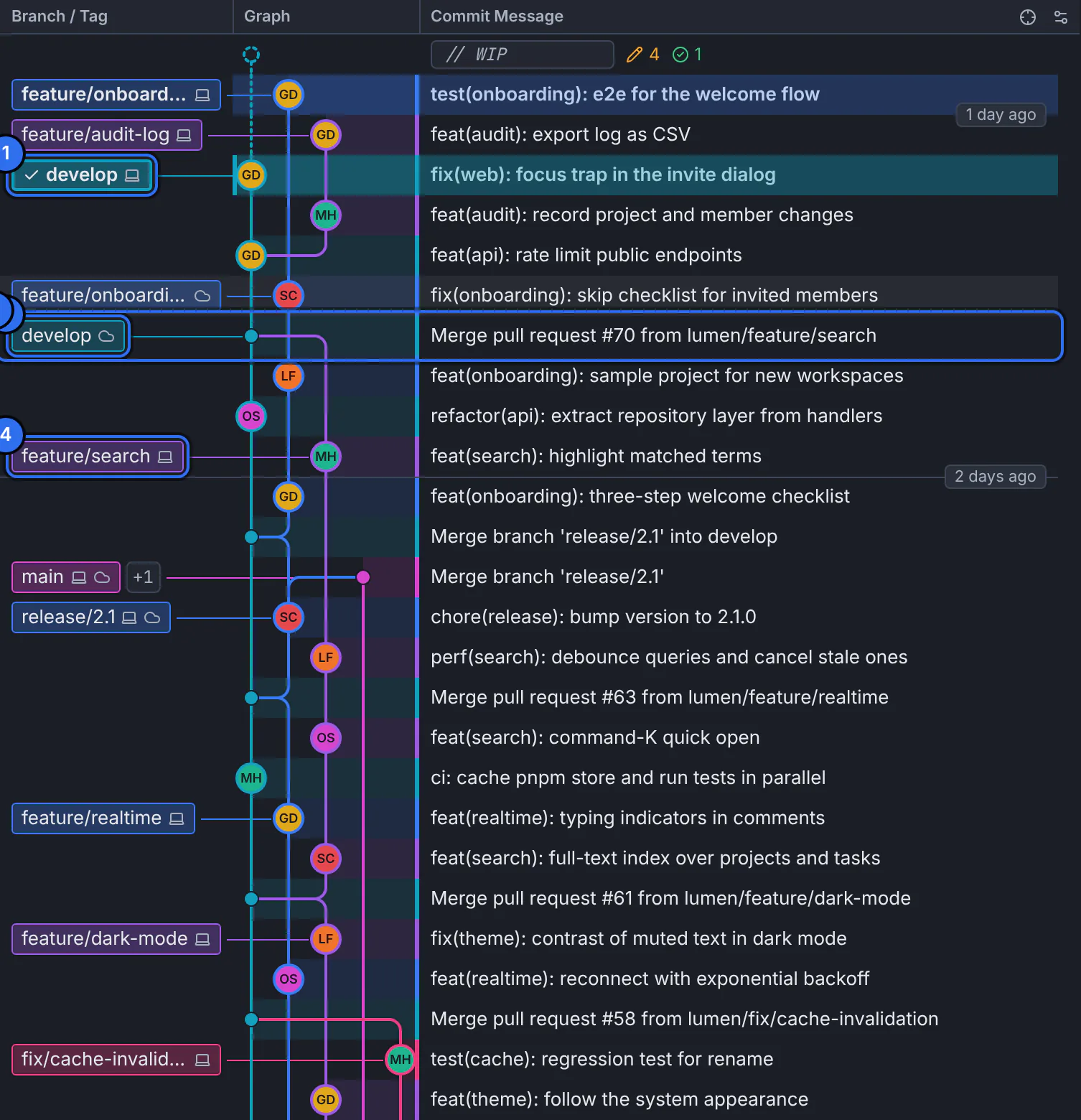
The column headers above the graph; the sliders button at their end opens the columns menu.GitTree interface with a demonstration repository. Choose the columns
Turn on Author, Date or SHA. They appear beside the message.
Fit more rows
Turn on compact rows to fit more history on the screen.
Resize
Drag the separator at a column’s edge to make it wider or narrower.
Expected result
The graph shows the columns you chose, in every repository.
Make room for the graph
- Toggle Sidebar hides the left panel; Toggle Inspector hides the details on the right.
- Toggle Full View gives the middle the whole window.
- Drag the separators between the panels to resize them.
If something goes wrong
Labels are cut off with “…”
Widen the Branch / Tag column by dragging its edge, or hold the pointer over a label to read it whole.
Questions
Can I change the lane colours?
Lane colours follow the theme. Choose another theme, such as a high-contrast one, in Preferences.