Reset a branch to a commit
Resetting moves your current branch to another commit, like git reset. Soft keeps every change staged, Mixed keeps them in your working folder, Hard discards them. GitTree saves everything under refs/ogt/trash first, so even a hard reset can be undone.
Works in GitTree Free: every local Git feature, once you are signed in.
On this page
Before you start
- Know which commit the branch should point at; the commits after it leave the branch.
Where to find it
- Right-click a commit in the graph: Reset … to This Commit, then Soft, Mixed or Hard.
| Action | macOS | Windows and Linux |
|---|---|---|
| Undo a reset | ⌘Z | Ctrl+Z |
Steps
Choose the commit
Right-click the commit the branch should go back to and open Reset … to This Commit.
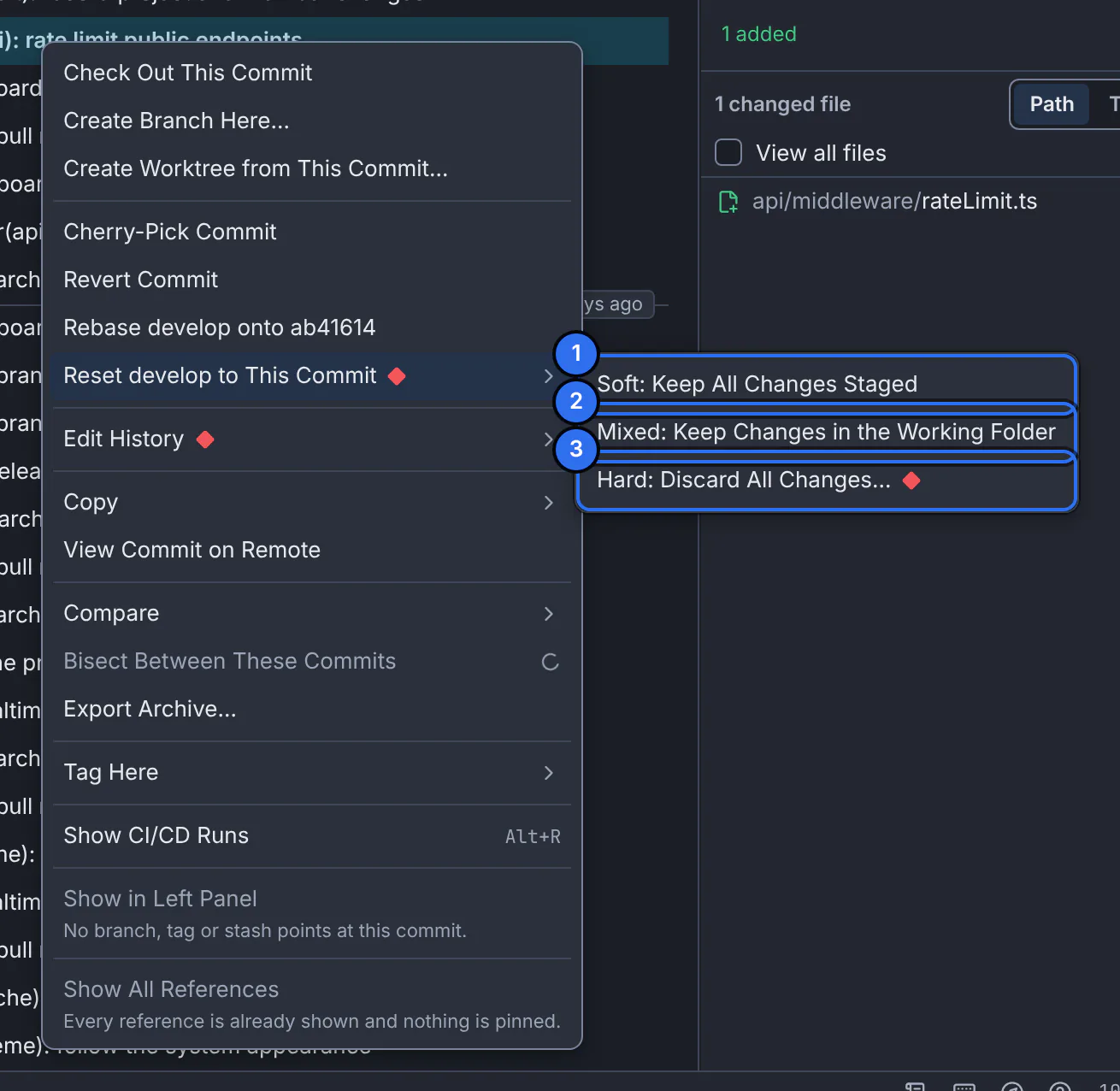
1 keep the changes staged, 2 keep them in the working folder, 3 discard them.GitTree interface with a demonstration repository. Choose the mode
Pick Soft: Keep All Changes Staged, Mixed: Keep Changes in the Working Folder or Hard: Discard All Changes…. The confirmation says what happens to your branch and files.
Confirm
Press Reset … (or Discard and reset … for a hard reset). Cancel is the default.
Expected result
The branch points at the chosen commit. GitTree says Reset to …, and Undo puts the branch and your changes back.
Which mode?
| Mode | Commits after the target | Your files |
|---|---|---|
| Soft | Leave the branch; their changes are staged. | Unchanged. |
| Mixed | Leave the branch; their changes are in the working folder, unstaged. | Unchanged. |
| Hard | Leave the branch. | Every uncommitted change is discarded, and untracked files in the way are removed. |
If something goes wrong
The reset commits were already pushed
The remote still has them, and a normal push is refused. If others share the branch, prefer reverting those commits instead.
Questions
Can I get my work back after a hard reset?
Yes. Press Undo in the toolbar. GitTree saved the commits and changes under refs/ogt/trash before the reset.