Stage files, hunks and selected lines
A commit contains only what you stage. In GitTree you stage a whole file, one hunk of it, or just the lines you pick in the diff, and the rest of your edits stay in the working folder for a later commit.
Works in GitTree Free: every local Git feature, once you are signed in.
On this page
Before you start
- A repository is open and has changes: the
// WIProw at the top of the graph counts them. - Staging only prepares the next commit. It changes nothing in your files and nothing on the remote.
Where to find it
- The Working Changes panel: select the
// WIProw at the top of the graph, or View Changes in the blue bar above the commit details. - The diff of a file: select the file in Unstaged Files or Staged Files; it opens in the middle with its hunk and line controls.
- Hover a file row for Stage File, Unstage File and Discard Changes to File….
| Action | macOS | Windows and Linux |
|---|---|---|
| Stage the selected files (in the file list) | S | S |
| Unstage the selected files (in the file list) | U | U |
| Next change in the diff | F7 | F7 |
| Previous change in the diff | ⇧F7 | Shift+F7 |
| Commit | ⌘Enter | Ctrl+Enter |
Steps
Open the working changes
Select the
// WIProw at the top of the graph. The Working Changes panel lists Unstaged Files and Staged Files, each with a count, and the commit form below them.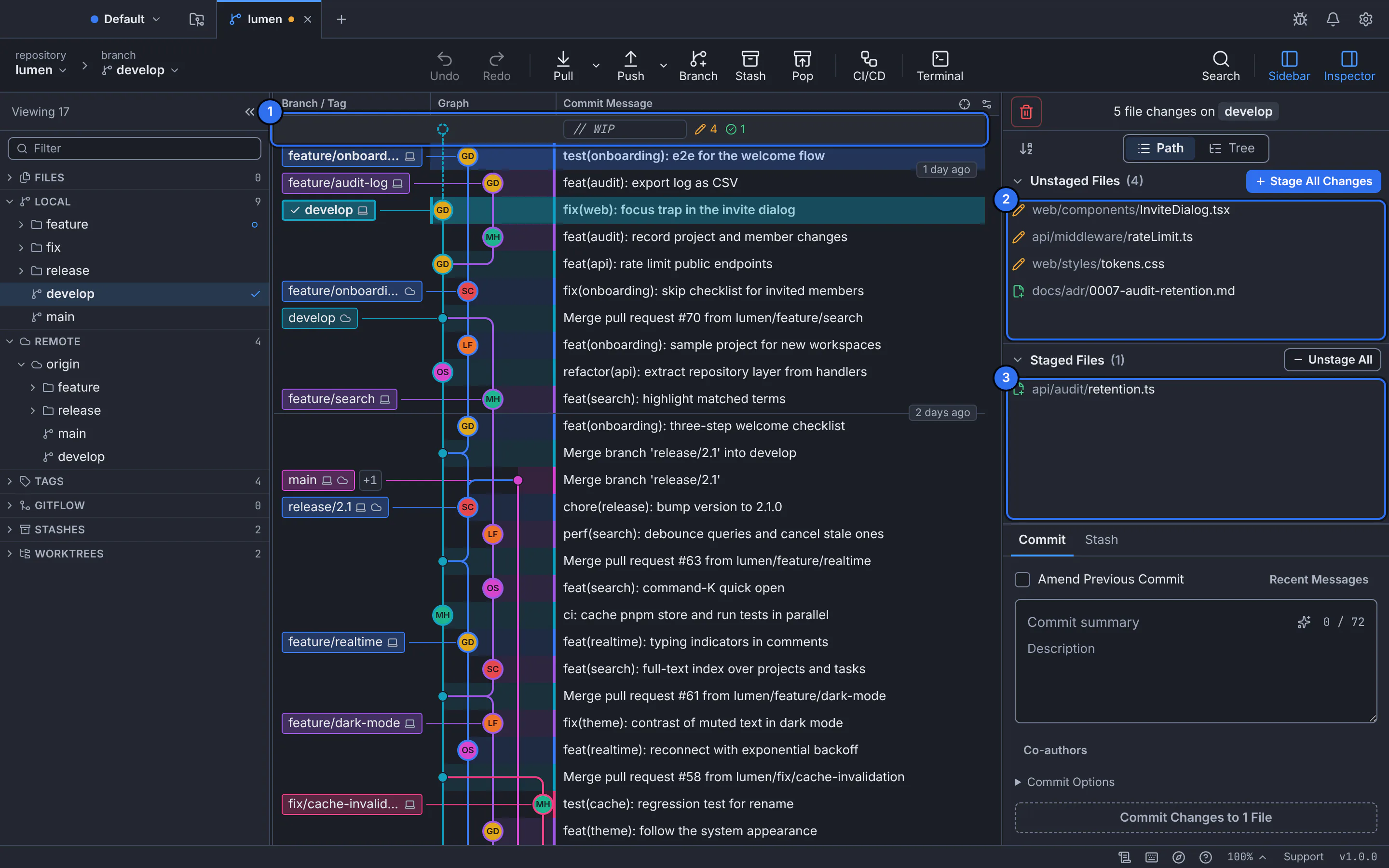
1 is the // WIProw; 2 the files you changed but have not staged; 3 the files already staged for the next commit.GitTree interface with a demonstration repository.Stage whole files
Hover a file and choose Stage File, or select one or more files and press S. Stage All Changes stages every file at once. Staged files move to Staged Files; Unstage File (or U) moves one back.
Stage one hunk, or only the lines you pick
Select a file to open its diff. Each block of changes (a hunk) has Stage Hunk. To stage less, tick the boxes beside the changed lines you want (Shift+click picks a range), then choose Stage Lines in the bar that shows how many lines are picked.
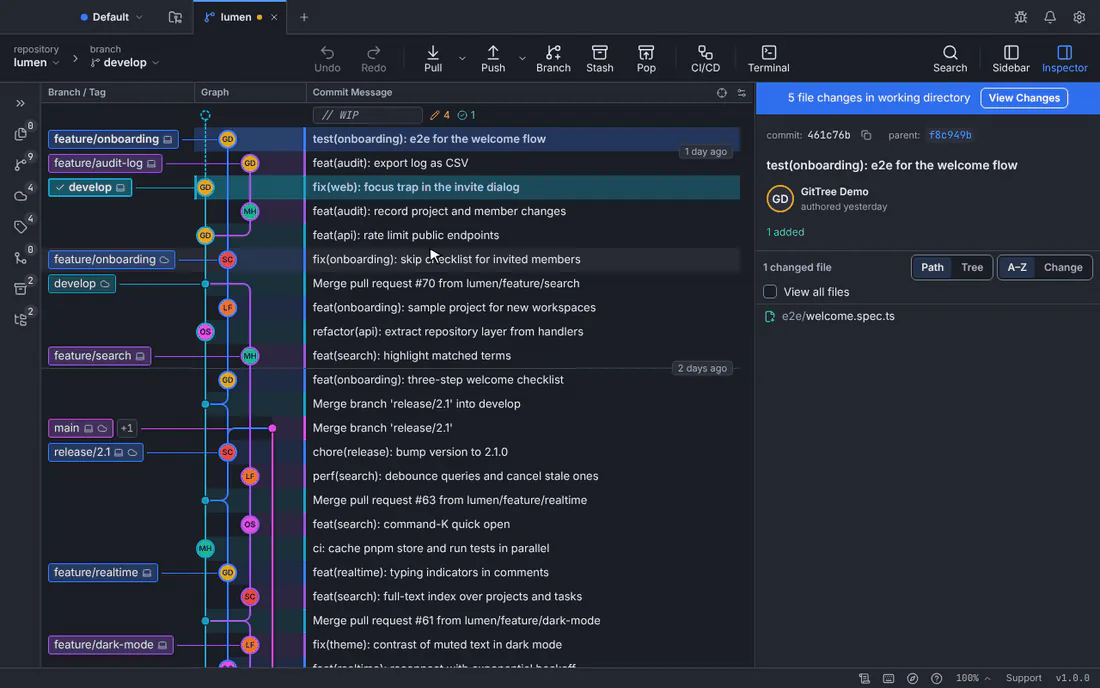
Two lines of InviteDialog.tsxare picked and staged; the rest of the file stays unstaged.GitTree interface with a demonstration repository.Check what will be committed
Select the file under Staged Files: its diff now shows only what you staged, with Unstage Hunk and Unstage Lines to take part of it back. The commit button names how many files it will commit.
Expected result
The file can appear in both lists: the lines you staged under Staged Files, the rest under Unstaged Files. Your file on disk still holds every edit.
When you commit, only the staged part goes into the commit. To continue, write and create the commit.
Staging controls
| Control | Where | What it does |
|---|---|---|
| Stage All Changes | Above Unstaged Files | Stages every changed file, new files included. |
| Stage File / Unstage File | On a file row (hover), or S and U in the list | Moves the whole file between the lists. |
| Stage Hunk / Unstage Hunk | Above each hunk of the diff | Stages or unstages that block of lines. |
| Stage Lines / Unstage Lines | In the bar that appears when lines are picked | Stages or unstages only the picked lines. Clear drops the selection. |
| Stage Changes to Commit | The commit button, while nothing is staged | Stages every change first, then lets you commit. |
Changes that are staged whole
Some changes have no lines to pick, so GitTree offers only the file-level action: binary files, renames and copies, Git LFS pointers, submodule changes, and a file mode change (staged together with the content).
If you hide whitespace in the diff and the file has whitespace-only changes, lines cannot be picked: choose Show Whitespace first, or stage the whole file.
If something goes wrong
The commit button says Stage Changes to Commit
Nothing is staged yet. Stage the files, hunks or lines you want, or choose the button to stage everything before committing.
“The diff changed since it was shown”
The file changed on disk (an editor saved it) after the diff appeared, so GitTree refused to stage a selection that no longer matches. Look at the refreshed diff and pick the lines again.
I discarded lines by mistake
Discard Lines and Discard Hunk save a recovery snapshot first. Choose Undo in the toolbar (Ctrl+Z, ⌘Z on a Mac) to bring them back (Undo and Redo).
Questions
Is this the same as git add -p?
It does the same job: it puts part of a file into the index. Instead of answering prompts hunk by hunk, you see the whole diff and tick the lines you want.
Do the picked lines need to be next to each other?
No. Tick any changed lines in the file, in one hunk or several, and stage them together.