Install GitTree on Linux
GitTree for Linux comes as a .deb for Ubuntu 22.04 or later and Debian 12 or later, and as a portable AppImage, both for 64-bit x86_64. Install Git 2.39 or newer first, then install the .deb with apt or run the AppImage.
Works in GitTree Free: every local Git feature, once you are signed in.
On this page
Before you start
- 64-bit (x86_64) Ubuntu 22.04 or later, Debian 12 or later, or a derivative with WebKitGTK 4.1 such as Linux Mint 21+.
- A Secret Service (GNOME Keyring or KeePassXC) for your tokens, and zenity or kdialog for password prompts.
Where to find it
- The .deb and AppImage downloads on the Linux page.
| Action | macOS | Windows and Linux |
|---|---|---|
| Open Repository… | ⌘O | Ctrl+O |
Steps
Get Git 2.39 or newer
Ubuntu 24.04 and Debian 12 have it:
sudo apt install git. Ubuntu 22.04 and Linux Mint 21 ship Git 2.34, so add the git-core PPA first (the commands are below).Install the .deb
In the folder you downloaded to, run
sudo apt install ./Git-Tree-Linux.deb(use the file name you saved). apt installs the dependencies and adds GitTree to your applications menu.Or run the AppImage
Keep the file in a folder only you can write to, then run
chmod +x Git-Tree-Linux.AppImage && ./Git-Tree-Linux.AppImage. It installs nothing.Start GitTree
Open it from your applications menu or with
gittree. At Sign in to GitTree, choose Sign in or Create account and finish in your browser.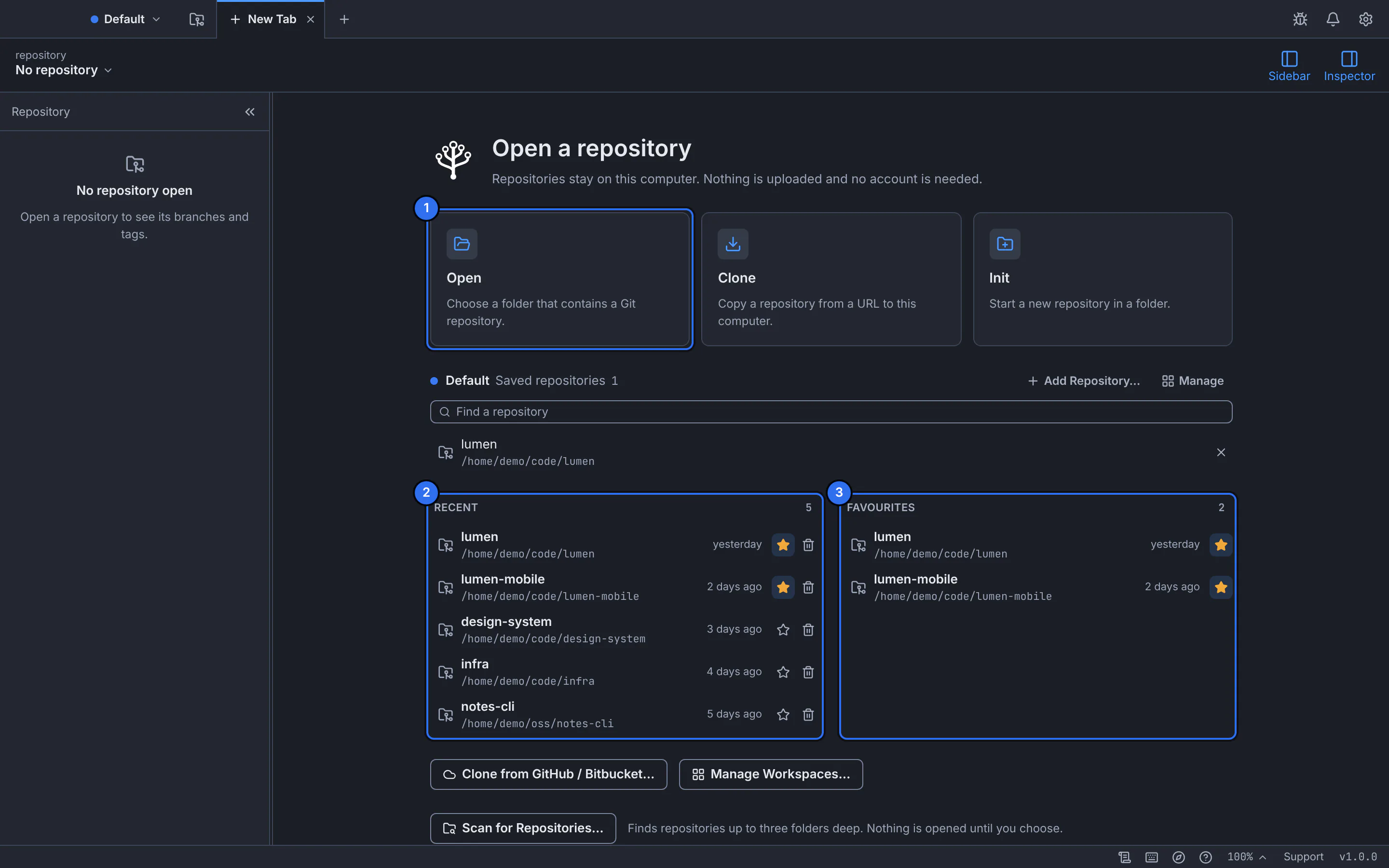
The new tab after launch: open, clone or create a repository.GitTree interface with a demonstration repository.
Expected result
GitTree runs on your desktop with its own window title bar, using your Git and your keyring.
The commands
Git on Ubuntu 22.04 and Linux Mint 21:
sudo add-apt-repository ppa:git-core/ppa
sudo apt update
sudo apt install git
Verify a download against SHA256SUMS.txt, and remove the .deb:
sha256sum Git-Tree*
sudo apt remove git-treeIf something goes wrong
The AppImage does not start
FUSE is usually missing: run sudo apt install fuse3 and start it again.
After signing in, the browser cannot return to the AppImage
The AppImage registers nothing with your system. Copy the code the website shows, choose Manually enter authentication code in GitTree and paste it.
Questions
How do I update GitTree on Linux?
Download the newer .deb from the Linux page and install it the same way with apt; your settings and repositories are kept. For the AppImage, replace the file.