CI/CD runs
GitTree shows the CI/CD runs of your repository’s host, such as GitHub Actions, in the left panel and in a full list beside the graph: what passed, what failed and why, with Re-run Failed Jobs, Cancel Run… and Run Workflow…. CI/CD is part of GitTree Pro.
Needs GitTree Pro or a running trial; Free keeps every local Git feature. Compare the plans.
On this page
Before you start
- GitTree Pro or a running trial (Free and Pro).
- An account for the repository’s host connected under Connected accounts in Preferences.
Where to find it
- The CI/CD button in the toolbar, named after your host (such as Actions), or the shortcut below.
- The CI/CD section of the left panel: This branch, Running now and Workflows.
- Right-click a commit: Show CI/CD Runs.
| Action | macOS | Windows and Linux |
|---|---|---|
| Show CI/CD | ⌥P | Alt+P |
| Refresh CI/CD | ⌥⇧R | Alt+Shift+R |
| Re-run Failed Jobs | ⌥⇧F | Alt+Shift+F |
Steps
Open the runs
Press the CI/CD button in the toolbar. The list shows each run’s State, name, Branch, Commit and when it Started, and updates while runs are going.
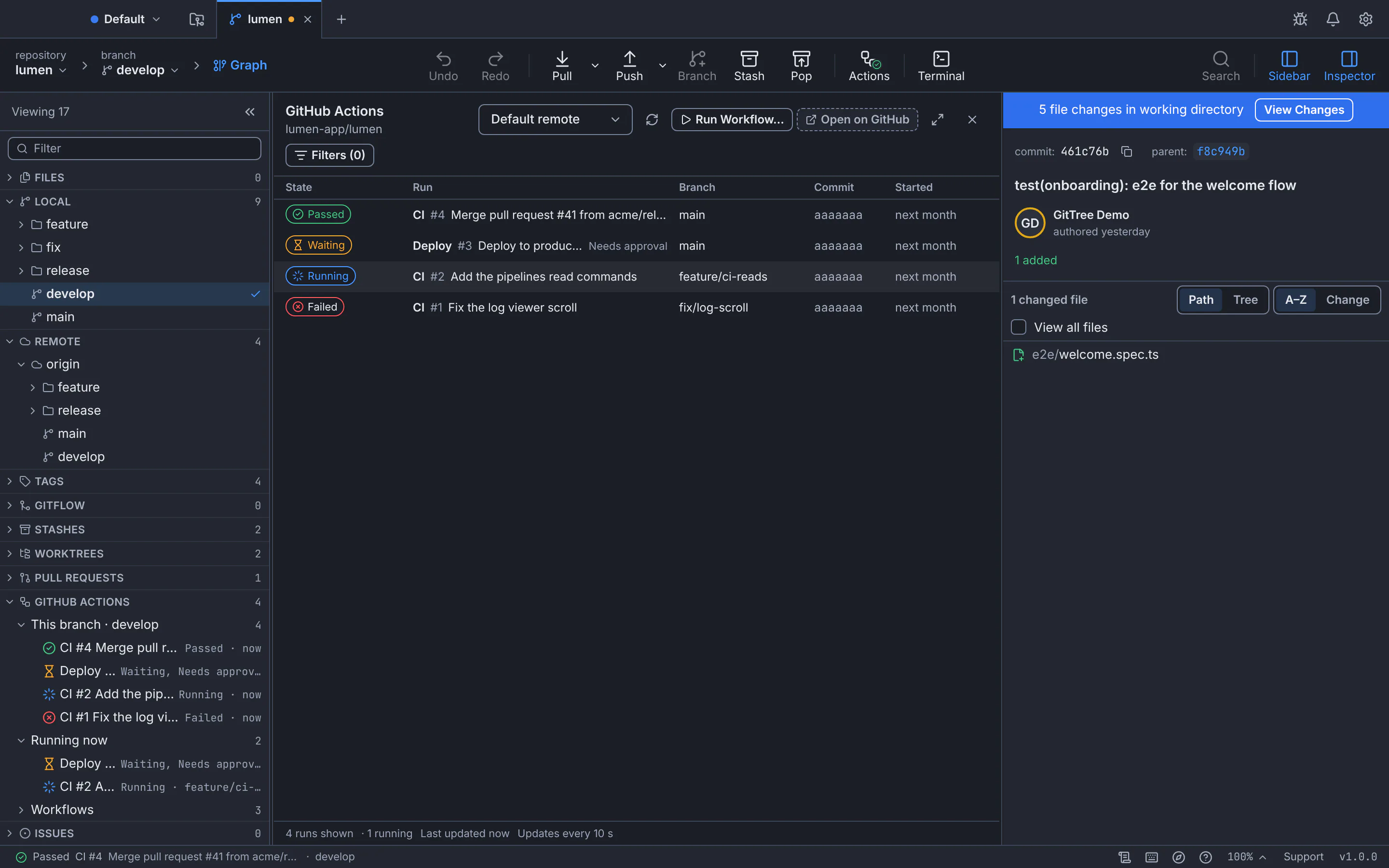
Runs that passed, wait for approval, are running and failed, beside the graph.GitTree interface with a demonstration repository. Open a run
Select it to see its jobs and steps, and each job’s log. Show Commit in Graph jumps to the commit it ran on.
Act on it
Use Re-run Failed Jobs, Re-run All Jobs or Cancel Run…. A deployment that Needs approval offers Approve Deployment… and Reject Deployment….
Expected result
You see every run of your branch without leaving GitTree, and the status bar shows the latest one for the branch you are on.
More CI/CD actions
- Run Workflow… starts a workflow that can be run by hand, on the branch you choose.
- Filters narrow the list; Show Only My Runs keeps yours.
- Watch Run notifies you when a run ends.
- Save Artifact… downloads a file the run produced.
- With Nour on, Explain Failure with Nour reads a failed job’s log and explains it.
If something goes wrong
“Pull requests, issues and CI/CD runs are part of GitTree Pro.”
Your trial has ended or was never started. Local Git keeps working on Free; start a trial or get Pro to see runs.
Questions
Does GitTree run my pipelines?
No. Your host runs them, as always. GitTree reads their state and logs and sends the actions you choose, such as a re-run.