Amend the last commit
Amending replaces the last commit with a new one that has your corrected message and any changes you stage now, like git commit --amend. In GitTree it is the Amend Previous Commit switch in the commit form.
Works in GitTree Free: every local Git feature, once you are signed in.
On this page
Before you start
- The branch has at least one commit.
- Best before you push: amending a pushed commit rewrites history others may already have.
Where to find it
- Amend Previous Commit in the commit form at the bottom of the Working Changes panel.
| Action | macOS | Windows and Linux |
|---|---|---|
| Amend Commit, once the switch is on | ⌘Enter | Ctrl+Enter |
Steps
Turn on Amend Previous Commit
Open the changes from the
// WIProw and select Amend Previous Commit. The form says Amending with the last commit’s short SHA and fills in its message.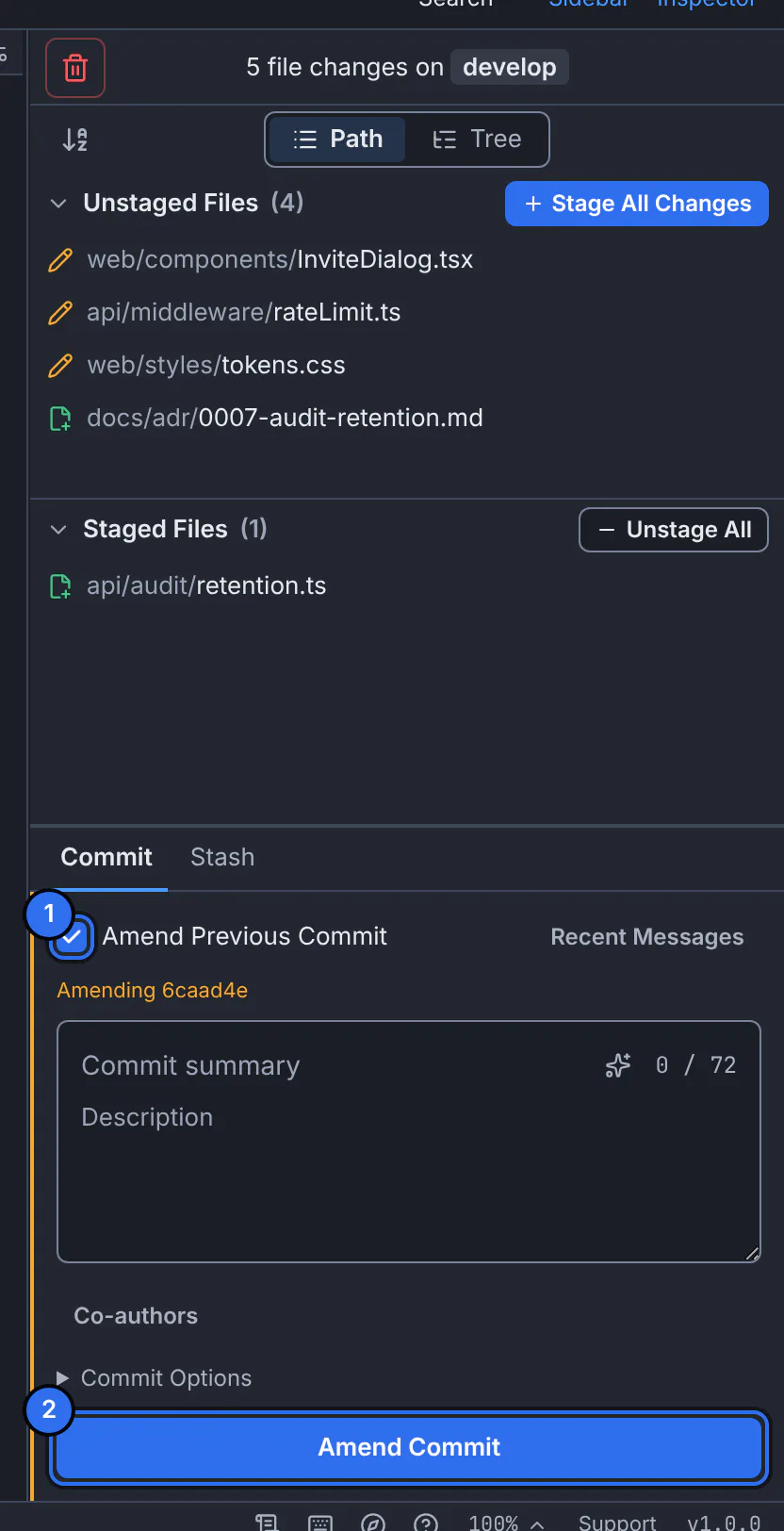
1 the amend switch, 2 the button that replaces the last commit.GitTree interface with a demonstration repository. Add what you forgot
Stage any extra changes that belong in that commit. To change only the message, stage nothing.
Correct the message
Edit Summary and Description as you want them.
Amend
Press Amend Commit. If the commit is already on a remote branch, GitTree asks Amend a commit that is already pushed? first, and Cancel is the default.
Expected result
The last commit is replaced: same place in the graph, a new SHA, your new message and changes.
Changed your mind? Undo in the toolbar moves the branch back to the commit as it was, with the changes staged (undo and redo).
Amending a commit you already pushed
The remote still has the old commit, so a normal push is refused afterwards. Push with Force Push (With Lease)…: GitTree pushes only if the remote branch is still where you last saw it, so it never overwrites someone else’s new work.
If something goes wrong
Amend Previous Commit is not available
The branch has no commit yet. Make the first commit instead.
Questions
How do I change an older commit, not the last one?
Use an interactive rebase and choose Reword or Edit for that commit.