Create and manage tags
A tag is a fixed name for one commit, usually a release such as v2.2.0. Right-click a commit, choose Tag Here, then a lightweight or an annotated tag. Tags are not pushed with your commits: push each one with Push Tag.
Works in GitTree Free: every local Git feature, once you are signed in.
On this page
Before you start
- The commit you want to tag is in the graph (find a commit).
Where to find it
- Right-click a commit: Tag Here, then Create Tag Here… or Create Annotated Tag Here….
- Right-click a tag label for Push Tag, Copy Tag Name, Delete Tag… and Delete Tag from Remote….
- The Tags section of the left panel lists every tag.
| Action | macOS | Windows and Linux |
|---|---|---|
| Undo creating or deleting a tag | ⌘Z | Ctrl+Z |
Steps
Choose the commit and the kind of tag
Right-click the commit, open Tag Here and choose Create Annotated Tag Here… for a release (it records who tagged it, when, and a message), or Create Tag Here… for a lightweight tag that is only a name.
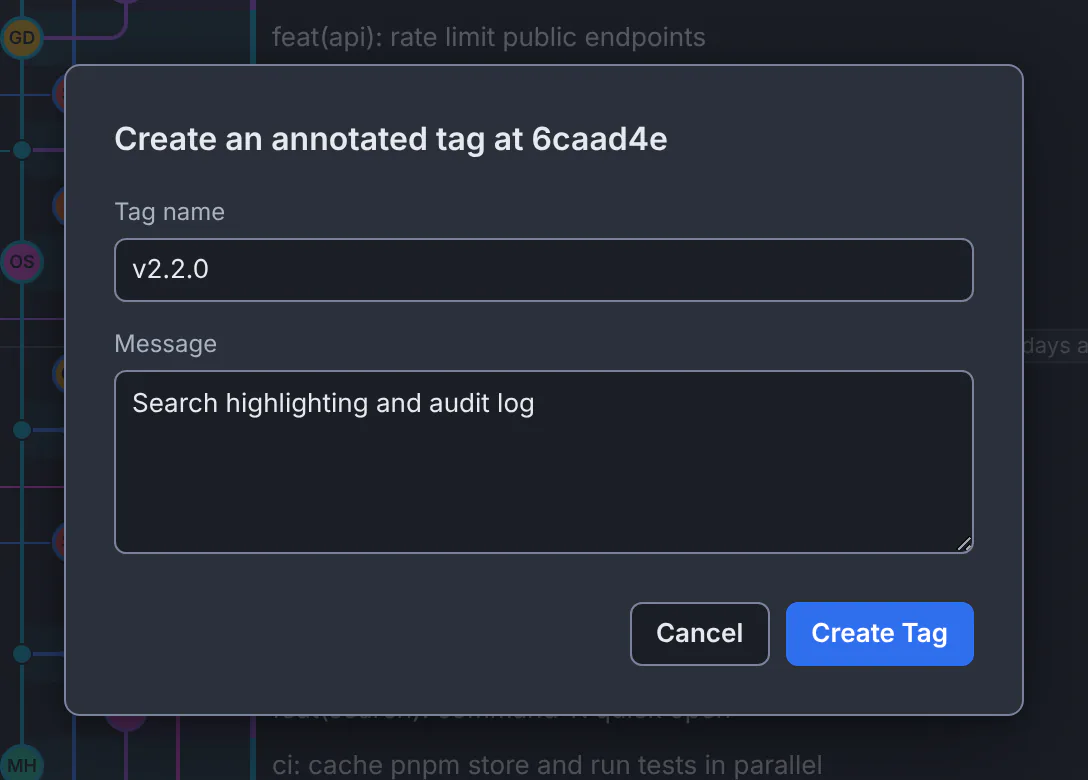
An annotated tag, v2.2.0, with its message.GitTree interface with a demonstration repository. Name it and describe it
Type the Tag name, such as
v2.2.0, and for an annotated tag a Message, such as what the release brings.Sign it, if your project asks
Under Signing, Follow Git config uses your
tag.gpgSignsetting; Sign this tag or Don’t sign this tag decide for this one. Only annotated tags can be signed.Create and push it
Press Create Tag. The label appears on the commit; right-click it and choose Push Tag to publish it.
Expected result
The tag points at the commit for good, in the graph and in Tags, and on the remote once pushed, where hosts such as GitHub can turn it into a release.
Delete a tag
- Delete Tag… removes the local tag. It is saved first under
refs/ogt/trash, so Undo brings it back; the remote is not changed. - Delete Tag from Remote… removes the tag from the remote for everyone who fetches from it. Your local tag stays.
If something goes wrong
“The tag could not be signed, so it was not created.”
Git could not run your signing program or find a key. Check user.signingkey and that GPG or SSH signing works in a terminal, or create the tag without signing.
A colleague does not see my tag
Tags stay local until pushed. Right-click the tag and choose Push Tag.
Questions
Lightweight or annotated?
Use annotated tags for releases: they carry a message, the tagger and a date, and can be signed. Lightweight tags suit private bookmarks.