Inspect a commit
Select a commit in the graph and the inspector on the right shows everything about it: the message, the full SHA, its parents, who wrote and committed it, and the files it changed. Select a file to see its diff.
Works in GitTree Free: every local Git feature, once you are signed in.
On this page
Before you start
- A repository is open.
Where to find it
- Select a row in the graph. Commit Details opens in the inspector on the right.
- Right-click the row for the commit menu: Copy, Compare and the actions on that commit.
| Action | macOS | Windows and Linux |
|---|---|---|
| Find a commit first | ⌘F | Ctrl+F |
Steps
Select the commit
Click its row in the graph, or move to it with the arrow keys. The inspector shows its message and description.
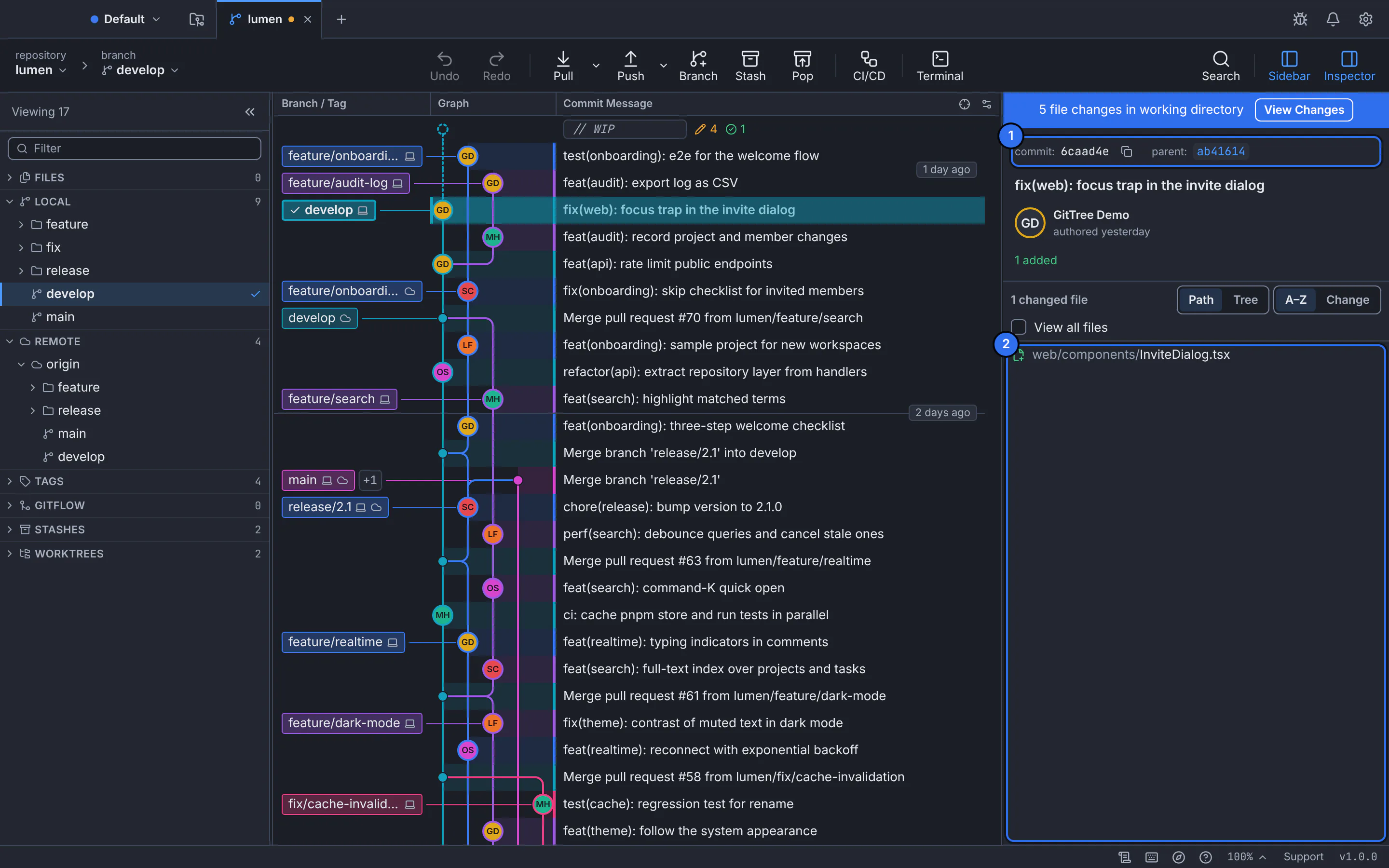
1 the commit’s SHA and parents, 2 the files it changed.GitTree interface with a demonstration repository. Read the facts
Beside commit: is the short SHA; Copy full SHA copies all of it. parent: (or parents: for a merge) links to the commit before it: select it to jump there. The author and the date follow, and the committer when someone else committed it.
Look at the changed files
The list says how many files were added, modified, deleted or renamed. Show them as Path or Tree, sort them A–Z or by Change, or turn on View all files to see the whole project as it was in that commit.
Open a file’s diff
Select a file, or use Open File Diff from its File actions menu. The diff opens in the middle, as Hunk, Inline or Split.
Expected result
You know exactly what the commit changed, line by line, and can jump to its parents to follow the history back.
Bring one file back from a commit
Restore This Version… in a file’s File actions menu puts that file back as it was in the selected commit, in your working folder and staging area. GitTree asks first.
Copy or share a commit
- Copy Commit SHA: the full SHA, for a terminal or a review comment.
- Copy Link to This Commit: the commit’s page on the repository’s host, when the remote is on one.
- Copy App Link to This Commit: a link that opens the same commit in GitTree.
If something goes wrong
“Could not load this commit”
The commit may no longer exist, for example after a rebase someone pushed. Fetch, then select the commit again from the graph.
Questions
How do I compare two commits?
Right-click one commit and use Compare, or select two rows with Ctrl (⌘ on a Mac) held down: the inspector then shows what changed between them.