Open an existing repository
Choose the folder of a Git repository that is already on your computer and GitTree opens it in its own tab, with its commit graph, branches and changes. Nothing is uploaded: the repository stays on your computer.
Works in GitTree Free: every local Git feature, once you are signed in.
On this page
Before you start
- GitTree is installed and has found Git on your computer. If it asks you to locate Git, follow that screen first.
- The repository is a folder on this computer that contains Git history (a
.gitfolder). To copy one from GitHub, GitLab or another server, clone it instead.
Where to find it
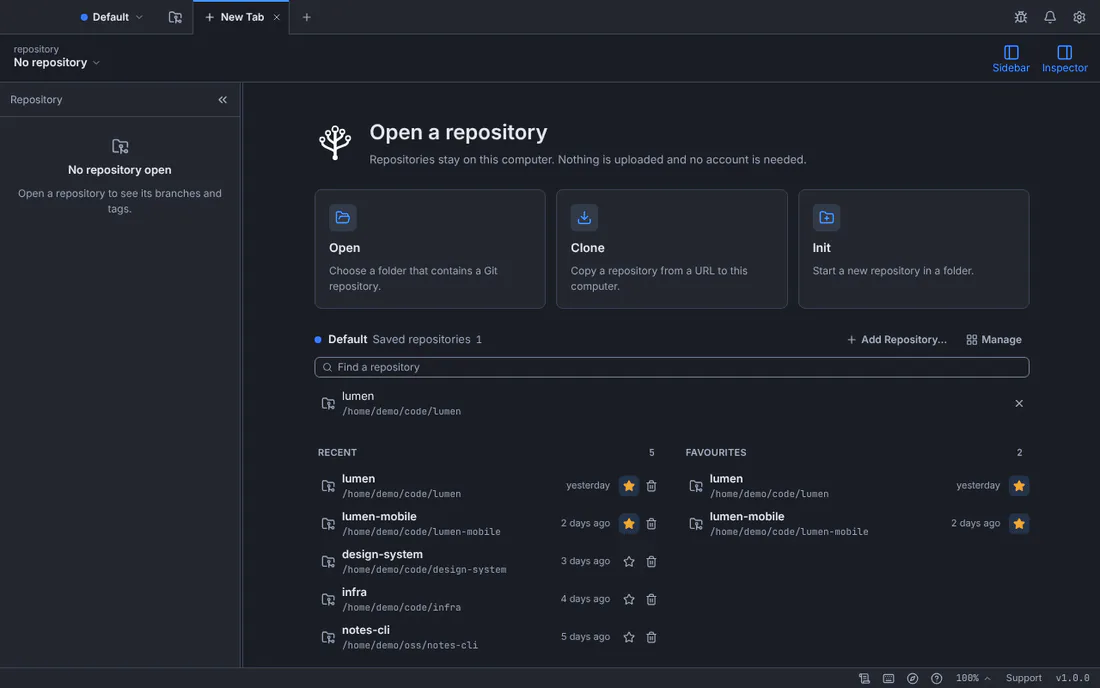
- The New Tab page: the Open card, the Recent list and the Favourites list. A new window shows it, and the + at the end of the tab bar opens another one.
- The command palette: Open Repository….
- Drag the repository’s folder from your file manager onto the GitTree window.
| Action | macOS | Windows and Linux |
|---|---|---|
| Open Repository… | ⌘O | Ctrl+O |
| New tab | ⌘T | Ctrl+T |
Steps
Go to the New Tab page
Open GitTree, or press the + at the end of the tab bar. The page is titled Open a repository and offers Open, Clone and Init, with your Recent and Favourites repositories below them.
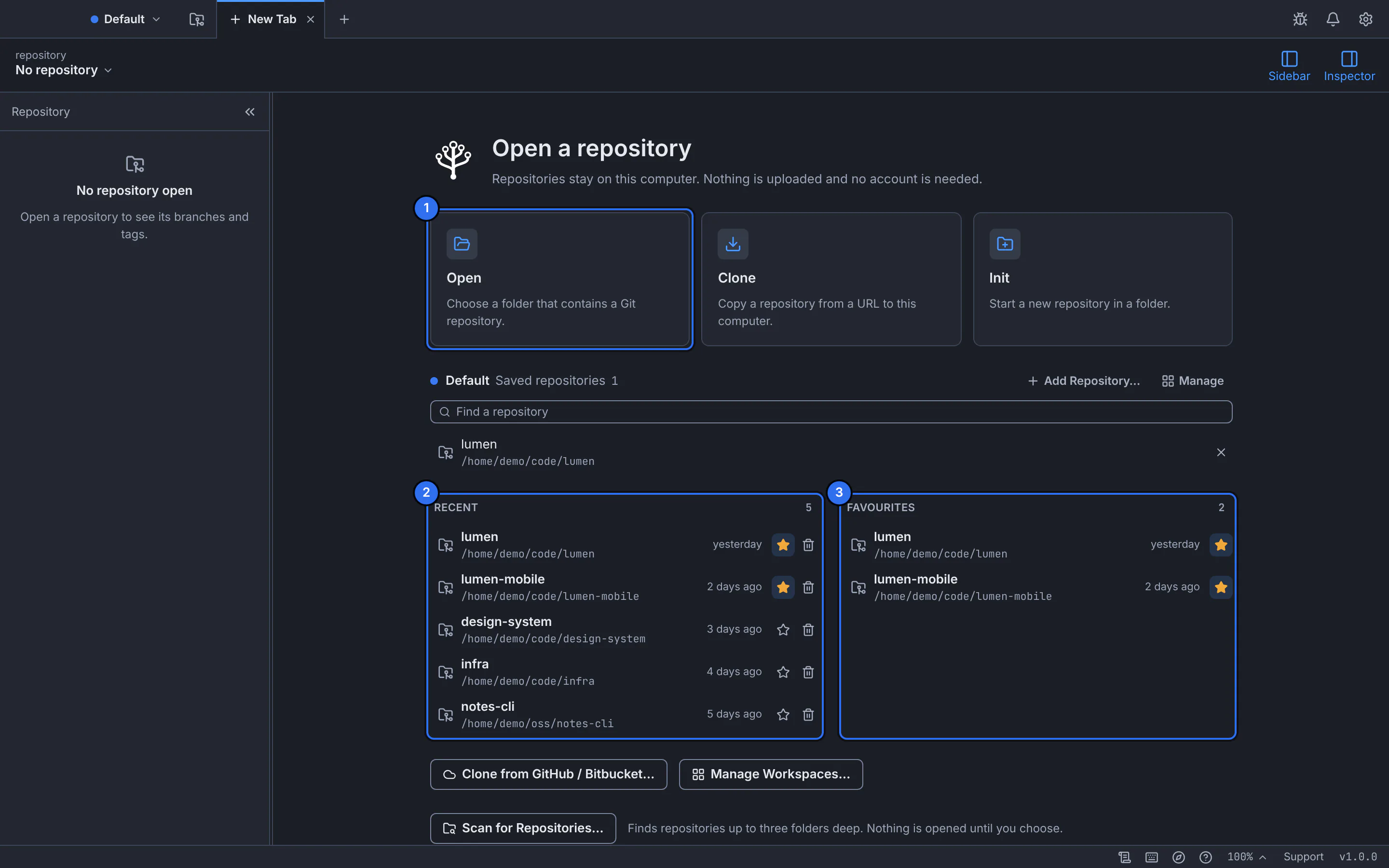
1 is the Open card; 2 lists the repositories you opened before, 3 the ones you starred.GitTree interface with a demonstration repository. Choose Open, then the repository’s folder
Select Open (or press the shortcut) and pick the folder in your system’s folder dialog. You can choose the repository’s top folder or any folder inside it: GitTree looks for the repository at that folder and above it.
The repository opens in its own tab, named after its folder, on its checked-out branch.GitTree interface with a demonstration repository. Answer the trust question if GitTree asks it
If the repository contains settings or hooks that can run programs when Git works in it, GitTree shows Trust this repository? with exactly what it found. Choose Trust and Open for a repository you know, or Open in Restricted Mode to look at it without running anything it configures. Cancel leaves it closed.
Reopen it later from Recent or Favourites
The repository now appears under Recent on the New Tab page. Select its star to keep it under Favourites. Removing it from the list never deletes its files.
Expected result
A tab named after the repository shows its commit graph in the middle, its branches, tags and stashes in the sidebar and the selected commit’s details in the inspector. The toolbar names the repository and the checked-out branch.
If the repository was already open, GitTree switches to its tab and says so instead of opening a second one.
Trusted and restricted repositories
Git can run programs that a repository configures: hooks, filters, diff and merge drivers. GitTree checks for them before Git does anything in a repository it has not seen, so opening a downloaded project cannot run its code by surprise.
| Choice | What happens |
|---|---|
| Trust and Open | Git runs the repository’s settings and hooks as it normally would. |
| Open in Restricted Mode | Nothing the repository configures runs and network operations are off; some working-tree actions may be unavailable too. |
| Cancel | The repository is not opened. |
If something goes wrong
“This folder is not a Git repository”
No repository was found at or above the folder you chose. Choose Choose Another Folder… and pick the right one, or Initialize Repository… to start a new repository there (create a repository).
“This repository belongs to another user”
Git refuses repositories owned by a different account on your computer, and GitTree never changes that safety setting on its own. If the folder is yours and you trust it, choose Trust This Folder… and confirm: Git then accepts that one folder. Otherwise open it from the account that owns it.
“GitTree cannot read this folder” or “macOS is blocking access to this folder”
Your system denied access. Check the folder’s permissions; on a Mac, allow GitTree under System Settings › Privacy & Security › Files and Folders, then try again.
A recent repository is marked missing
Its folder was moved or deleted. Open it again from its new place with Open, then remove the old entry from Recent.
Questions
Does opening a repository upload it anywhere?
No. GitTree works on the folder where it is, on your computer. Signing in to GitTree uploads nothing, and opening, browsing and committing are on the Free plan.
Can I open several repositories at once?
Yes. Each repository opens in its own tab, and you switch between them with the tab bar or Ctrl+Tab.