Use GitTree for your daily work
GitTree is a desktop Git client for macOS, Windows and Linux. Sign in, and every local Git task is on the Free plan: open, clone, commit, branch, merge, rebase, stash and undo. GitTree Pro adds hosting integrations, CI/CD runs, AI drafting and Nour, the AI assistant.
Works in GitTree Free: every local Git feature, once you are signed in.
On this page
Before you start
Where to find it
- Everything starts from the new tab: open, clone or create a repository.
- The Feature Guide in the status bar lists what GitTree can do, with the shortcut for each.
| Action | macOS | Windows and Linux |
|---|---|---|
| Feature Guide | ⌥H | Alt+H |
| Command Palette… | ⌘⇧P | Ctrl+Shift+P |
Steps
Open your work
Open a repository you already have, clone one or create one. Each repository gets its own tab.
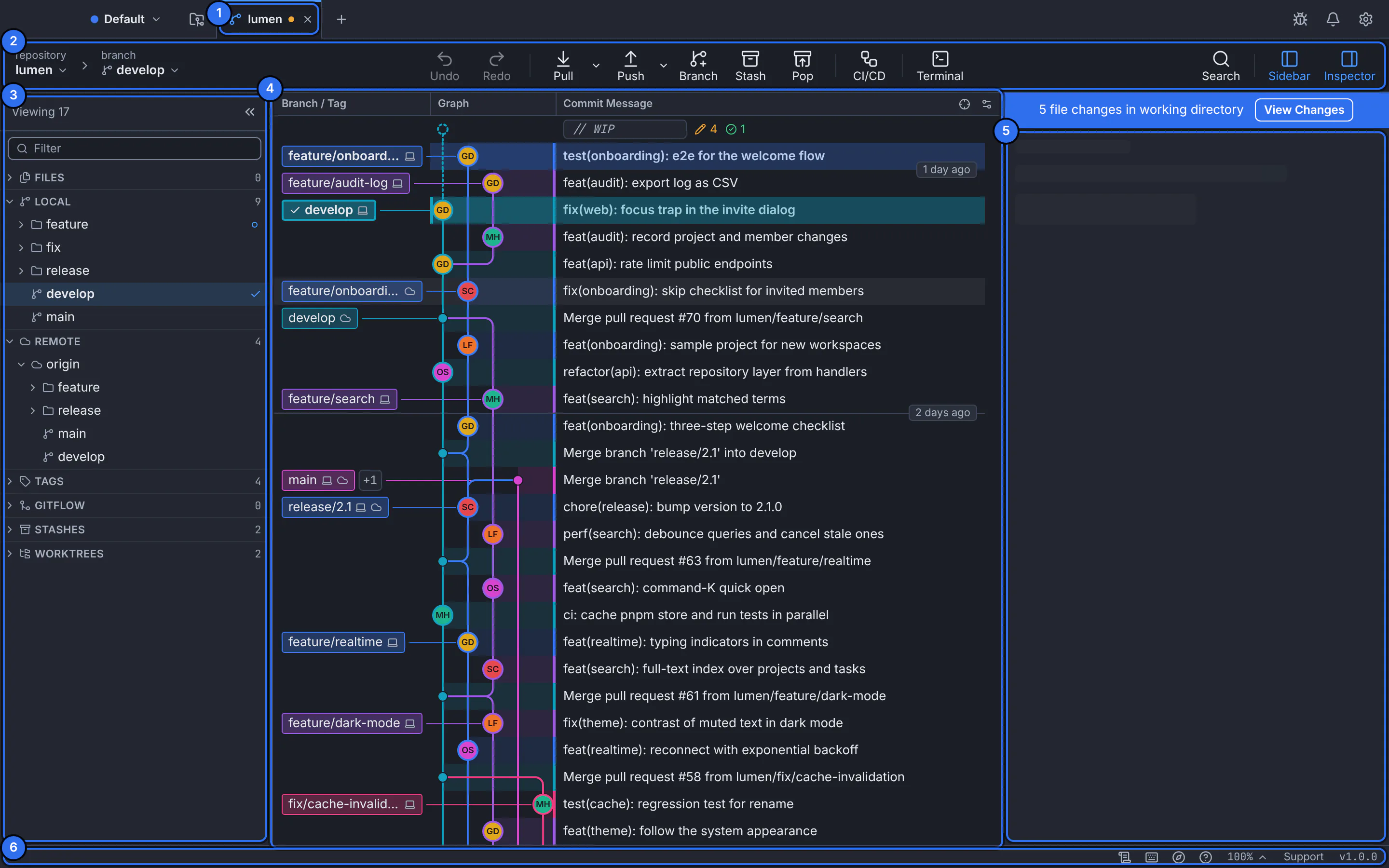
One repository tab: its references, the toolbar, the commit graph and the details of the selected commit.GitTree interface with a demonstration repository. Do the everyday Git
Stage and commit, branch, fetch, pull and push, merge and rebase, all from the graph.
Recover from mistakes
Risky steps save a snapshot first, so Undo takes back a commit, a merge, a rebase, a reset or a discard (undo and redo).
Add Pro when you need it
Pull requests, CI/CD runs, AI drafting and Nour are part of GitTree Pro, with a free trial you start yourself (Free and Pro).
Expected result
You know where each part of your Git work lives in GitTree, and which pages explain it.
How GitTree works
- It runs the Git installed on your computer; your repositories never leave it unless you push.
- You sign in with a GitTree account, local Git is on the Free plan, and GitTree sends no usage telemetry.
- Your tokens and passwords live in your system’s keychain, never in GitTree’s files.
- The interface is in English and Arabic, laid out right to left in Arabic.
If something goes wrong
“GitTree needs Git”
GitTree uses your own Git and does not bundle one. Install Git 2.39 or newer and choose Check again (find Git and set your identity).
Questions
Do I need an account to use GitTree?
Yes. GitTree asks you to sign in with your email or a Git provider. Every local Git feature is then on the Free plan; Pro features and the Pro trial use the same account.