Comparisons
Best Git GUI clients in 2026: 10 Git clients compared for macOS, Windows and Linux
Ten Git clients compared on price, platforms, interactive rebase, conflicts and undo, with a sourced table, honest pros and cons, and a pick for every kind of developer.
Disclosure: GitTree’s maker wrote this article, so we have a stake in GitTree. We describe every product, ours included, from its official pages and our own use, and say where another tool is the better fit.
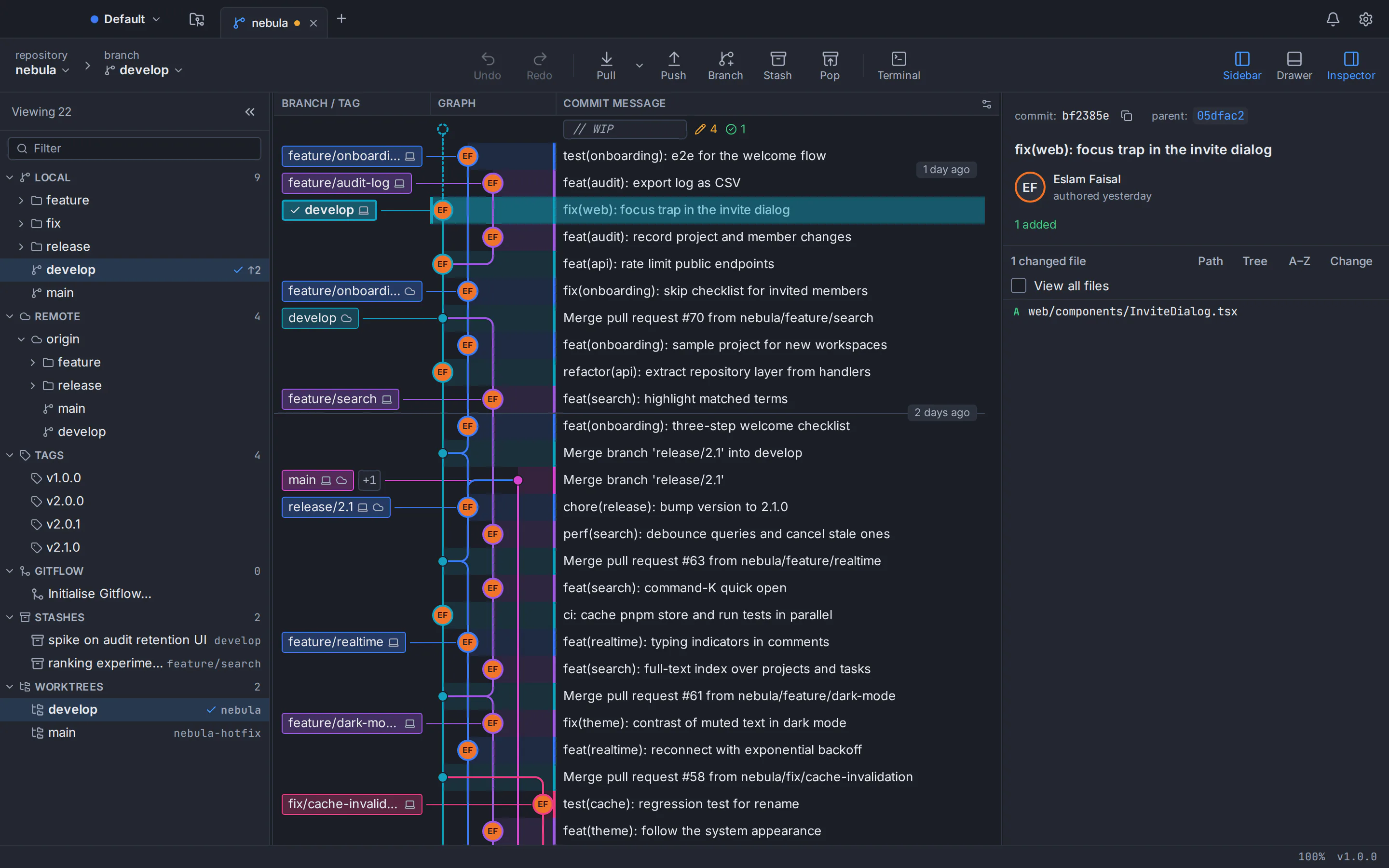
The best Git GUI in 2026 depends on what you need most. GitHub Desktop is the gentlest start for beginners, GitKraken Desktop the most complete tool for teams that pay, and Fork and Tower polished paid apps for Mac and Windows only, with no Linux version. For one free Git client on macOS, Windows and Linux, private repositories included, pick GitTree. The best Git client by need:
- Best free Git GUI on all three systems: GitTree (our app; see the note below).
- Best for beginners: GitHub Desktop, free and open source.
- Best all-in-one for teams: GitKraken Desktop.
- Best one-time purchase: Fork, $59.99 (Mac and Windows only, no Linux version).
- Best free client for Atlassian teams: Sourcetree (Mac and Windows only, no Linux version).
- Best premium native app: Tower (Mac and Windows only, no Linux version).
- Best for enterprise licensing: SmartGit.
- Best for speed and customisation: Sublime Merge.
- Best terminal UI: lazygit.
- Best for parallel branches: GitButler.
Who wrote this: GitTree’s maker wrote this guide, and GitTree is one of the ten clients reviewed. Every claim about another product comes from its official website, docs, release notes or repository, checked in October 2026 and listed in the sources. Prices change, so confirm them with the vendor before you buy.
Git client comparison table: price, platforms and key features
The table covers cost, platforms, free use at work, and the three jobs that separate a good Git GUI from a basic one: rewriting history, resolving conflicts and undoing mistakes. ✓ means an official build exists; — means none.
| Client | Price (as of Oct 2026) | macOS | Windows | Linux | Free for commercial use | Interactive rebase | Conflict editor | Undo |
|---|---|---|---|---|---|---|---|---|
| GitTree | Free today, private repos included | ✓ | ✓ | ✓ | Yes | Pick, reword, edit, squash, fixup, drop | Built-in three-way, per line | Undo and redo for many operations; reflog view |
| GitKraken Desktop | Free for local and public repos; Pro $10 per seat per month, billed annually | ✓ | ✓ | ✓ | Private repos need a paid plan | Pick, reword, squash, drop (free plan: public repos only) | Three-panel; editable output is paid | Most recent action |
| Fork | $59.99 once per user | ✓ | ✓ | — | Needs the licence | Pick, reword, squash, fixup, drop | Built-in, three-column layout | None documented; reflog restore |
| GitHub Desktop | Free, open source (MIT) | ✓ | ✓ | — | Yes | No general editor; drag to reorder or squash | None built in: ours or theirs, editor or Copilot | Last unpushed commit; brief undo after squash or reorder |
| Sourcetree | Free | ✓ | ✓ | — | Yes (no restriction stated) | Squash, reword, edit, delete, reorder | None built in: mine or theirs, or an external tool | None |
| Tower | From $69 per user per year; no free plan | ✓ | ✓ | — | No | Squash, fixup, edit, reword, drop, reorder | Whole-file wizard; external tool for lines | Undo and redo for many operations |
| SmartGit | Free non-commercial; commercial from $5 per user per month, or perpetual | ✓ | ✓ | ✓ | No | Squash, reorder, edit, split, drop | Built-in three-way | Undo last commit; no general history documented |
| Sublime Merge | $99 personal, or $75 per user per year for business | ✓ | ✓ | ✓ | No | Reword, edit, squash, fixup, drop, move | Built-in three-column | Repository > Undo (scope undocumented) |
| lazygit (terminal UI) | Free, open source (MIT) | ✓ | ✓ | ✓ | Yes | Squash, fixup, drop, edit, reorder | Pick hunks in the terminal | Undo and redo via the reflog (commits and branches) |
| GitButler | Free; optional supporter plan | ✓ | ✓ | ✓ | Yes (Fair Source licence) | Drag-and-drop commit editing | Fix conflicted commits later | Operations history |
The 10 best Git GUI clients of 2026, reviewed
Each of these top Git GUI clients gets a verdict, strengths, trade-offs, platforms and the price as of October 2026. GitTree comes first because it is ours.
GitTree
Best for: One free Git client on macOS, Windows and Linux, with private repositories and deep history editing included.
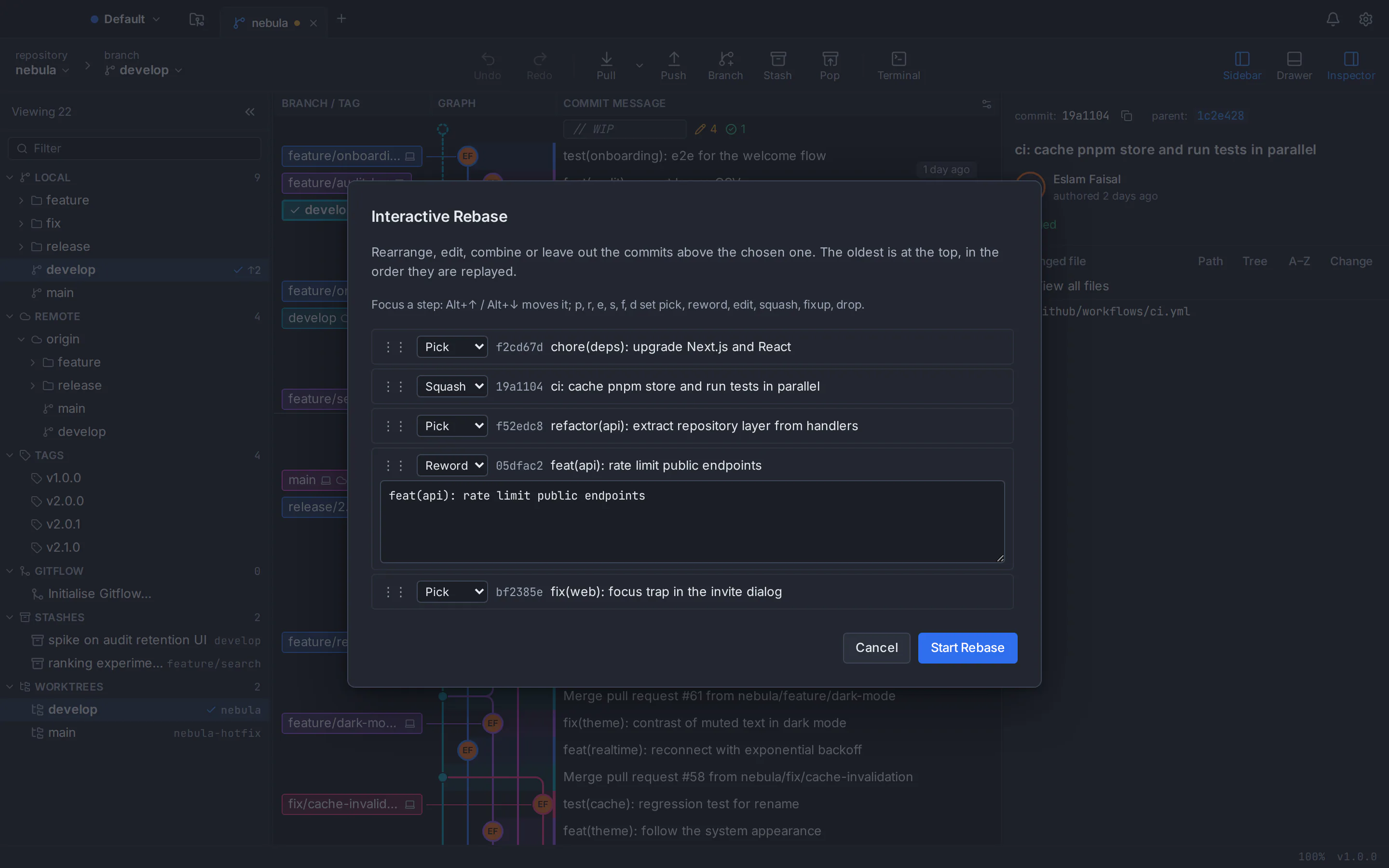
Our desktop Git client, built with Rust and Tauri: about 20.7 MB on macOS (one universal app, macOS 13+), 7.5 MB on Windows 10 (22H2) and 11, and 11.3 MB as a Linux .deb for Ubuntu 22.04+ and Debian 12+, plus an AppImage. It runs on your installed Git, so every action matches the command line. See every GitTree feature.
Strengths
- Free today, private repositories and commercial use included
- Interactive rebase with edit, fixup -C, autosquash and update-refs, and a three-way conflict editor with rerere and conflict prediction
- Toolbar undo and redo, a reflog view, and graph search with
author:,file:andchange:filters - In-app pull requests and CI checks for GitHub, GitLab, Bitbucket and Azure DevOps; built-in terminal, no telemetry, English and Arabic interface
Watch out for
- Closed source; needs a free account (online at first launch, then at least every 7 days)
- Needs Git 2.39 or newer installed (Git is not bundled)
- Unsigned Windows installer (SmartScreen may warn), x64 only
- New (1.2.9): GitLab and Azure DevOps support is early; no Jira, SSO or team features
- Platforms
- macOS: available
- Windows: available
- Linux: available
- Price
- Free today, private repositories included (no paid plan)
GitKraken Desktop
Best for: Teams paying for pull requests, issue trackers, cloud features and AI in one app.
The most feature-rich client here, with official Linux packages (.deb, .rpm, .tar.gz and Snap). It creates, views and merges pull requests on GitHub, GitLab, Bitbucket and Azure DevOps, connects Jira and Trello, and offers GitKraken AI on paid plans. Installers are large: about 220 MB for the Apple silicon .dmg (12.6.0). Compare: GitTree vs GitKraken.
Strengths
- Pull requests on four hosting services, plus Jira, Trello and Launchpad
- Visual interactive rebase, a merge tool, a built-in terminal and a command palette
- Bundles Git; mature, with SSO and on-premise options
Watch out for
- The free plan covers only local repositories and public remotes
- Free users get rebase, undo and the merge tool on public repos only
- Requires an account, and undo covers only the most recent action
- Platforms
- macOS: available
- Windows: available
- Linux: available
- Price
- Free Community plan; Pro $10 per seat per month, billed annually (as of October 2026)
Fork
Best for: Mac and Windows developers who want a fast native app at a one-time price (no Linux version).
Built since 2016 by a two-person team as two native apps, Fork covers the daily checklist: line staging, a visual interactive rebase, a built-in conflict resolver, reflog recovery, worktrees, Git LFS, Git Flow, blame and a Quick Launch palette. It bundles Git and can draft commit messages with your own Claude Code. Compare: GitTree vs Fork.
Strengths
- One-time licence covering commercial use on up to 3 machines
- Fast, clean native apps with image diffs (swipe and onion skin)
- No account needed; Git and Git LFS are bundled
Watch out for
- No Linux version; the request has been open since 2017
- Paid after a free evaluation
- No general undo, built-in terminal or rebindable shortcuts
- Platforms
- macOS: available
- Windows: available
- Linux: not available
- Price
- $59.99 one-time per user (as of October 2026)
GitHub Desktop
Best for: Beginners and GitHub-centred teams who want the shortest path from a change to a pull request.
Free and open source (MIT), with a design document that puts beginner workflows first. Committing selected lines, branching and opening pull requests on GitHub take minutes to learn, and local work needs no account. Version 3.6.0 added worktrees and Copilot conflict resolution, but history is a linear list with no graph. Compare: GitTree vs GitHub Desktop.
Strengths
- Free and open source, with commercial use allowed
- No account for local work; Git and Git LFS bundled
- Tight GitHub integration: checks, notifications and Copilot commit messages
Watch out for
- No official Linux build; the community fork’s latest release dates from February 2025
- No commit graph, blame, general interactive rebase or three-way conflict editor
- GitHub-only integration; usage metrics are on by default (you can opt out)
- Platforms
- macOS: available
- Windows: available
- Linux: not available
- Price
- Free; the optional AI features need GitHub Copilot
Sourcetree
Best for: A free graph client on macOS or Windows, especially with Bitbucket, Jira or Mercurial (no Linux version).
Atlassian’s free client has more than a decade of releases and exposes much of Git: a branch graph, line staging, interactive rebase, Git Flow, Git LFS, submodules and Mercurial. Its two desktop versions are separate apps, and the Windows one requires a Bitbucket or Atlassian account. Compare: GitTree vs Sourcetree.
Strengths
- Free, including an MSI for managed installs
- Bundles Git and Git LFS, and supports Mercurial
- Jira issue links and first-class Bitbucket sign-in
Watch out for
- No Linux version
- No built-in conflict editor, general undo or worktree management
- Pull requests open in the browser; no AI and no built-in terminal
- Platforms
- macOS: available
- Windows: available
- Linux: not available
- Price
- Free (as of October 2026)
Tower
Best for: Professionals on macOS or Windows who will pay for a polished native app with broad undo (no Linux version).
On sale since 2010 with, it says, over 100,000 users, Tower stands out for undo: Cmd or Ctrl+Z reverses commits, merges, rebases, branch deletions and stash operations, with redo. It adds drag-and-drop interactive rebase, worktrees, stacked branches (Pro), in-app pull requests and SAML SSO (Enterprise). Compare: GitTree vs Tower.
Strengths
- Broad undo and redo
- Stacked branches, Graphite and Custom Workflows on the Pro plan
- Native apps, with Arm and MSI builds on Windows; Git bundled
Watch out for
- No free plan, and access ends with the subscription
- No official Linux build
- Whole-file conflict wizard; line-level merging needs an external tool
- Platforms
- macOS: available
- Windows: available
- Linux: not available
- Price
- Basic $69, Pro $129 or Enterprise $149 per user per year (as of October 2026)
SmartGit
Best for: Companies wanting a mature client on macOS, Windows and Linux, with perpetual licences.
Shipping since 2009 from syntevo, SmartGit is a Java app with bundled Git and builds for macOS, Windows and Linux (tar.gz, .deb and Flathub). It has a three-way conflict solver, an interactive rebase that can split commits, inline pull request comments and an on-premise licence server. Free licences are for non-commercial use only. Compare: GitTree vs SmartGit.
Strengths
- Built-in three-way conflict solver and split-commit rebase
- Inline pull request review comments, Jira, Jenkins and TeamCity
- Perpetual licences and no user account
Watch out for
- Commercial use and self-hosted integrations need a paid licence
- Large downloads (about 91 to 132 MB) with a bundled Java runtime
- No built-in terminal, and no command palette documented
- Platforms
- macOS: available
- Windows: available
- Linux: available
- Price
- Free for non-commercial use; commercial from $5 per user per month, or perpetual (as of October 2026)
Sublime Merge
Best for: Keyboard-driven developers who value speed, precise staging and deep customisation.
From the makers of Sublime Text, with a custom Git-reading library built for speed. It stages single lines, edits commits from the graph (reword, edit, squash, fixup, drop, move), resolves conflicts in a three-column merge tool and shows the Git commands it runs. On Linux it offers signed apt, pacman, yum, dnf and zypper repositories. Compare: GitTree vs Sublime Merge.
Strengths
- Fast, with syntax highlighting for over 40 languages
- Official Linux packages and repositories, and a portable Windows build
- Keys, menus and commands customisable in JSON; no account
Watch out for
- A licence is required for continued use
- No hosting integration and no pull requests in the app
- No reflog view, built-in terminal or AI
- Platforms
- macOS: available
- Windows: available
- Linux: available
- Price
- $99 personal (3 years of updates), or $75 per user per year for business (as of October 2026)
lazygit (terminal UI)
Best for: Terminal-first developers who want a visual, keyboard-driven Git interface.
A terminal UI rather than a desktop app, written in Go, MIT-licensed and starred about 83,000 times on GitHub. Single keys do the work: space stages a hunk or line, i starts an interactive rebase, and z undoes the last action through the reflog. It also cherry-picks, bisects, manages worktrees and resolves conflicts hunk by hunk; version 0.66.0 shipped on 5 October 2026.
Strengths
- Free and open source, with binaries for macOS, Windows and Linux
- A very fast keyboard workflow for staging, rebasing and cherry-picking
- Undo with
zand redo withshift+z
Watch out for
- A learning curve if you prefer the mouse
- Undo cannot reverse changes to the working tree or the stash
- Pull requests open in the browser; only GitHub ones show as badges (through
gh)
- Platforms
- macOS: available
- Windows: available
- Linux: available
- Price
- Free and open source (MIT)
GitButler
Best for: Developers juggling several changes who want parallel or stacked branches without constant stashing.
From a team that includes a GitHub co-founder, GitButler rethinks branching: parallel branches apply several branches to one working directory, and stacked branches split dependent work into focused pull requests that stay in sync. Commits are edited by drag and drop, an operations history reverts nearly any action, and conflicted commits can be fixed later. It ships for macOS, Windows and Linux, plus a but command-line tool.
Strengths
- Parallel and stacked branches, each lane with its own staging area
- Pull requests on GitHub (stacked ones too) and merge requests on GitLab, plus optional AI
- Free, with its source under a Fair Source licence
Watch out for
- Plain
git switchmakes it pause until you return to its workspace - Built around one target branch (trunk-based development)
- A new model to learn, so try it on a test repository first
- Platforms
- macOS: available
- Windows: available
- Linux: available
- Price
- Free; an optional paid supporter plan exists
How to choose the best Git client for you
Pick the client that removes the friction you hit every week, not the longest feature list:
- Platforms. GitTree, GitKraken Desktop, SmartGit, Sublime Merge, lazygit and GitButler run on macOS, Windows and Linux; Sourcetree, GitHub Desktop, Fork and Tower have no Linux build.
- Work use. GitKraken’s free plan stops at public remotes, SmartGit’s free licences exclude paid work, and Fork, Tower and Sublime Merge need a licence.
- History editing. For fixup and edit in interactive rebase: GitTree, Fork, Tower, SmartGit, Sublime Merge or lazygit (see our interactive rebase guide).
- Conflicts. GitTree, SmartGit, Sublime Merge and Fork have built-in conflict editors; Sourcetree, GitHub Desktop and Tower hand line-level merging to another tool (see how to resolve merge conflicts).
- Undo. GitTree and Tower undo and redo many operations, and GitButler keeps an operations history; GitKraken undoes only the last action. See how to undo a reset, rebase or commit.
- Hosting. For in-app pull requests on GitHub, GitLab, Bitbucket and Azure DevOps: GitTree, GitKraken Desktop, Tower or SmartGit.
- Account and Git. GitTree and GitKraken require an account, and Sourcetree does on Windows. GitTree, GitButler and lazygit use your installed Git; the others bundle it (Sublime Merge everywhere except Linux).
How to test a Git client on your own repository in 30 minutes
Write down your must-haves
List your systems, hosting service, private-repository needs and weekly Git jobs. Cross off any client in the table that fails one.
Install two finalists
Download each from its official site. Run
git --versionfirst: GitTree needs Git 2.39 or newer; most others bundle Git.Open the same repository in both
Nothing is imported: branches, stashes and history live in the repository itself.
Do one real task
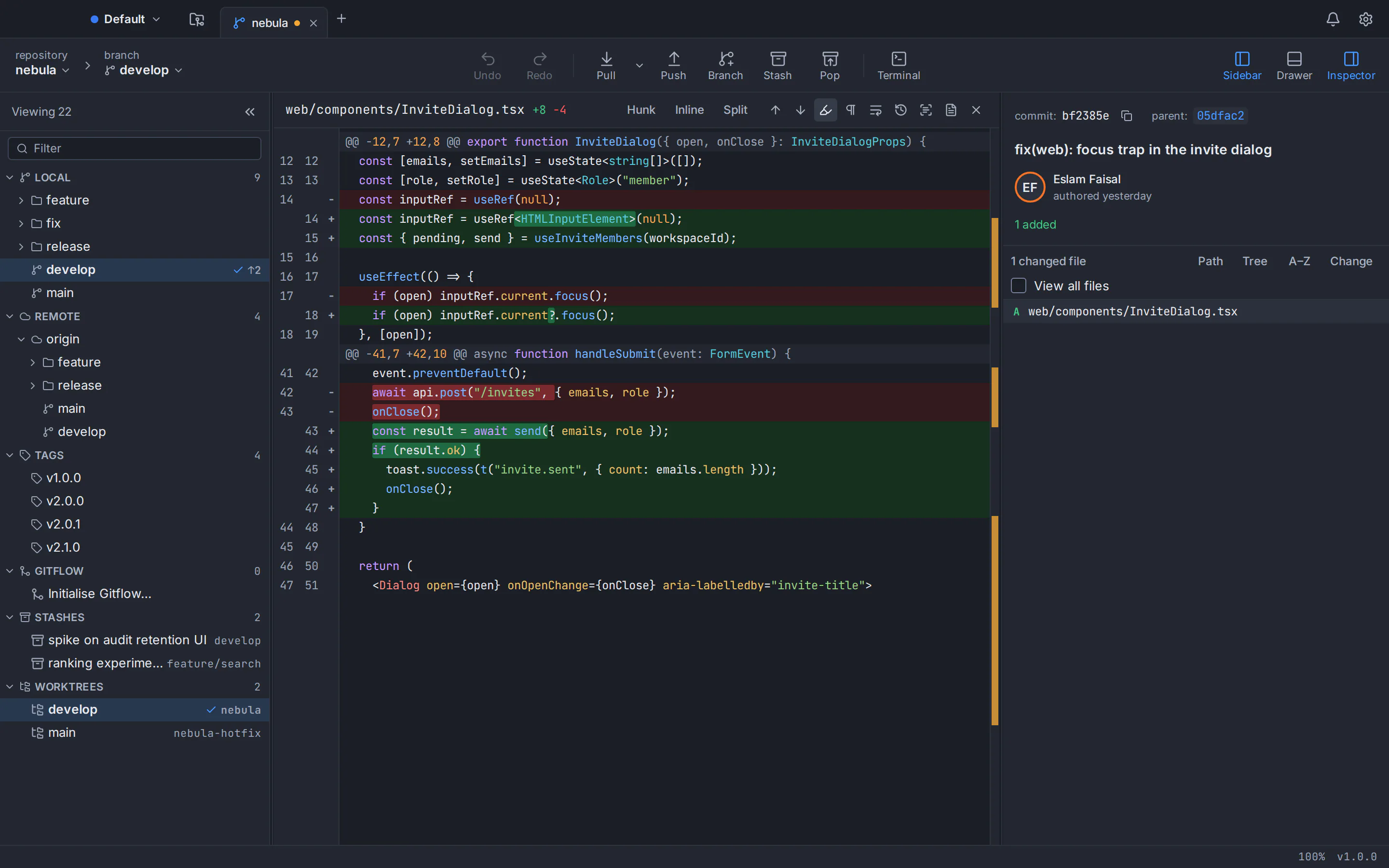
Stage part of a file and commit it, then on a throwaway branch squash two commits and merge a conflicting branch. Count the clicks or keys.
Break something on purpose
Hard-reset the throwaway branch and try to get the lost commit back. Recovery tells you more than a feature list.
Check the licence
Confirm the price, commercial-use terms and an official build for every teammate’s system before rollout.
Best Git GUI for Mac, Windows and Linux: quick picks
Best Git GUI for Mac
All ten run on macOS, so choose by style and price: GitTree is a free universal app for Apple silicon and Intel (macOS 13+, signed and notarized), Fork and Tower are polished paid apps, and GitHub Desktop is the gentlest start. See our best Git client for Mac round-up and GitTree for Mac.
Best Git GUI for Windows
On Windows, Fork, Tower, Sourcetree and GitHub Desktop are all strong; Tower adds native Arm builds, and Tower, Sourcetree and GitHub Desktop offer MSI packages for managed installs. GitTree is a 7.5 MB x64 installer for Windows 10 (22H2) and 11 that needs Git for Windows, and SmartScreen may warn because it is not signed yet. See our best Git GUI for Windows round-up and GitTree for Windows.
Best Git GUI for Linux
Sourcetree, GitHub Desktop, Fork and Tower have no Linux build, leaving GitTree, GitKraken Desktop, SmartGit, Sublime Merge, GitButler and lazygit. GitTree ships a .deb for Ubuntu 22.04+ and Debian 12+ plus an AppImage. See our best Git GUI for Linux round-up, the GitTree for Linux guide, and our answers on Sourcetree for Linux and GitHub Desktop on Linux.
Ubuntu 22.04 and Linux Mint 21 ship Git 2.34, older than GitTree needs, so add the git-core PPA first, as our guide to upgrading Git on Ubuntu explains:
git --version
sudo add-apt-repository ppa:git-core/ppa
sudo apt update && sudo apt install git
Free Git GUI clients: what “free” really means
“Free” means different things in this list. As of October 2026:
- Free, including at work: GitTree (free today, private repositories included), GitHub Desktop, Sourcetree, lazygit and GitButler.
- Free with limits: GitKraken Desktop (local repositories and public remotes only) and SmartGit (non-commercial use only).
- Evaluate, then buy: Fork ($59.99 once) and Sublime Merge ($99 personal, or $75 per user per year for business).
- Trial, then subscription: Tower (free only for students, educators and non-profits).
Only GitHub Desktop and lazygit are open source in the usual sense; GitButler uses a Fair Source licence, and the rest, GitTree included, are closed source. Our guides to free Git GUIs for commercial use and GitKraken vs Sourcetree vs GitHub Desktop go deeper.
The bottom line: which Git GUI should you pick?
New to Git and on GitHub? GitHub Desktop. Company paying for integrations? GitKraken Desktop. A paid native app on macOS or Windows? Fork (once) or Tower (yearly), though neither runs on Linux. Living in the terminal? lazygit. Juggling parallel work? GitButler. One free client with private repositories, a full interactive rebase, a three-way conflict editor and undo? Try GitTree.
Compare each rival side by side: GitTree vs GitKraken, GitTree vs Sourcetree, GitTree vs GitHub Desktop, GitTree vs Fork, GitTree vs Tower, GitTree vs SmartGit and GitTree vs Sublime Merge. Or go straight to the GitTree download page.
Frequently asked questions
What is the best Git GUI client in 2026?
It depends on your systems, budget and workflow. GitHub Desktop suits beginners, GitKraken Desktop is the most complete paid tool, and Fork and Tower are polished paid apps for macOS and Windows only, with no Linux version. For one free client on macOS, Windows and Linux with private repositories, GitTree, made by this guide’s author, is a strong pick.
What is the best free Git GUI?
GitHub Desktop is free, open source and ideal for beginners. Sourcetree is free with a commit graph but runs on macOS and Windows only, with no Linux version. GitTree is free today on macOS, Windows and Linux, private repositories included. lazygit and GitButler are free too; GitKraken’s free plan covers only local and public repositories.
Which Git clients are free for commercial use?
As of October 2026, GitTree, GitHub Desktop, Sourcetree, lazygit and GitButler cost nothing at work. GitKraken Desktop needs a paid plan for private remote repositories, SmartGit’s free licences exclude paid work, and Fork, Sublime Merge and Tower need a licence or subscription. Check each vendor’s current terms before a team rollout.
Which Git GUI clients run on Linux?
Six of the ten clients in this guide have official Linux builds: GitTree, GitKraken Desktop, SmartGit, Sublime Merge, GitButler and the terminal UI lazygit. GitTree ships a .deb and an AppImage, and Sublime Merge offers signed package repositories. Sourcetree, GitHub Desktop, Fork and Tower have no official Linux version.
Is there a free GitKraken alternative with private repositories?
Yes. GitKraken’s free Community plan covers only local repositories and public remotes, so private hosted work needs Pro at $10 per seat per month, billed annually, as of October 2026. GitTree, made by this guide’s author, is free today with private repositories, interactive rebase, a three-way conflict editor and undo; it needs a free account and Git 2.39+.
Which Git GUI is best for beginners?
GitHub Desktop is the gentlest start: free, open source, no account needed for local repositories, and designed around beginner workflows. It has no commit graph or general interactive rebase, so when you want to see branches as a graph and tidy history before pushing, GitTree or Sourcetree is the next step.
Do Git GUI clients include Git, or do I need to install it?
Most include it: GitKraken Desktop, Fork, GitHub Desktop, Sourcetree, Tower and SmartGit bundle Git, and Sublime Merge bundles it on macOS and Windows. GitTree, GitButler and lazygit use the Git installed on your computer; GitTree needs Git 2.39 or newer (Git for Windows on Windows, the git-core PPA on Ubuntu 22.04 and Linux Mint 21).
Should I use a Git GUI or the command line?
Use both. The command line is always available and scriptable, while a good Git GUI makes history, partial staging, interactive rebase and conflicts visible, which prevents mistakes. Many developers commit and rebase in a GUI and keep a terminal for scripts; GitTree docks one under its commit graph, and lazygit brings a visual interface into the terminal.
Sources
Claims about other products were checked against their official pages on October 6, 2026. Prices and features change; the vendors’ pages are the source of truth.
- GitKraken Desktop: product page
- GitKraken: pricing
- GitKraken: download
- GitKraken Help: how to install GitKraken Desktop
- GitKraken Help: release notes
- GitKraken Help: interactive rebase
- GitKraken Help: branching and merging
- GitKraken Help: undo and redo
- Fork: official website
- Fork: about the team
- Fork: buy a licence
- Fork: licence agreement
- Fork: release notes for Mac
- Fork: release notes for Windows
- Fork tracker: issue #153, Linux version
- GitHub Desktop: product page
- GitHub Desktop: download
- GitHub Desktop repository
- GitHub Docs: supported operating systems for GitHub Desktop
- GitHub Docs: viewing the branch history in GitHub Desktop
- GitHub Docs: options for managing commits in GitHub Desktop
- GitHub Docs: managing worktrees in GitHub Desktop
- GitHub Docs: configuring Copilot in GitHub Desktop
- GitHub Docs: GitHub Copilot plans
- GitHub Desktop repository: what GitHub Desktop is (design document)
- GitHub Desktop repository: usage data
- GitHub Desktop repository: issue #1525, Linux support
- GitHub Desktop repository: issue #12354, interactive rebase
- Community Linux fork of GitHub Desktop (linked from the official README): releases
- Sourcetree: official website
- Sourcetree for Windows Enterprise
- Sourcetree for Mac release notes (4.2.19)
- Sourcetree for Windows release notes (3.4.32)
- Atlassian Support: Sourcetree Enterprise and MSI installation
- Atlassian blog: interactive rebase in Sourcetree
- Atlassian Jira: SRCTREE-2991 “SourceTree linux desktop”
- Atlassian Jira: SRCTREEWIN-3515 “Undo most recent commit”
- Tower: official website
- Tower: pricing
- Tower: all features
- Tower: undo
- Tower: Pro features
- Tower Help: merge conflicts
- Tower Help: interactive rebase
- SmartGit: official website
- SmartGit: pricing
- SmartGit: download
- SmartGit: licence agreement
- SmartGit manual: Conflict Solver
- SmartGit manual: interactive rebase
- SmartGit manual: committing
- SmartGit manual: commercial-only features
- SmartGit manual: pull request comments
- SmartGit manual: on-premise licence server
- Sublime Merge: official website
- Sublime Merge: download and changelog
- Sublime HQ: Sublime Merge store
- Sublime HQ: sales FAQ
- Sublime Merge docs: Linux package repositories
- Sublime Merge docs: getting started
- Sublime Merge docs: FAQ
- Sublime Merge tracker: issue #267, GitHub pull request support
- Sublime Merge tracker: issue #21, reflog view
- Sublime Merge tracker: issue #1057, undo
- lazygit: official repository and README
- lazygit: releases
- lazygit: keybindings
- lazygit: configuration (pull request services)
- GitButler: official website
- GitButler: official repository and README
- GitButler docs: releases and platforms
- GitButler docs: getting started
- GitButler docs: desktop overview
- GitButler docs: parallel branches
- GitButler docs: stacked branches
- GitButler docs: operations history
- GitButler docs: GitHub integration
- GitButler docs: GitLab integration
- GitButler docs: AI assistance
- GitButler docs: workspace branch
- GitButler docs: why GitButler
- GitButler docs: supporters
- GitButler blog: opening up GitButler
All product names are trademarks of their respective owners. GitTree is independent and not affiliated with or endorsed by any of them.