Features
Everything Git Tree can do
From your first commit to a tricky interactive rebase, Git Tree gives every Git operation a clear, visual home. Here is the complete list, grouped by what you are trying to do.
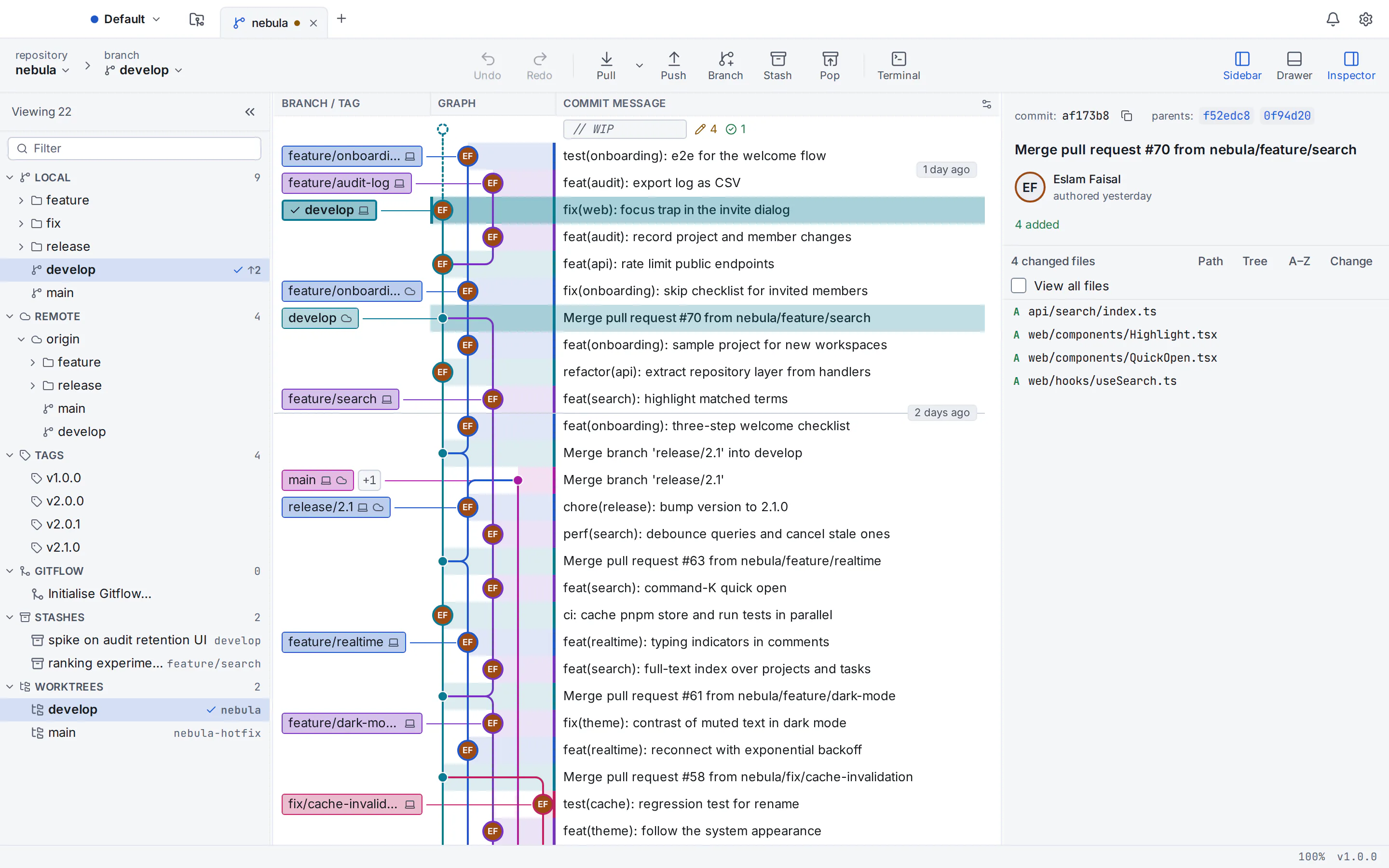
Commit graph
See the shape of your history and act on it directly.
- Colour-coded branch lanes
- Every branch keeps its own lane and colour, with smooth curves where it forks and merges.
- Fast on huge repositories
- Designed and tested to scroll smoothly past 100,000 commits.
- Labels on the graph
- Local branches, remote branches and tags appear next to the commits they point to.
- Search and filter
- Find commits by message, author or hash, and show or hide branches.
- Work in progress row
- Uncommitted changes appear at the top of the graph with a count of what changed.
Staging and commits
Build precise commits without leaving the app.
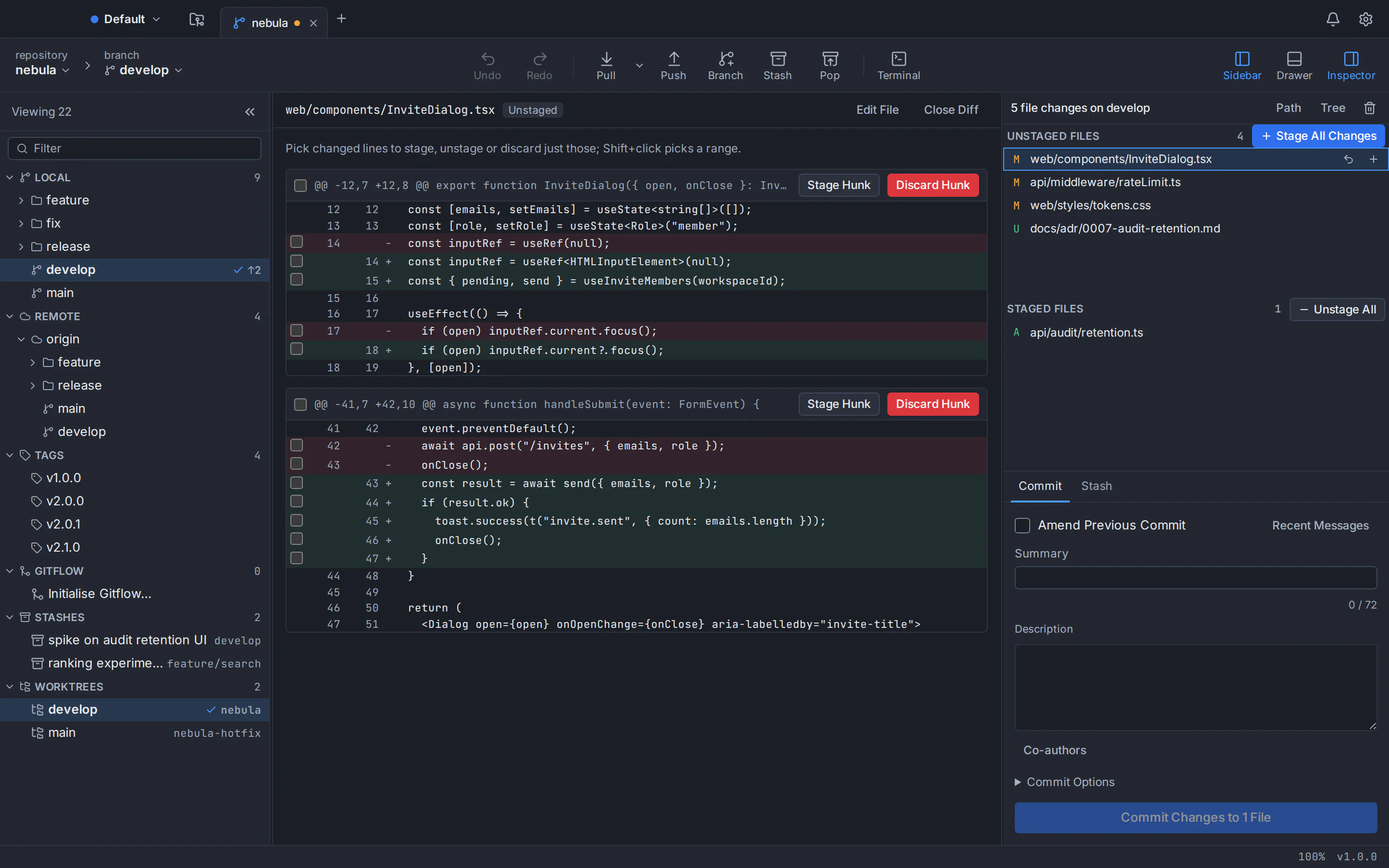
- File, hunk and line staging
- Stage or unstage a whole file, one hunk or individual lines.
- Discard with a safety net
- Discarding asks first and keeps a copy you can restore.
- Commit, amend and co-authors
- Amend the last commit and add co-authors with one click.
- Message checks
- A live counter keeps summaries within 72 characters; templates and recent messages are one click away.
- Signed commits
- Sign commits with GPG or SSH keys you already use.
- .gitignore editor
- Ignore a file or pattern from its context menu, or edit .gitignore with templates.
Diff, blame and history
Understand what changed, when and why.
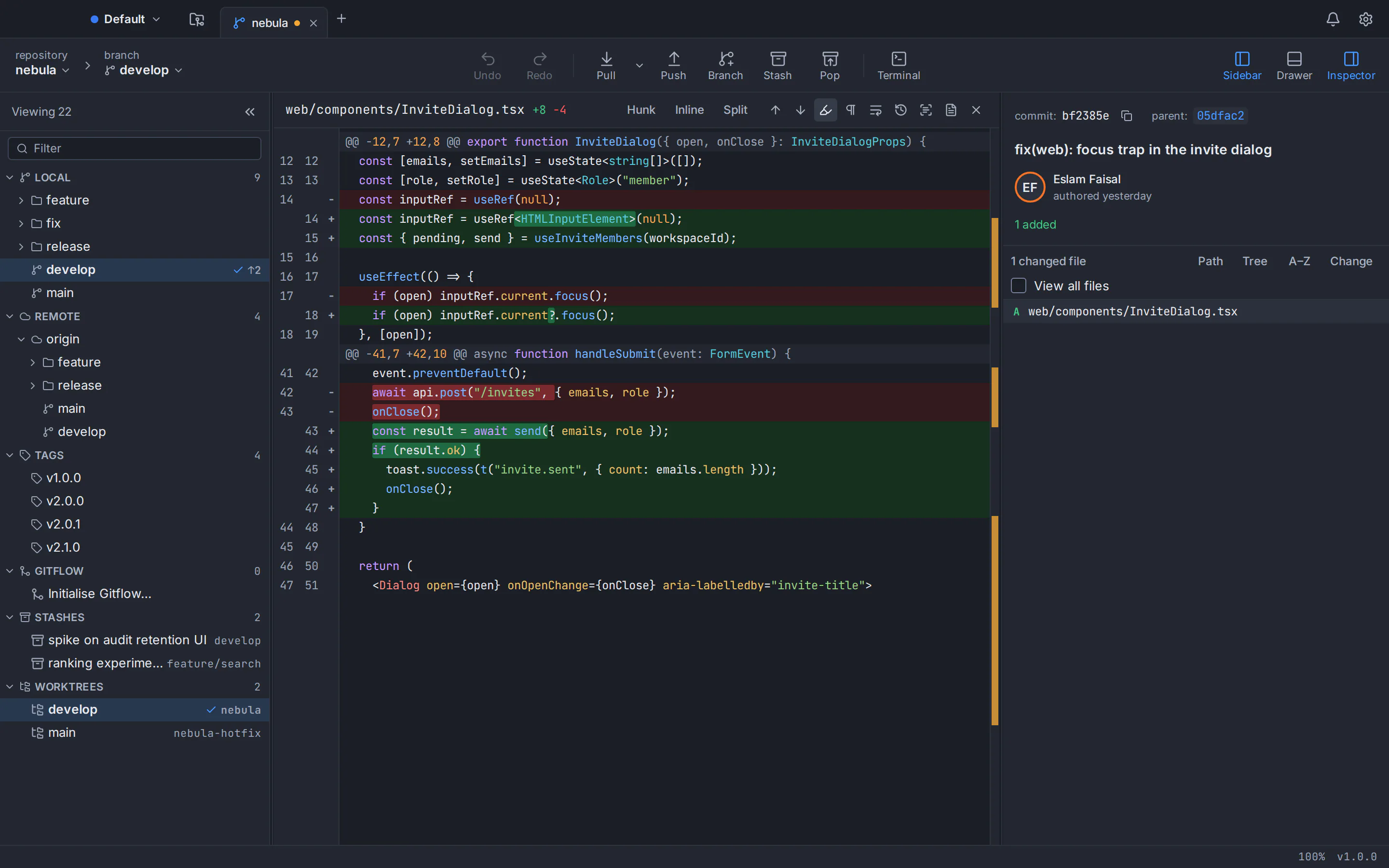
- Split and inline diffs
- Syntax-highlighted diffs for dozens of languages, with whitespace options.
- Blame
- See who last changed every line and jump to that commit.
- File history
- Follow a file through its commits, including renames.
- Compare anything
- Compare two branches, tags or commits, or a commit with your working folder.
- Image diffs
- Compare image files visually, side by side.
Branches and tags
Create, switch and tidy branches in seconds.
- Create, rename and delete
- Branch from any commit and rename or delete safely.
- Checkout with protection
- Git Tree warns before a checkout would overwrite your local changes.
- Tags
- Create lightweight or annotated tags, push them and delete them.
- Upstream tracking
- Ahead and behind counts for every branch, and one-click upstream setup.
- Git Flow
- Start and finish feature, release and hotfix branches with Git Flow.
Merge, rebase and conflicts
Combine work with a clear view of the outcome.
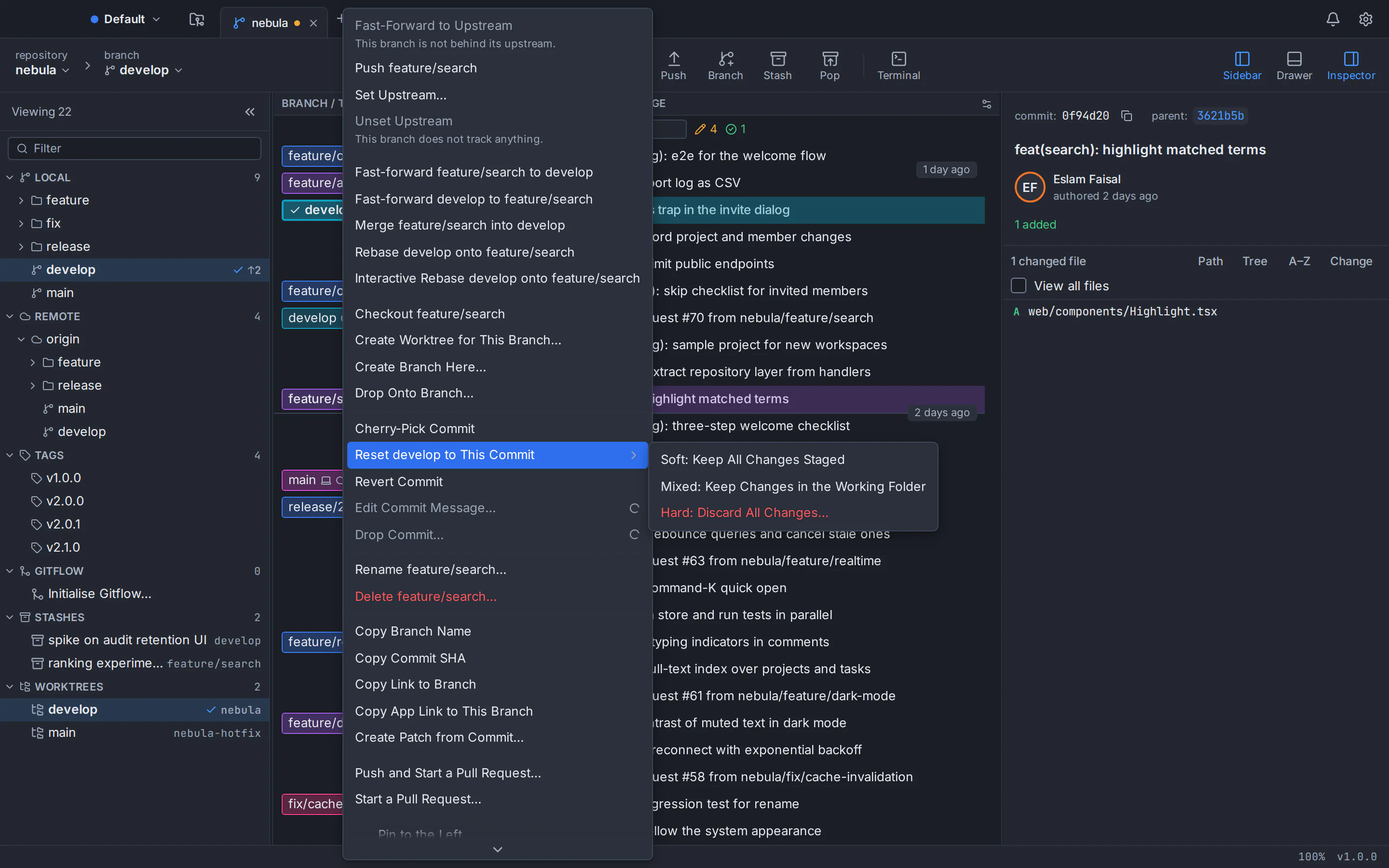
- Merge and fast-forward
- Menus name both branches, so you always know which way changes move.
- Rebase
- Rebase onto any branch or commit, with continue, skip and abort in one place.
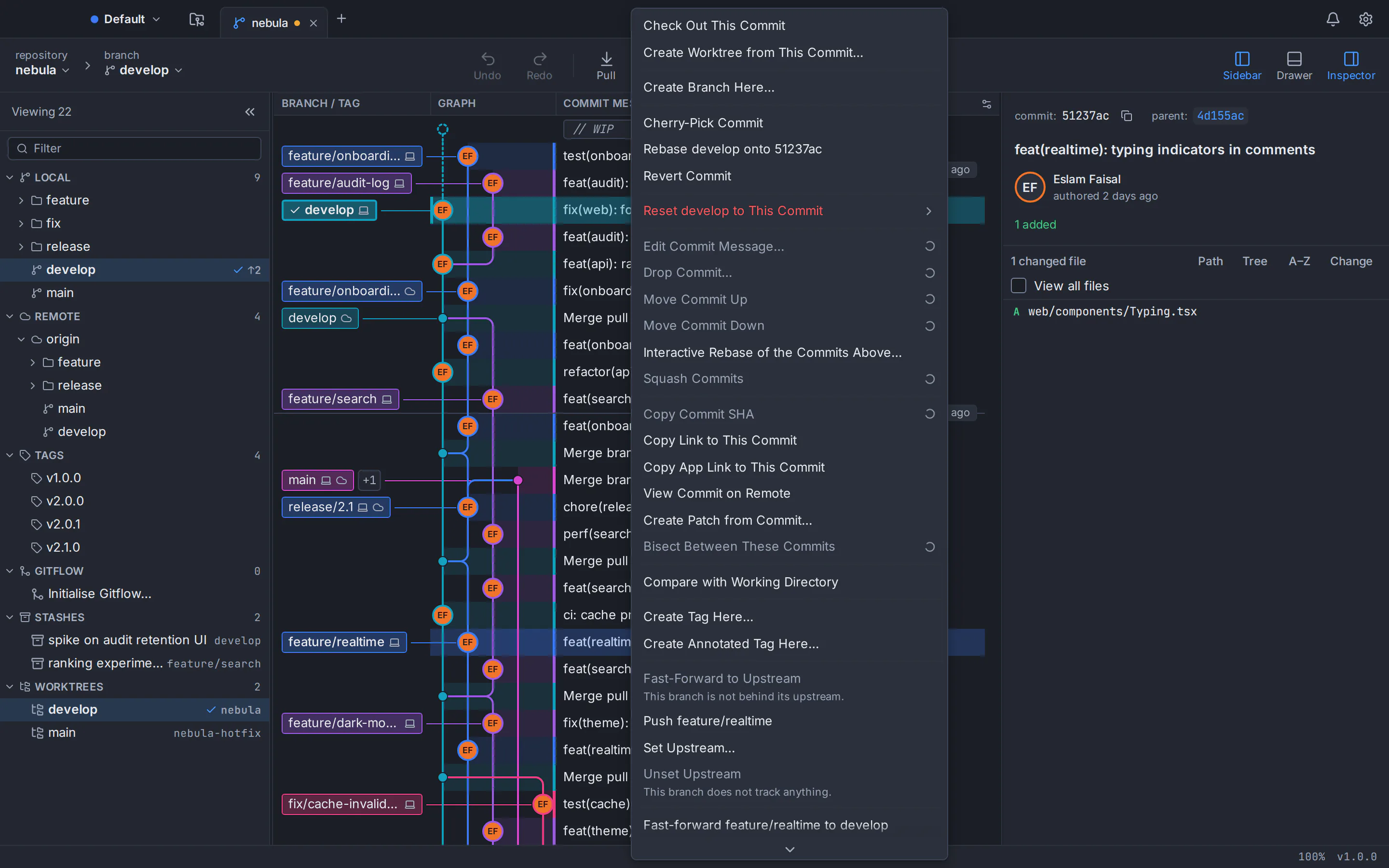
- Cherry-pick and revert
- Copy a commit onto your branch, or undo it with a new commit.
- Reset
- Soft, mixed and hard reset, each with a plain-language explanation.
- Conflict resolution tool
- Take a side, combine both, or edit the result, then mark the file resolved.
- Conflict prediction
- See which files are likely to conflict before you merge.
Rewrite history and undo
Polish commits before they are shared, and reverse mistakes.
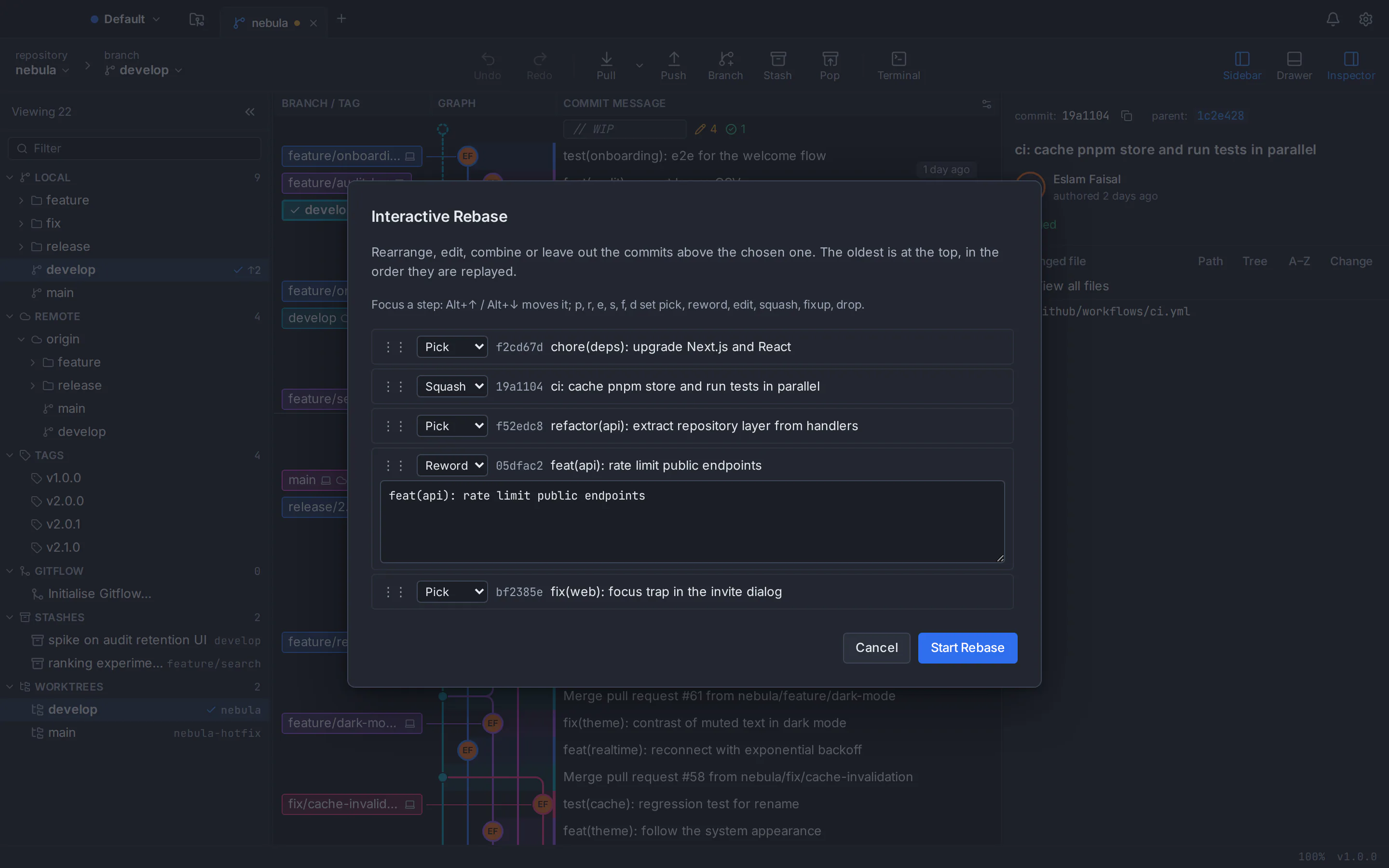
- Interactive rebase
- Reorder, pick, reword, edit, squash, fixup and drop commits.
- Quick edits
- Reword, move, squash or drop a single commit straight from its menu.
- Undo and redo
- Reverse resets, discards, deletions and rebases from the toolbar.
- Reflog
- Browse the reflog and recover a lost commit onto a new branch.
- Bisect
- Find the commit that introduced a bug by marking commits good or bad.
Stash, worktrees, submodules and LFS
Juggle parallel work without losing track.
- Stash
- Stash, apply, pop, rename and drop, or turn a stash into a branch.
- Worktrees
- Check out several branches at once in separate folders, from the sidebar.
- Submodules
- Add, initialise, update and sync submodules.
- Git LFS
- Track patterns, pull large files and manage file locks.
- Patches
- Create a patch from commits and apply patches from others.
Remotes and sync
Fetch, pull and push with full visibility.
- Fetch, pull and push
- Choose fast-forward only, merge or rebase for every pull.
- Safe force-push
- Force-push always uses --force-with-lease with the expected commit.
- Multiple remotes
- Add, edit, prune and remove remotes over HTTPS or SSH.
- Shallow history
- Work with shallow clones and fetch more history when you need it.
GitHub and Bitbucket
Your hosting accounts, inside your Git client.
- Connect accounts
- Sign in to GitHub and Bitbucket Cloud; tokens are stored in your system keychain.
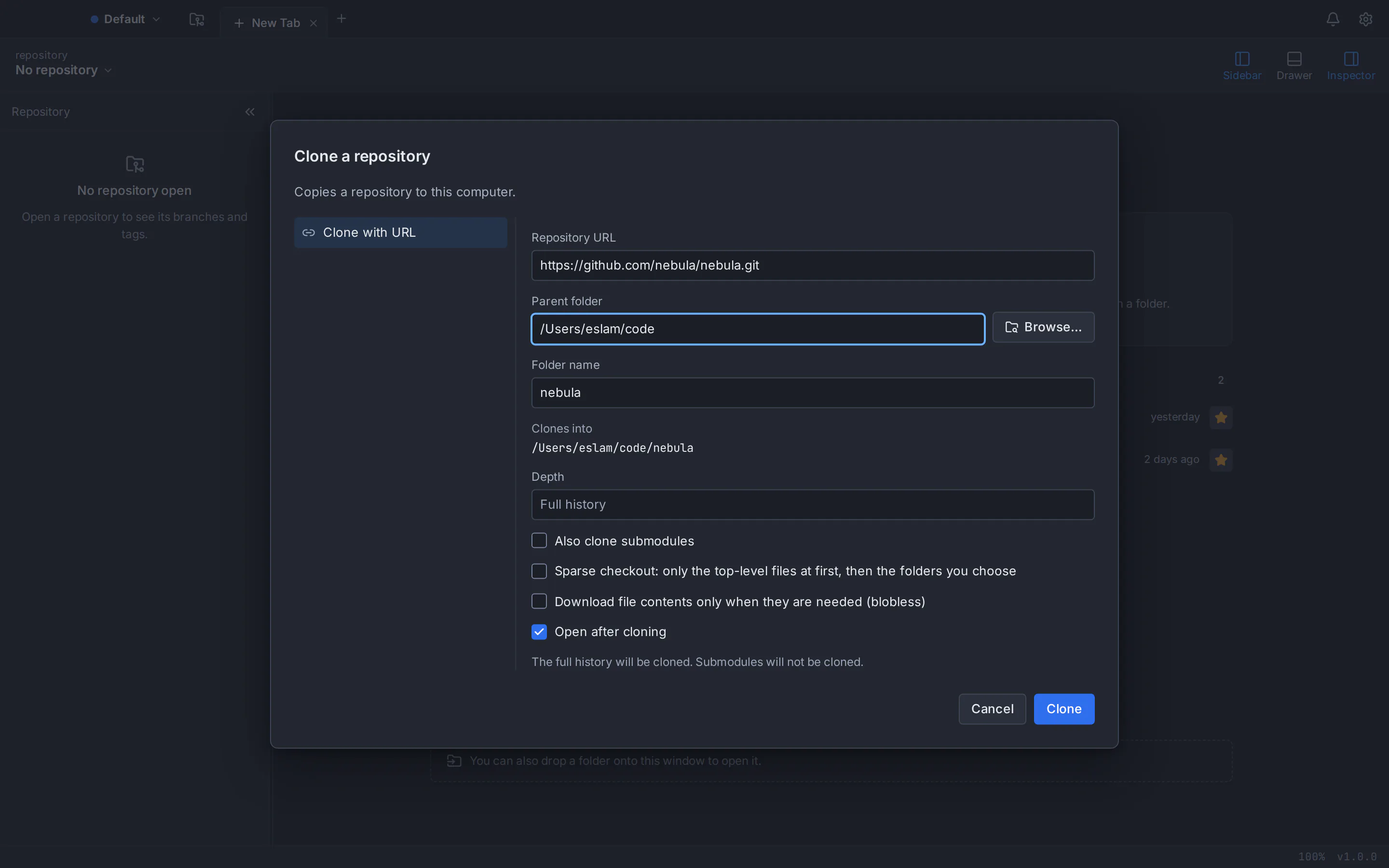
- Browse and clone
- Find your repositories and clone them without copying a URL.
- Pull requests
- List, create and review pull requests, and see their checks.
- Publish
- Publish a local repository to a new remote repository.
Speed and productivity
Built for people who live in their Git client.
- Command palette
- Run commands, jump to refs, find commits and open files from one search box.
- Rebindable shortcuts
- Every command has a shortcut you can change.
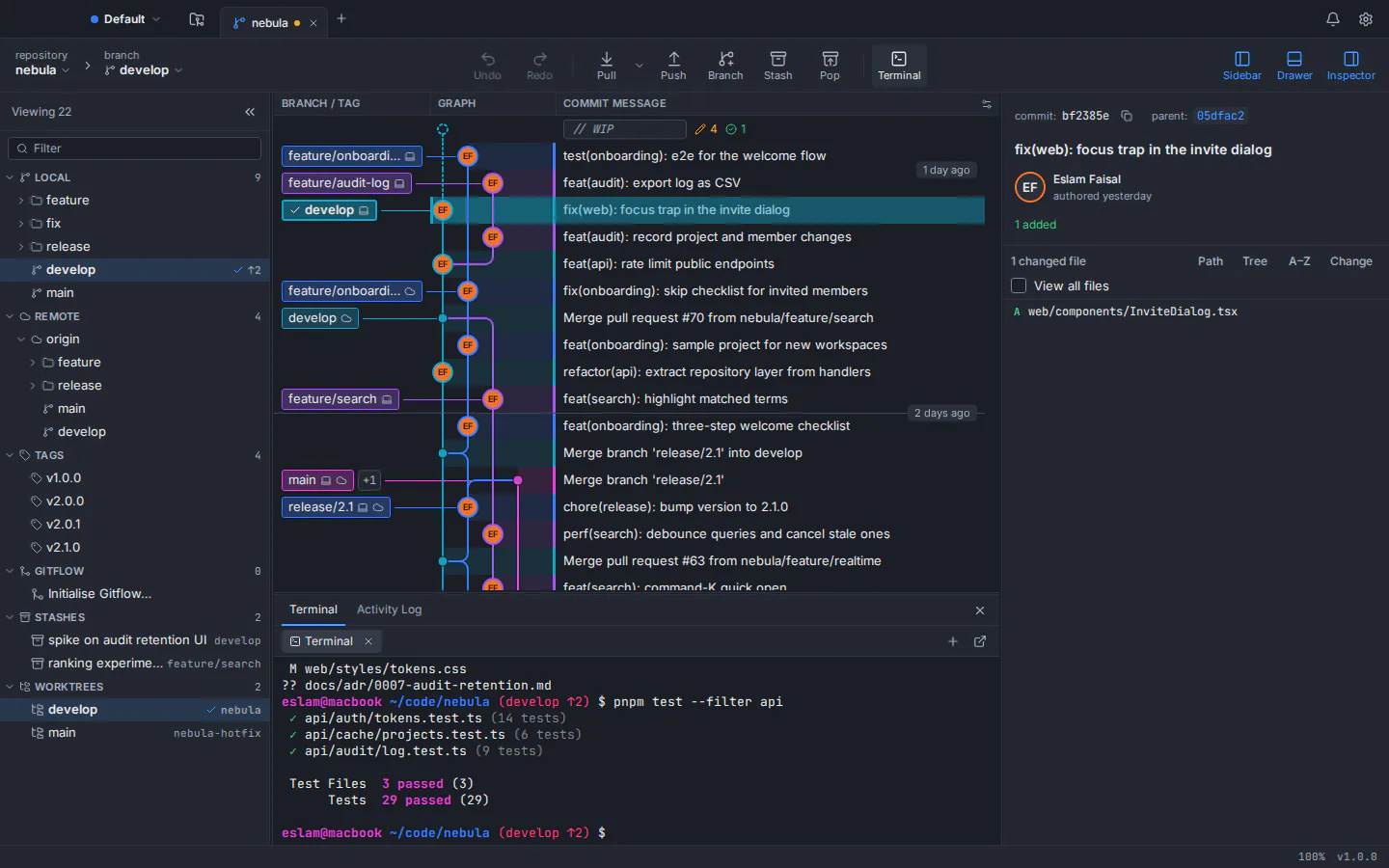
- Built-in terminal
- A terminal docked in the window, opened at the repository root.
- Tabs and workspaces
- Open many repositories in tabs and group them into workspaces.
- Custom commands
- Add your own commands and scripts to the app.
Preferences and customisation
Make Git Tree fit the way you work.
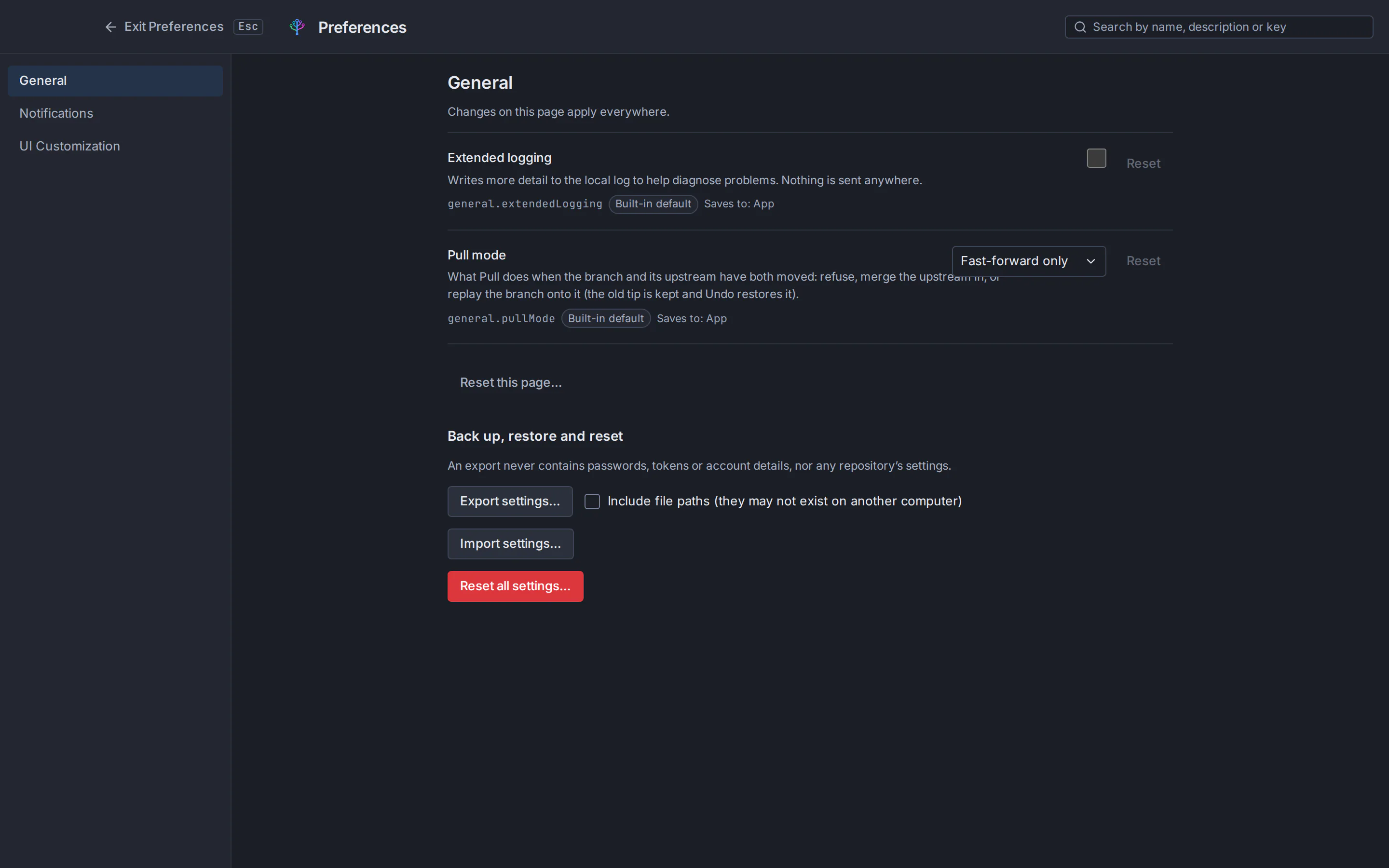
- Searchable preferences
- Find any setting by name, description or key, and reset it individually.
- Themes
- Dark, light and high-contrast themes, plus your own imported themes.
- SSH and signing
- Manage SSH keys and configure commit signing.
- External tools
- Open diffs and merges in the external tools you prefer.
- Profiles
- Switch between separate settings and identities for work and personal projects.
Privacy and security
Local-first by principle, not by setting.
- Your code stays local
- Your repositories stay on your computer; signing in uses only your GitHub profile.
- Zero telemetry
- No analytics, tracking or usage reporting of any kind.
- Secrets in the keychain
- Tokens and passphrases live only in the macOS Keychain, the Windows Credential Manager or, on Linux, the system keyring (freedesktop Secret Service: GNOME Keyring or KeePassXC).
- Untrusted repositories
- Repositories you have not trusted cannot run hooks or change settings.
- Your config stays yours
- Git Tree never edits your Git config, repository or SSH folder without you asking.
Git Tree on Linux
A .deb package for Ubuntu and Debian and a portable AppImage, with the same commit graph and staging as on the other platforms.
Give your repositories the tool they deserve
Download Git Tree for free on macOS, Windows or Linux and open your first repository in seconds.