Review possible secrets before you commit
Before a commit or a push, GitTree can show Possible secrets in this commit or Possible secrets in this push. The scan is local and bounded. You can Unstage File, Add to .gitignore, Commit Anyway or Push Anyway. A warning is not proof that a secret is present, and silence is not proof that one is absent.
Works in GitTree Free: every local Git feature, with no account needed.
On this page
Before you start
- Secret warnings are part of the Free plan. They are on when Local secret warnings is Warn before proceeding.
- The scan reads staged content for a commit, and a supported outgoing commit range for a push. It does not send file contents to GitTree.
Where to find it
- The warning opens from the commit box when you commit, or from the push flow when you push.
- Preferences, the Local secret warnings setting: Warn before proceeding or Off.
| Action | macOS | Windows and Linux |
|---|---|---|
| Commit | ⌘Enter | Ctrl+Enter |
| Preferences | ⌘, | Ctrl+, |
Steps
Commit or push as usual
Stage the files and write the message, or start the push. If the scan finds a likely secret, GitTree stops and opens the dialog instead of finishing. Your message and working files are kept when the dialog is the commit one. The push dialog says fixing a secret that is already committed needs a new commit or a rewrite.
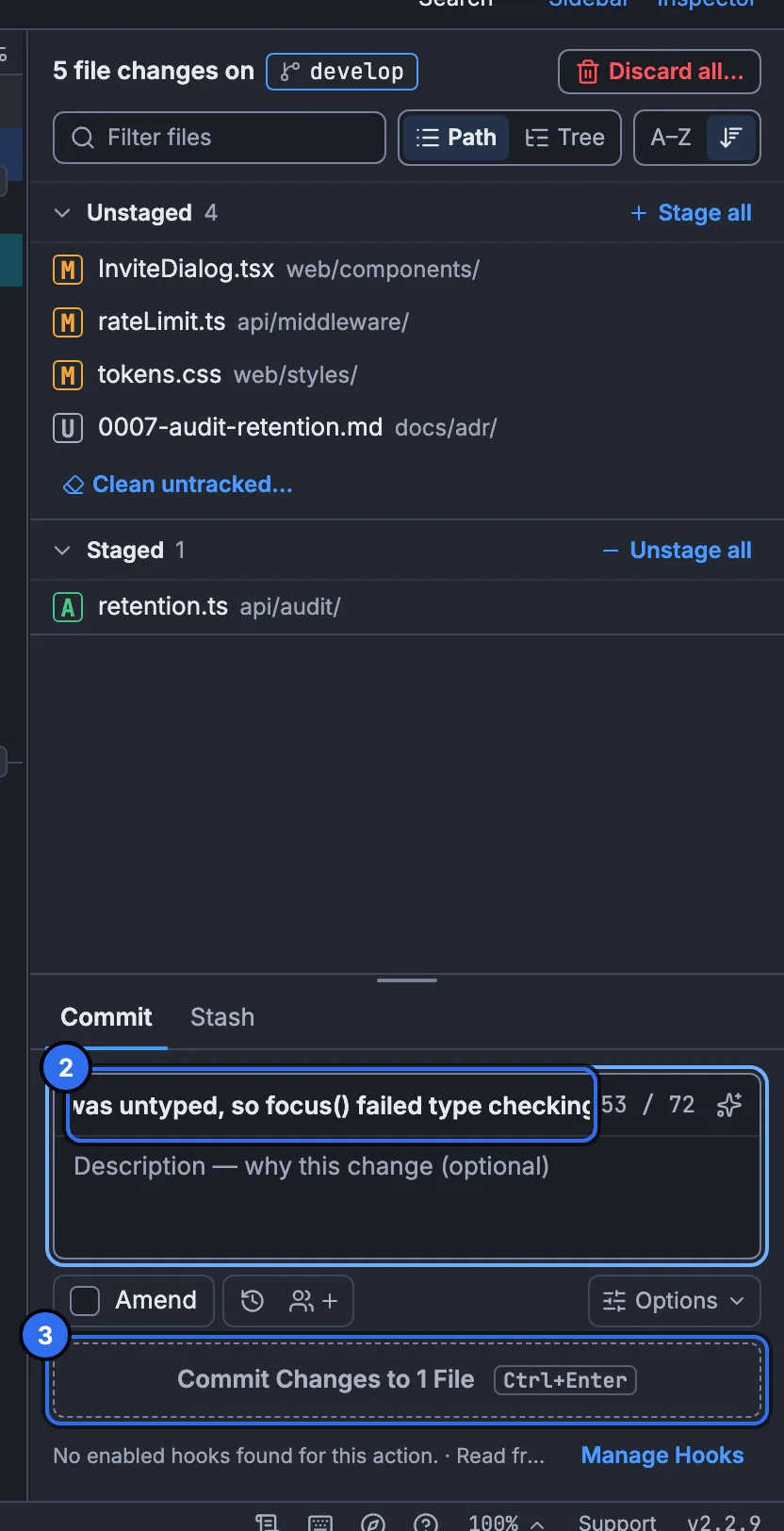
The commit warning opens from this box. The still shows the composer, not the warning dialog.GitTree interface with a demonstration repository. Read the warning
The title is Possible secrets in this commit or Possible secrets in this push. Each row names a rule, such as Private key, AWS access key, GitHub token, GitLab token, Slack token, Stripe live key, Google API key or Sensitive file name, and a line number when it has one. Tokens are masked. A private key is shown as Private key header.
Keep the secret out of the commit
Unstage File removes that file from the index. Add to .gitignore adds an ignore rule. The dialog says ignore rules do not remove staged content, so unstage the file as well. To allow one line on purpose, add
gittree:allow-secreton that line. That stops the warning for the line. It does not encrypt anything.Continue only if you mean to
Commit Anyway or Push Anyway continues. Cancel returns you to the commit box or the push without sharing. If some changes were not inspected, the dialog says so. Treat that as an incomplete scan, not as a clean result.
Expected result
Either the secret is no longer staged, or you chose to continue after reading the warning. Check the next commit’s diff before you push. A .gitignore rule does not rewrite a commit that already contains the file.
What the scan does not cover
Local secret warnings says inspection stays local and bounded, and turning it off is your choice for the whole app. The gaps it can report are The inspection limit was reached, Binary content was skipped, Lines longer than 4 KiB were skipped and Some content could not be inspected. The optional secret scan was unavailable means you should review the content yourself.
| Gap | What to do |
|---|---|
| Binary content was skipped | Open the file yourself. The scan does not read it. |
| Lines longer than 4 KiB were skipped | Search that line in an editor. A token on a minified line is not scanned. |
| The inspection limit was reached | Commit a smaller set of files and read the rest. |
| Setting is Off | Nothing is scanned until you choose Warn before proceeding. |
Ignore rules and staged files
The dialog says Ignore rules do not remove staged content. Unstage the file as well. git check-ignore can show that a path matches .gitignore while git diff --cached still shows it in the index. Unstage it, then commit. Adding a rule does not remove the file from commits that already exist.
git diff --cached -- path/to/file
git restore --staged -- path/to/file
git check-ignore -v path/to/file
If the secret is already on the remote, changing .gitignore is not enough. You need a new commit that deletes it, and a history rewrite if older commits must not contain it. GitTree does not promise to erase a secret from every clone. See ignore files and hooks if you also want a hook to refuse the commit.
Allow one line on purpose
Add gittree:allow-secret on a line to stop warning about it. Put that marker on the line that should be committed, for example a fixture token that is not a real credential. The marker is visible in the file. Do not use it to hide a live key. Commit Anyway commits without adding the marker.
Push warnings review the commits you are about to send. Possible secrets in this push cannot unstage a file that is already in a commit. Fix it with a new commit, or rewrite unpublished history, then push again. Force push with lease is the safe rewrite push when the branch is unpublished. The tutorial covers everyday commits before you need this dialog.
If something goes wrong
“Potential secrets need your review before proceeding.”
The commit or push is waiting on the dialog. Unstage, ignore, allow the line, or choose Commit Anyway or Push Anyway. Cancel leaves the message and working files in place for a commit.
“Ignore rules do not remove staged content. Unstage the file as well.”
Add to .gitignore only updates the ignore file. Press Unstage File, or run git restore --staged, so the next commit does not include the path.
“Some changes were not inspected.”
The scan stopped early, skipped a binary, or skipped a line over 4 KiB. Read those files yourself before you continue.
“The optional secret scan was unavailable. Review the content yourself.”
GitTree could not run the scan. The commit is not certified clean. Read the diff, then commit only if you have checked it.
Questions
Does GitTree upload my files to look for secrets?
No. The setting says inspection stays local and bounded. The dialog reviews what you are about to commit or push on this computer.
Is a clean dialog proof there is no secret?
No. Binary content and lines longer than 4 KiB are skipped, the inspection can hit a limit, and the patterns do not match every secret. A warning is not a guarantee either.
Does .gitignore remove a secret I already staged?
No. Ignore rules do not remove staged content. Unstage the file as well. A rule also does not rewrite old commits.
What does gittree:allow-secret do?
On a line, it stops the warning for that line. The line is still committed as text. Use it only for a value you intend to share.
Can I turn the warnings off?
Yes. Preferences › Local secret warnings › Off. That is an app-wide choice. The scan does not run until you set Warn before proceeding again.