Continue, skip or abort an operation
A merge, rebase, cherry-pick or revert can stop halfway, usually on a conflict. A banner above the graph names the operation and its step, and offers Resolve, Continue, Skip (rebase) and Abort…. Aborting saves what it drops first, so Undo brings it back.
Works in GitTree Free: every local Git feature, once you are signed in.
On this page
Before you start
- An operation stopped: the banner Operation in progress is above the graph, and the tab shows it too.
Where to find it
- The banner above the graph: Resolve, Continue, Skip, Abort….
- The changes panel: Commit and Merge, Continue Rebase, Continue Cherry-Pick, Continue Revert and the matching Abort buttons.
| Action | macOS | Windows and Linux |
|---|---|---|
| Undo an abort | ⌘Z | Ctrl+Z |
Steps
Read the banner
It says what is in progress, such as Merging feature/search into develop or Rebasing … onto …, step 2 of 5, and how many conflicts remain.
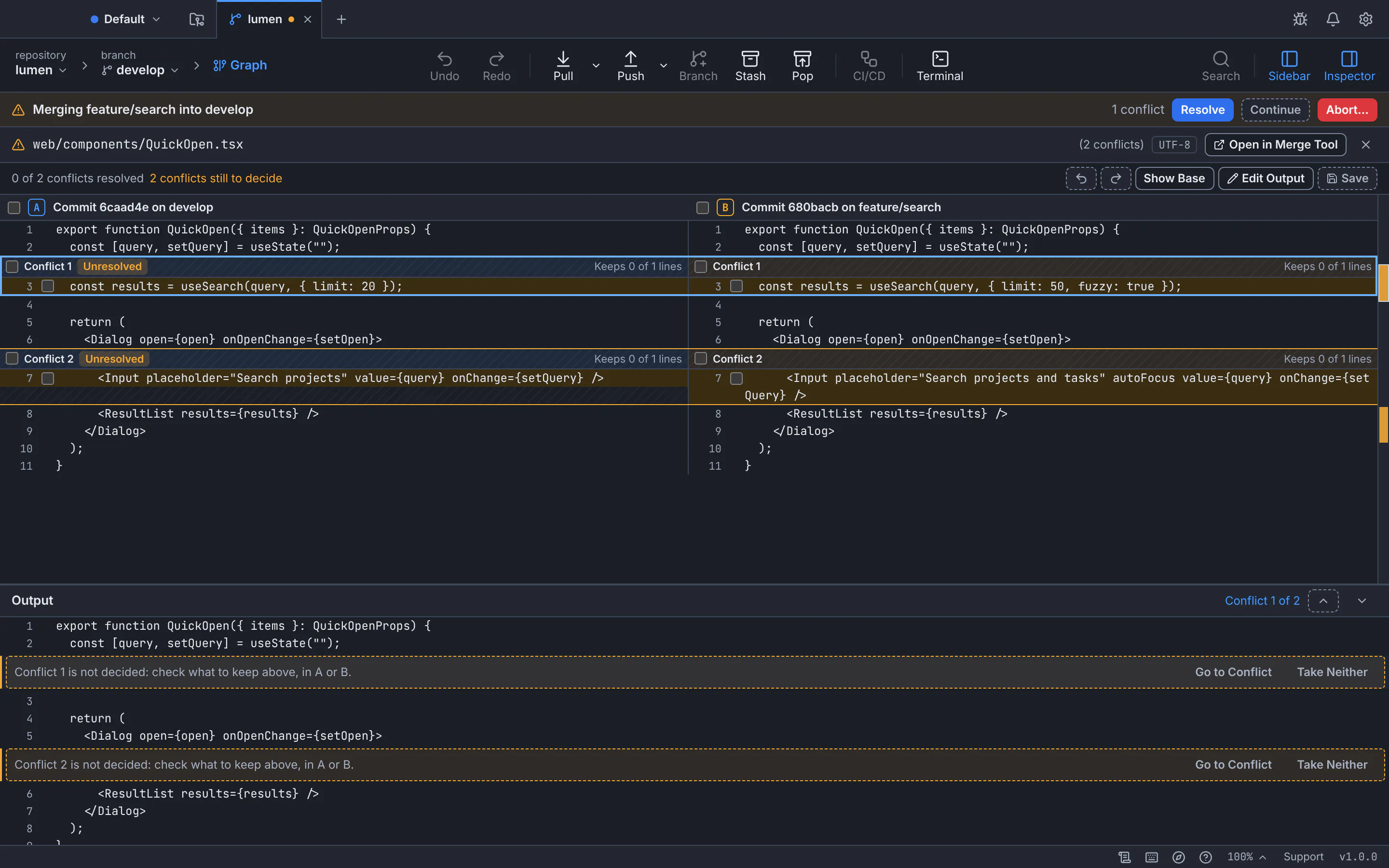
The banner names the operation and offers Resolve, Continue and Abort.GitTree interface with a demonstration repository. Resolve, then continue
Choose Resolve to settle the conflicted files. Continue stays disabled with Resolve the … conflicts first until every file is resolved.
Or skip a rebase step
During a rebase, Skip drops the commit that stopped and goes on with the next.
Or abort
Abort… puts back the branch, index and working copy recorded before the operation began. Everything it drops is kept first, so Undo can bring it back.
Expected result
The operation is finished, or cancelled with your branch exactly as before; the banner is gone.
The finishing button in the changes panel
| Operation | Finish with | Cancel with |
|---|---|---|
| Merge | Commit and Merge | Abort Merge |
| Rebase | Continue Rebase | Abort Rebase |
| Cherry-pick | Continue Cherry-Pick | Abort Cherry-Pick |
| Revert | Continue Revert | Abort Revert |
If something goes wrong
The operation was started outside GitTree
GitTree reads Git’s own state, so the banner appears for an operation started in a terminal too; finish it the same way.
Questions
Does Abort lose my conflict resolutions?
They are dropped from the files, but kept in the recovery snapshots first: Undo right after the abort brings them back.