Appearance and language
Preferences › UI Customization sets the Theme (light, dark and high-contrast versions), Follow the system appearance, the Language (English or Arabic, laid out right to left), Zoom, how Dates are shown and Reduce motion.
Works in GitTree Free: every local Git feature, once you are signed in.
On this page
Before you start
- Nothing: these settings apply to the whole app, with or without a repository open.
Where to find it
- Preferences › UI Customization, or type a word such as
themein the search at the top of Preferences. - The zoom level in the status bar, or the shortcuts below.
| Action | macOS | Windows and Linux |
|---|---|---|
| Preferences | ⌘, | Ctrl+, |
| Zoom In | ⌘= | Ctrl+= |
| Zoom Out | ⌘- | Ctrl+- |
| Actual Size | ⌘0 | Ctrl+0 |
Steps
Open Preferences
Press the shortcut, or the gear at the top of the window. Type in the search at the top to find a setting by name.
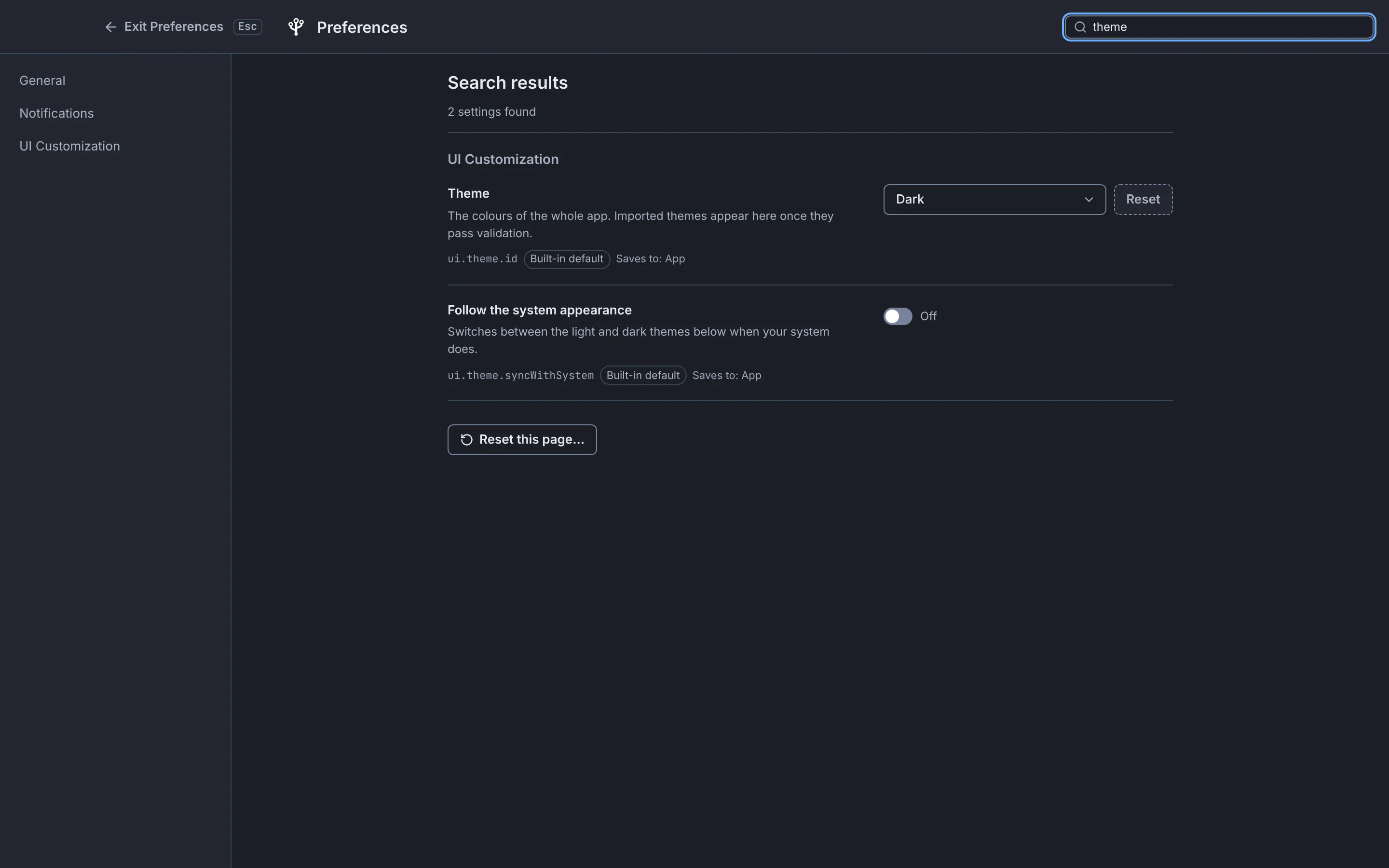
Searching Preferences for “theme” finds both appearance settings at once.GitTree interface with a demonstration repository. Pick a theme
Choose Dark, Light, Dark, high contrast or Light, high contrast under Theme. The app changes immediately.
Follow your system, if you like
Turn on Follow the system appearance, then choose the Theme when the system is light and the Theme when the system is dark.
Choose the language
Set Language to English or العربية. In Arabic the app is laid out right to left, while code, paths and commit ids stay left to right.
Expected result
GitTree remembers your choices for every repository and window. Reset beside a setting returns it to the default.
More display settings
| Setting | What it changes |
|---|---|
| Dates | Relative (3 days ago), Date and time in your language, or ISO 8601 (2026-09-25 14:30), in the graph, details, history and blame. |
| Zoom (%) | The size of all text and controls. |
| Reduce motion | Turns off animations and transitions, even when your system does not ask for it. |
| Show … in the left panel | Which sections the left panel shows, such as TAGS or CI/CD. |
If something goes wrong
The theme changes by itself
Follow the system appearance is on, so it follows your system’s light or dark mode. Turn it off to keep one theme.
Questions
Are the Git terms in Arabic too?
Yes. The Arabic interface uses one consistent Arabic term for each Git concept, such as إيداع for commit and فرع for branch, and keeps command names like git rebase in Latin letters.