Undo and redo
GitTree records your Git operations so Undo in the toolbar can take the last one back: a commit, merge, rebase, reset, discard, clean, deleted branch or tag. Redo does it again. Destructive steps save a recovery snapshot under refs/ogt/trash before they run.
Works in GitTree Free: every local Git feature, once you are signed in.
On this page
Before you start
- You did something in this repository with GitTree, such as a commit or a reset.
Where to find it
- Undo and Redo in the toolbar. Hover them to read what they will take back, such as Undo: commit ….
| Action | macOS | Windows and Linux |
|---|---|---|
| Undo | ⌘Z | Ctrl+Z |
| Redo | ⌘⇧Z | Ctrl+Shift+Z |
Steps
See what Undo will do
Hold the pointer over Undo: it names the last operation, such as a commit, a merge or a discard. When there is nothing, it says Nothing to undo.
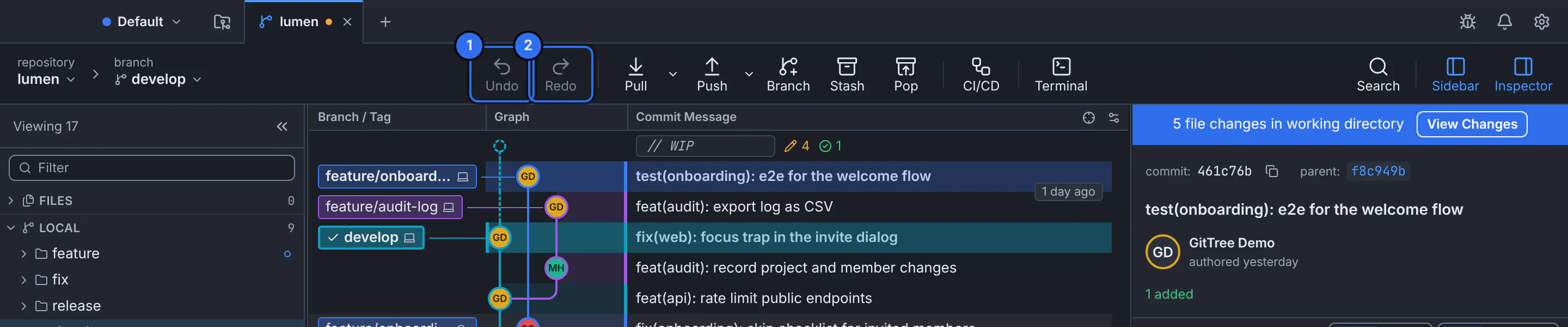
1 Undo the last operation, 2 Redo it.GitTree interface with a demonstration repository. Undo it
Press Undo, or the shortcut. GitTree says Undid: … and the graph and files return to how they were.
Redo, if you change your mind
Press Redo to do the same operation again.
Expected result
The repository is back where it was before the operation; the graph shows it right away.
What can be undone
- Commits and amends, merges, rebases, interactive rebases and resets.
- Discarded files, hunks and lines, and cleaned untracked files.
- Created or deleted branches and tags, checkouts and dropped stashes.
If something goes wrong
“The branch moved since; undoing would overwrite that change.”
Something changed the branch after that operation. Undo the later operations first, or use the recovery ref the original message named.
“Those files were edited since; undoing would overwrite the edits.”
GitTree will not overwrite newer edits. Commit or stash them, then undo.
“Its recovery snapshot was deleted.”
The snapshot was removed with Delete Old Recovery Snapshots…, so that step can no longer be undone.
Questions
How long does Undo remember?
The snapshots under refs/ogt/trash stay until you delete old ones. Undo steps back through the operations you did in GitTree, newest first.