Create a repository
Initializing turns a folder into a Git repository, the same as git init. In GitTree you choose the folder and the initial branch, optionally add a .gitignore and a licence, and press Initialize.
Works in GitTree Free: every local Git feature, once you are signed in.
On this page
Before you start
- An empty folder, or the folder of a project that is not under Git yet. Files already there are kept and are not committed until you commit them.
Where to find it
- The Init card on the New Tab page.
- The command palette: Initialize Repository….
- When you open a folder that is not a repository, Initialize Repository… in the message GitTree shows.
| Action | macOS | Windows and Linux |
|---|---|---|
| Command palette, then Initialize Repository… | ⌘⇧P | Ctrl+Shift+P |
Steps
Open the Initialize dialog
Select Init on the New Tab page. The dialog Initialize a repository opens; nothing is written until you choose Initialize.
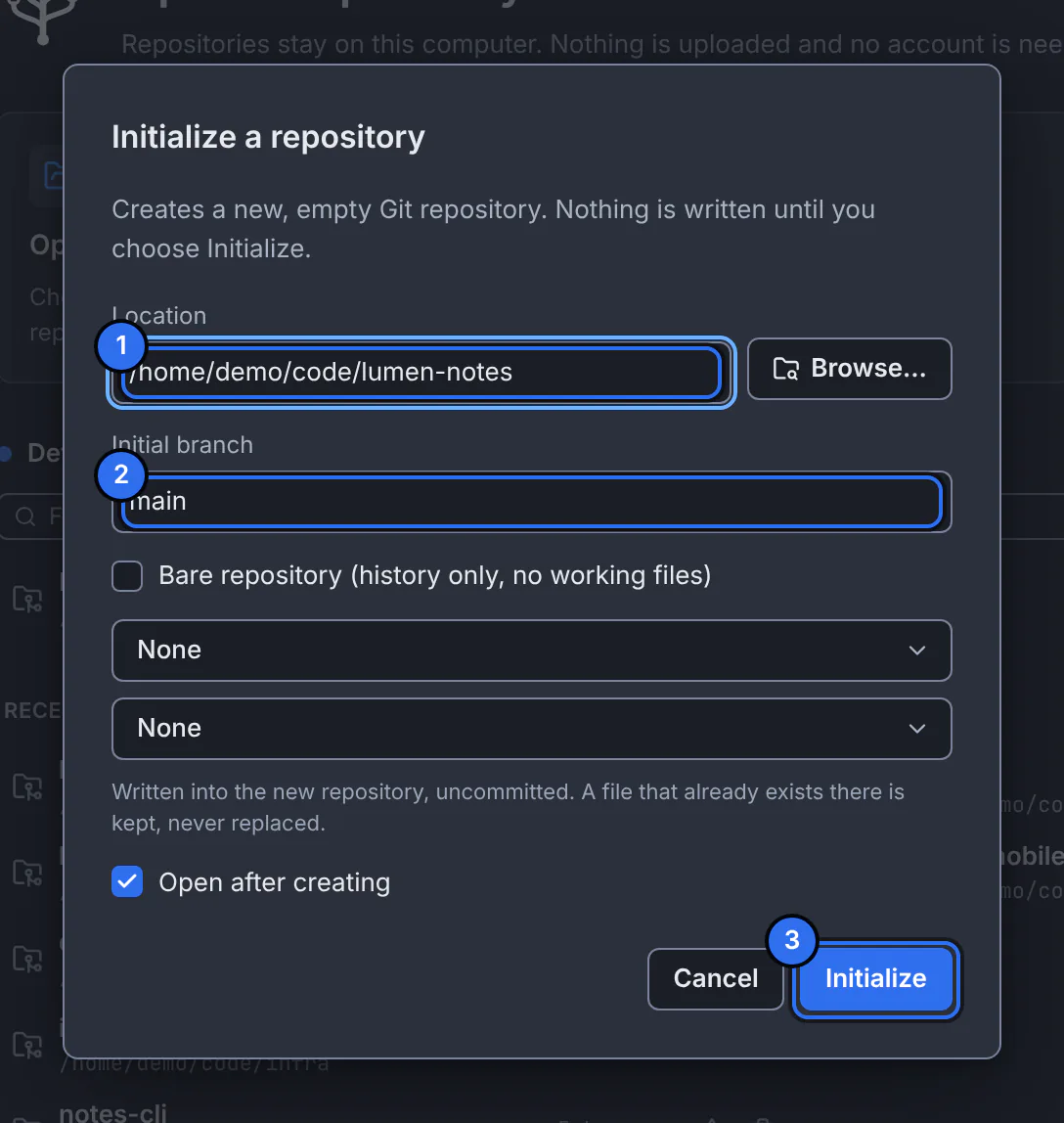
1 where the repository is created, 2 the name of its first branch, 3 the button that creates it.GitTree interface with a demonstration repository. Choose the location
Type the folder in Location or use Browse…. It can be a new folder, an empty one or a project folder without Git.
Name the initial branch and pick templates
Set Initial branch (for example
main). Optionally choose a .gitignore template for your language and a Licence with its Copyright holder: they are written into the folder, uncommitted, and an existing file is never replaced.Initialize
Keep Open after creating on and press Initialize. The new repository opens in its own tab.
Expected result
The tab shows an empty history and your files under Unstaged Files. Your next step is the first commit.
To publish it, add a remote in the sidebar’s Remote section with Add Remote…, then push (fetch, pull and push).
Bare repositories
Bare repository (history only, no working files) creates a repository with no working folder, the kind a server keeps for others to push to. Leave it off for a project you work in.
If something goes wrong
“A Git repository already exists here.”
The folder is already a repository. Open it instead (open a repository).
“The folder that should contain it does not exist.”
Part of the path is missing. Choose an existing parent folder with Browse….
Questions
Does initializing upload the project anywhere?
No. The repository is created on your computer only. It reaches GitHub or another host only when you add a remote and push.