Rebase a branch
Rebasing replays the commits of your branch on top of another branch, so the history stays a straight line, like git rebase. The commits get new ids; GitTree keeps the old branch under refs/ogt/trash and Undo brings it back.
Works in GitTree Free: every local Git feature, once you are signed in.
On this page
Before you start
- Check out the branch you want to move, such as
feature/search. - Prefer branches only you work on: rebasing rewrites commits that others may already have.
Where to find it
- Right-click the label of the branch to rebase onto: Rebase … onto ….
- Right-click any commit: Rebase … onto that commit.
- Drag your branch label onto the other branch, then choose the rebase.
| Action | macOS | Windows and Linux |
|---|---|---|
| Undo a rebase | ⌘Z | Ctrl+Z |
Steps
Choose where to rebase onto
Right-click the branch you want your work on top of, such as
develop, and choose Rebase … onto ….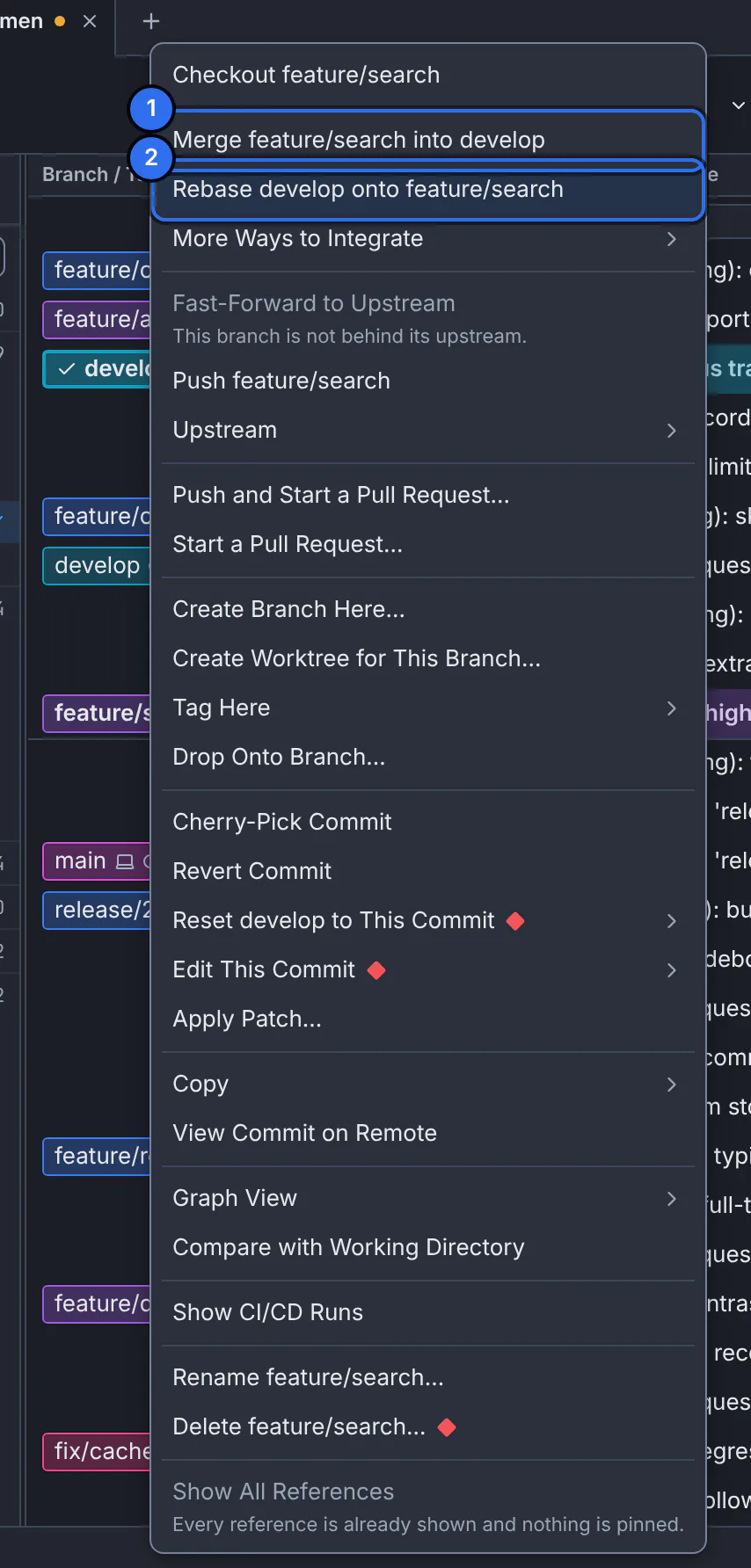
1 merge it into your branch, 2 rebase your branch onto it.GitTree interface with a demonstration repository. Check the options
The confirmation says each commit is replayed with a new id and the old branch is kept. Under Options for this rebase you can stash local changes and put them back, and move branches that point into these commits.
Rebase
Press Rebase …. A banner shows Rebasing … onto …, step … of … while it runs.
Expected result
Your branch starts from the tip of the other branch, its commits in a straight line above it. Push it with a force push with lease if it was already on the remote.
When a step conflicts
- Resolve opens the conflicted files; when they are settled, Continue goes on with the next step.
- Skip drops the commit that conflicts and continues.
- Abort… stops and puts the branch back exactly as it was.
If something goes wrong
The rebase cannot start because of local changes
Turn on stashing local changes in the rebase options, or commit or stash them first (stashes).
The push is refused after the rebase
The remote still has the old commits. Use Force Push (With Lease)…; it refuses if someone else pushed in the meantime (fetch, pull and push).
Questions
How do I squash or reorder commits while rebasing?
Use an interactive rebase: you choose for each commit whether to pick, reword, edit, squash, fix up or drop it, and drag to reorder.