Install GitTree on macOS
GitTree for Mac is one universal app for Apple silicon and Intel Macs on macOS 13 or later, signed and notarized by Apple. Install Git first, open the .dmg, drag GitTree to Applications and start it.
Works in GitTree Free: every local Git feature, once you are signed in.
On this page
Before you start
- macOS 13 Ventura or later, on Apple silicon or Intel.
- Git 2.39 or newer. A fresh Mac has only a placeholder: run
xcode-select --install, orbrew install gitwith Homebrew, then check withgit --version.
Where to find it
- The macOS download on the Download page, or the GitTree for Mac page.
| Action | macOS | Windows and Linux |
|---|---|---|
| Open Repository… | ⌘O | Ctrl+O |
Steps
Download the .dmg
Get the macOS download from the Download page. The same file runs natively on Apple silicon and Intel Macs.
Drag GitTree to Applications
Open the .dmg, drag GitTree onto the Applications folder, then eject the disk image.
Open it
Start GitTree from Applications or Spotlight. macOS asks once whether to open an app downloaded from the internet: confirm. No security setting needs changing.
Start working
GitTree shows Sign in to GitTree. Choose Sign in or Create account and finish in your browser with your email or a Git provider; the Free plan then covers every local Git feature. Then open, clone or create a repository.
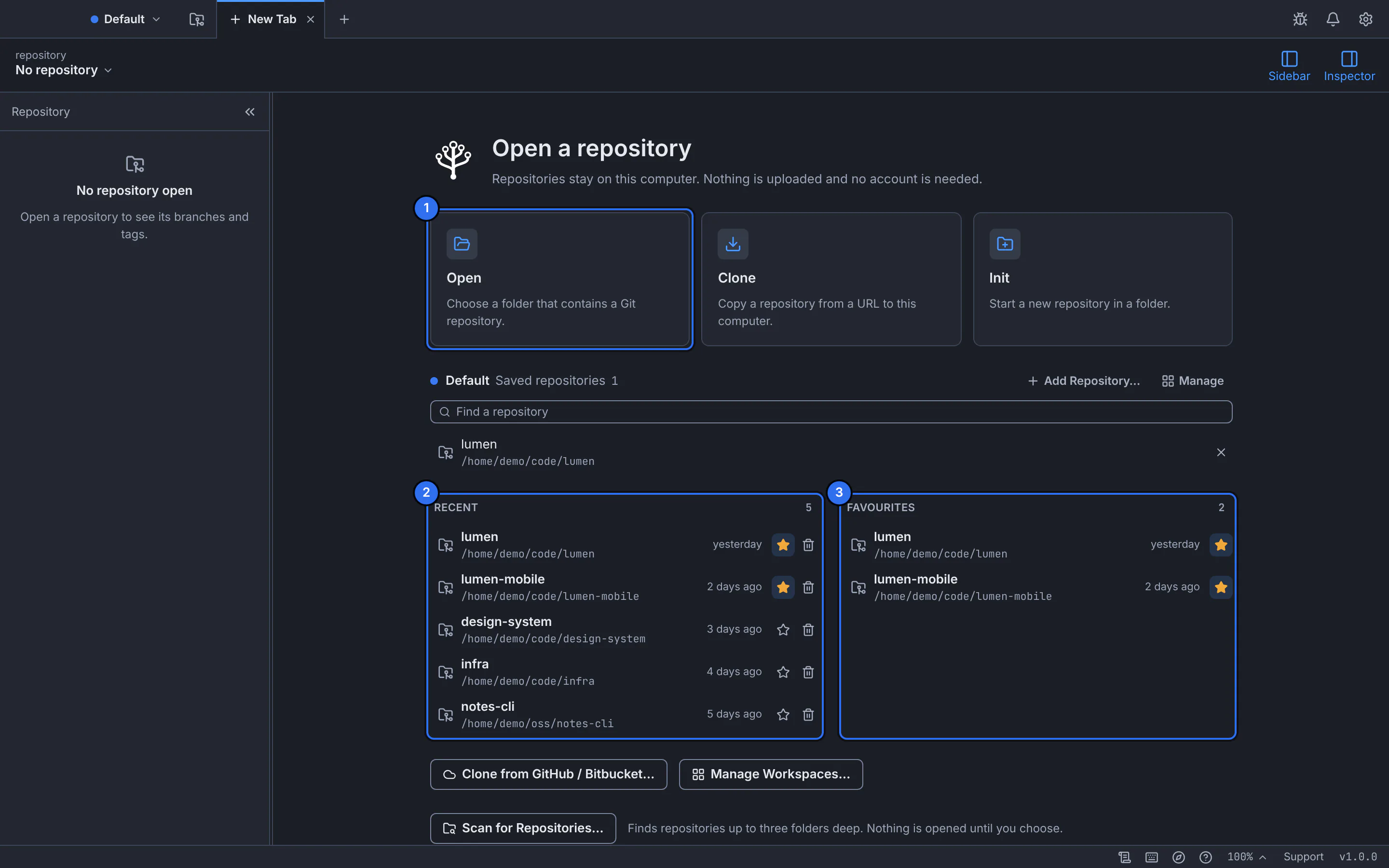
The new tab after launch: open, clone or create a repository.GitTree interface with a demonstration repository.
Expected result
GitTree is in Applications and ready; it finds Git by itself, or tells you if Git is missing or too old.
Update or remove GitTree
GitTree checks for a newer release when it starts and offers to install it; your settings and repositories are kept.
To remove it, quit GitTree and move it from Applications to the Bin. Its settings, caches and logs are in folders named com.eslamfaisal.opengittree under ~/Library/Application Support, ~/Library/Caches and ~/Library/Logs.
If something goes wrong
“GitTree needs Git” or “This Git is too old”
Install the Command Line Tools (xcode-select --install) or brew install git, then choose Check again (find Git and set your identity).
GitTree does not open on macOS 12 or older
GitTree needs macOS 13 Ventura or later.
Questions
Is GitTree on the Mac App Store?
No. Install it from this website or from the Releases page of GitTree’s public GitHub repository, and compare the SHA-256 checksum if you want to be sure the file is complete.