Use the built-in terminal
Terminal in the toolbar opens a shell at the repository’s root in the drawer under the graph. Run any command there, Git included: the graph and your changes update as you go. Each repository tab keeps its own terminals.
Works in GitTree Free: every local Git feature, once you are signed in.
On this page
Before you start
- A repository is open in the tab.
Where to find it
- Terminal in the toolbar.
- The command palette: Toggle Terminal, New Terminal, Find in Terminal.
| Action | macOS | Windows and Linux |
|---|---|---|
| Toggle Bottom Drawer | ⌥T | Alt+T |
Steps
Open the terminal
Press Terminal in the toolbar. A shell starts at the repository’s root, in the drawer under the graph.
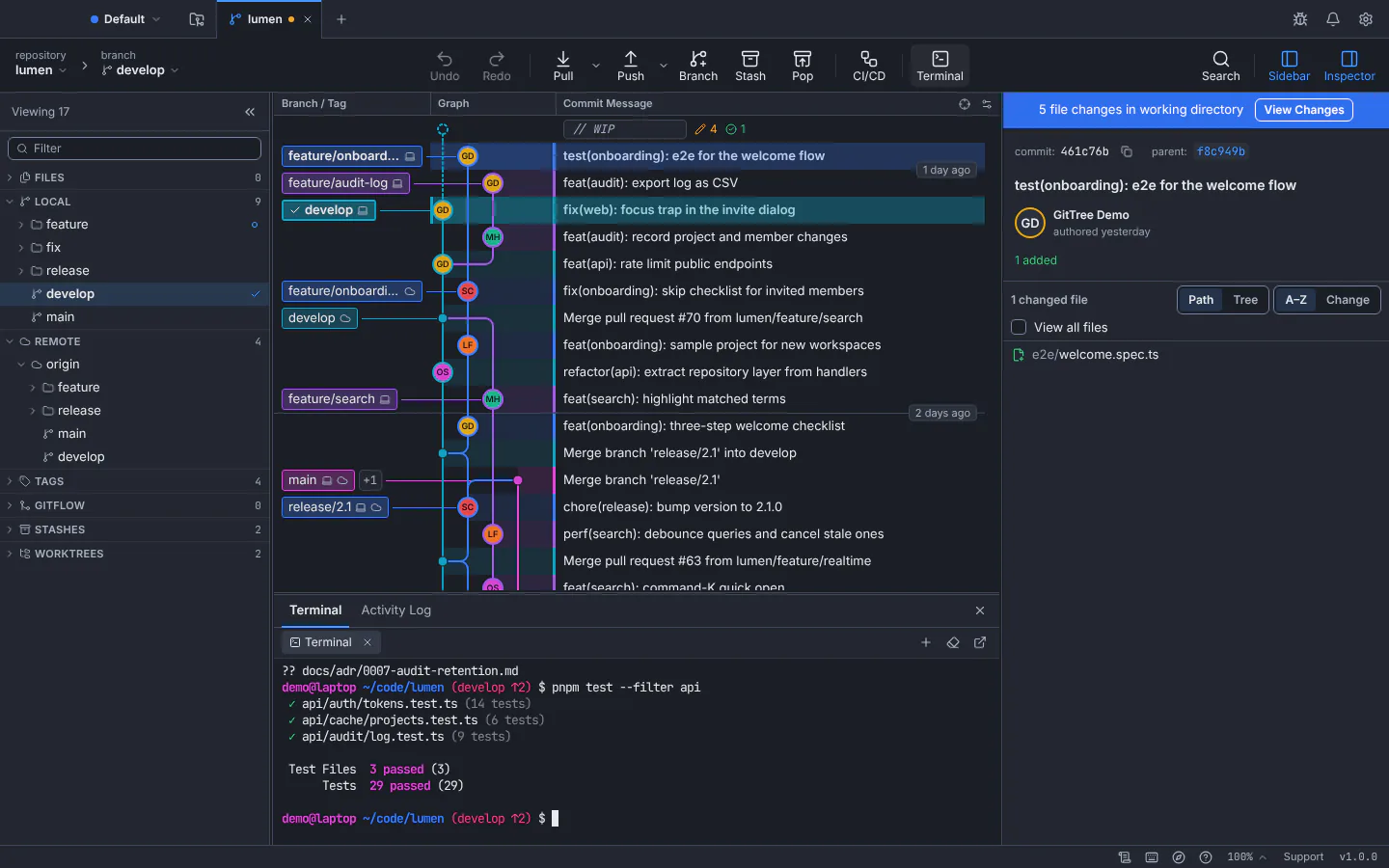
The terminal runs in the drawer under the graph, at the repository’s root.GitTree interface with a demonstration repository. Run commands
Type as in any terminal. Changes you make there, such as a commit or a checkout, appear in the graph and the changes panel right away.
Open more shells
Use New Terminal, or choose another shell from the list, such as zsh, bash or PowerShell. Double-click a terminal’s name to rename it.
Expected result
Your shells keep running while you switch repository tabs, and stop when that tab closes.
Useful terminal actions
- Find in Terminal searches the output, with next and previous match.
- Clear Terminal empties the screen; Restart Terminal starts a fresh shell after one exits.
- Open in External Terminal opens your system terminal at the same folder.
If something goes wrong
“The shell could not start.”
Choose another shell from the list, or check the default shell your system uses. Restart tries again.
Questions
Does GitTree record what I type in the terminal?
No. The terminal is a shell on your computer. GitTree has no telemetry, and the activity log lists only the Git commands GitTree itself runs.