Set tracking and publish a branch
A new branch exists only on your computer until you push it. The first Push asks which remote to send it to, and from then on the branch tracks that remote branch (its upstream), like git push -u. Set Upstream… changes what it tracks.
Works in GitTree Free: every local Git feature, once you are signed in.
On this page
Before you start
- The repository has a remote, such as
origin(add and edit remotes).
Where to find it
- Push in the toolbar, on a branch that tracks nothing yet.
- Right-click a branch: Upstream › Set Upstream…, Unset Upstream or Fast-Forward to Upstream.
| Action | macOS | Windows and Linux |
|---|---|---|
| Push | ⌘⇧U | Ctrl+Shift+U |
Steps
Push the new branch
With the branch checked out, press Push. GitTree says the branch does not track a remote branch yet and asks for the Remote.
Choose the remote
Pick the remote, usually
origin, and press Push to origin. The branch is created there with the same name.Check the labels
The branch label now shows both icons: your local branch and the remote one are level.
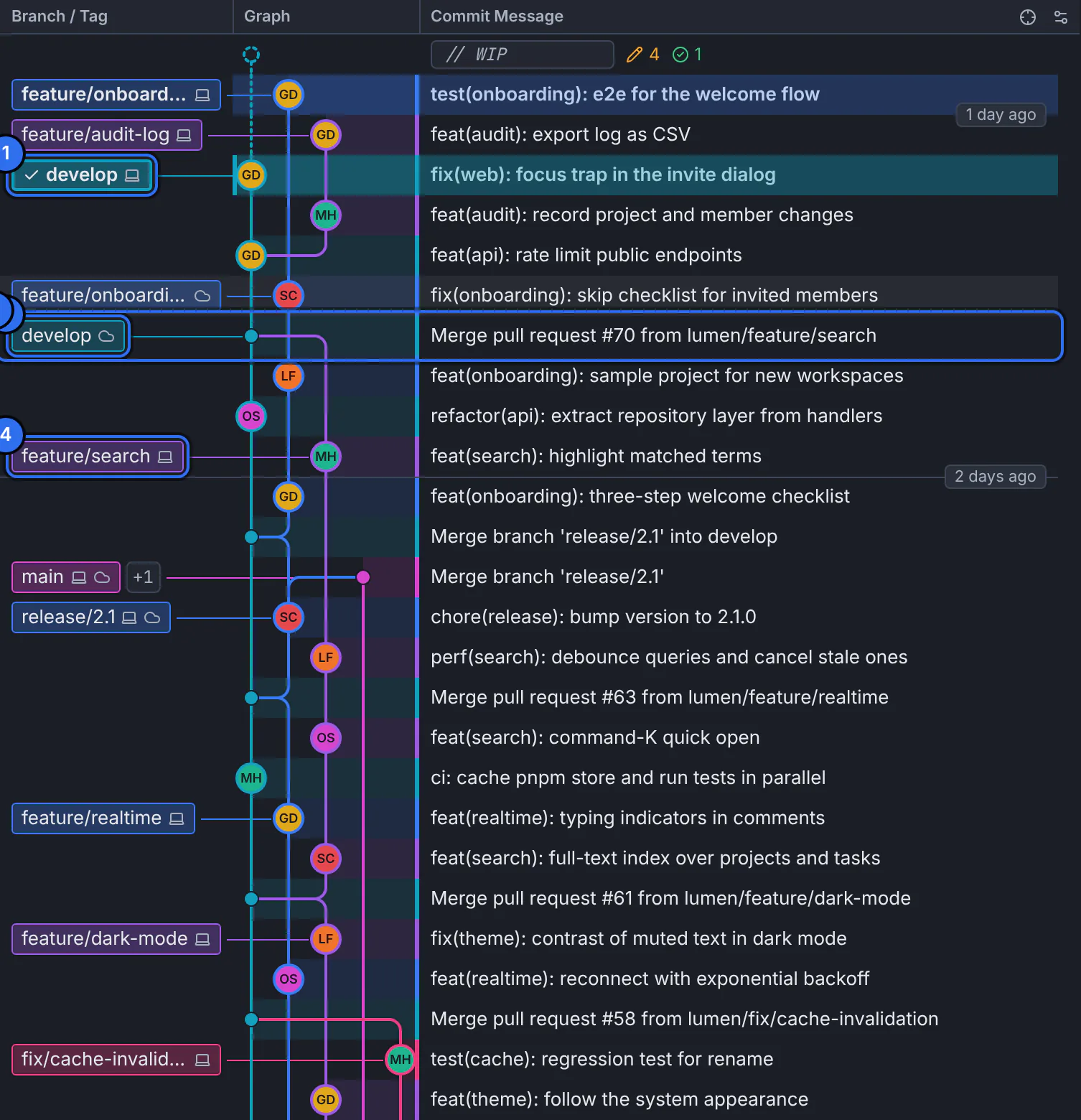
A label with both icons is a local branch level with its upstream.GitTree interface with a demonstration repository.
Expected result
The branch is on the remote and tracks it: Pull and Push now work with it without asking.
Change what a branch tracks
- Set Upstream… opens What should … track?: pick the Upstream branch and press Track, or Track Nothing.
- Fast-Forward to Upstream moves the branch to its upstream when it has nothing new of its own.
- To push to a branch with another name, run Push … to … from the command palette.
If something goes wrong
“There are no remote-tracking branches yet. Fetch first.”
GitTree only knows the remote’s branches after a fetch. Choose Fetch All, then set the upstream.
“This branch does not track anything.”
Actions such as Fast-Forward to Upstream need an upstream. Push the branch, or use Set Upstream….
Questions
What is an upstream branch?
The remote branch your local branch follows, such as origin/feature/search. GitTree compares the two to show what you need to pull or push.