Install GitTree on Windows
GitTree for Windows is a 64-bit installer for Windows 10 (22H2) and Windows 11. Install Git for Windows first, run the setup, and start GitTree from the Start menu.
Works in GitTree Free: every local Git feature, once you are signed in.
On this page
Before you start
- 64-bit Windows 10 (22H2) or Windows 11.
- Git for Windows 2.39 or newer, from git-scm.com or with
winget install --id Git.Git -e --source winget; check it withgit --version.
Where to find it
- The Windows download on the Download page, or the GitTree for Windows page.
| Action | macOS | Windows and Linux |
|---|---|---|
| Open Repository… | ⌘O | Ctrl+O |
Steps
Download the installer
Get the Windows download, a file such as
Git-Tree_<version>_x64-setup.exe.Run it
Open the installer and approve the administrator prompt.
If SmartScreen warns
The installer is not code-signed yet, so Windows may show a SmartScreen warning. Compare its SHA-256 with
SHA256SUMS.txtfrom the release, then choose More info and Run anyway.Start GitTree
Open GitTree from the Start menu. At Sign in to GitTree, choose Sign in or Create account and finish in your browser, then open, clone or create a repository.
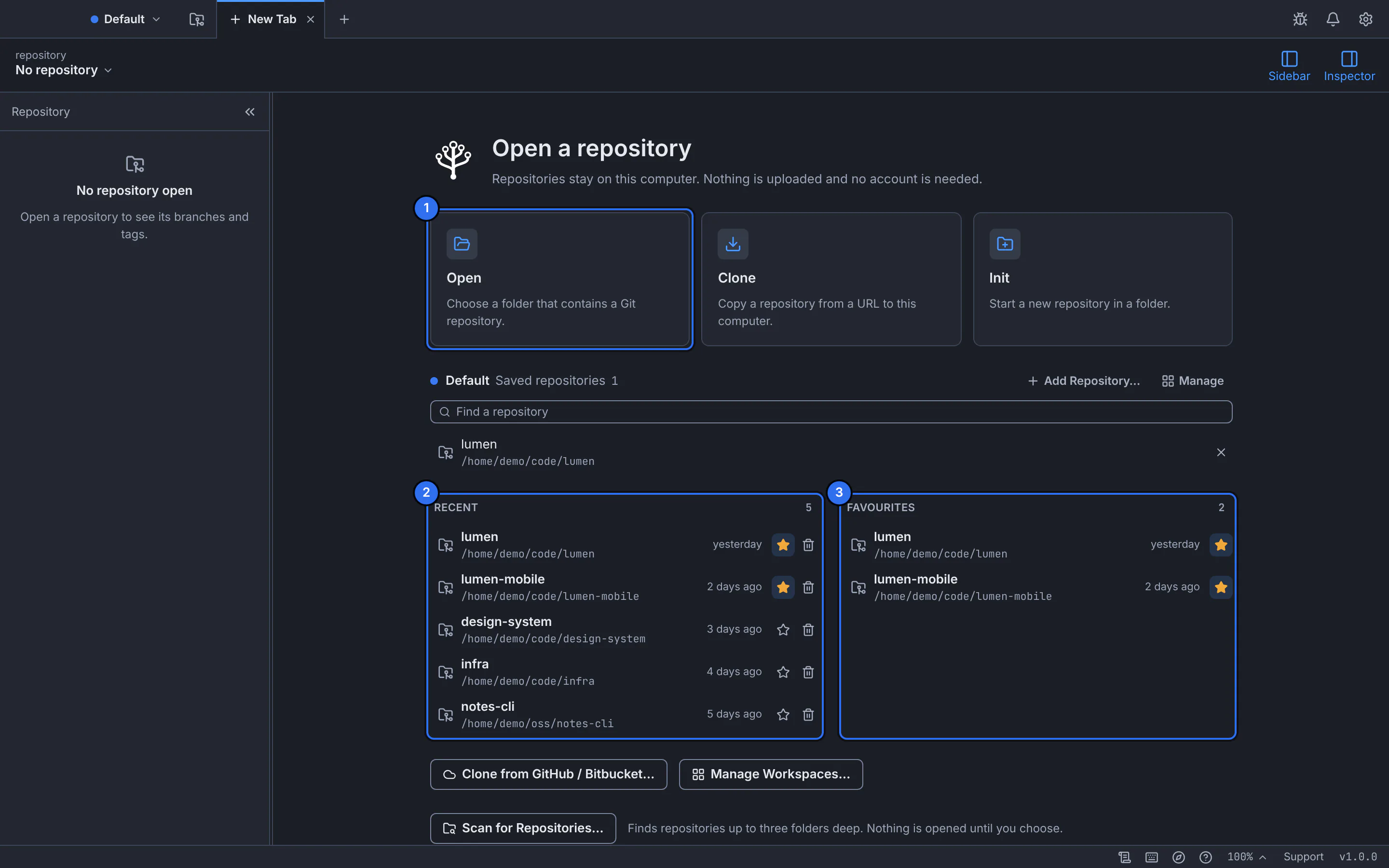
The new tab after launch: open, clone or create a repository.GitTree interface with a demonstration repository.
Expected result
GitTree is installed for your account and in the Start menu, using your Git for Windows for every Git command.
Update or remove GitTree
GitTree checks for a newer release when it starts and offers to install it; your settings and repositories are kept.
To remove it, open Settings › Apps › Installed apps (Apps & features on Windows 10), find GitTree and choose Uninstall. Its settings and caches are in com.eslamfaisal.opengittree folders under %APPDATA% and %LOCALAPPDATA%.
If something goes wrong
“GitTree needs Git”
Install Git for Windows, restart GitTree or choose Check again (find Git and set your identity).
There is no build for Windows on ARM
Not yet: the Windows build is 64-bit x64 for Windows 10 (22H2) and Windows 11.
Questions
Doesn’t Git for Windows already include a GUI?
It includes Git GUI and Git Bash. GitTree is a separate app on the same Git that adds the commit graph, line staging, interactive rebase, conflict resolution and Undo.