Manage repository tabs
Each repository opens in its own tab across the top of the window. Tabs show the repository’s state, such as uncommitted changes or a rebase in progress, and you switch between them from the keyboard.
Works in GitTree Free: every local Git feature, once you are signed in.
On this page
Before you start
- At least one repository is open.
Where to find it
- The tabs across the top of the window; + opens a new tab.
- Right-click a tab, or press Shift+F10 on it, for Close Other Tabs and Close Tabs to the Right.
| Action | macOS | Windows and Linux |
|---|---|---|
| New Tab | ⌘T | Ctrl+T |
| Next Tab | ⌃Tab | Ctrl+Tab |
| Previous Tab | ⌃⇧Tab | Ctrl+Shift+Tab |
| Close Repository Tab | ⌘W | Ctrl+W |
Steps
Open another repository
Press + and open, clone or create one. It gets a tab of its own; the others keep their state.
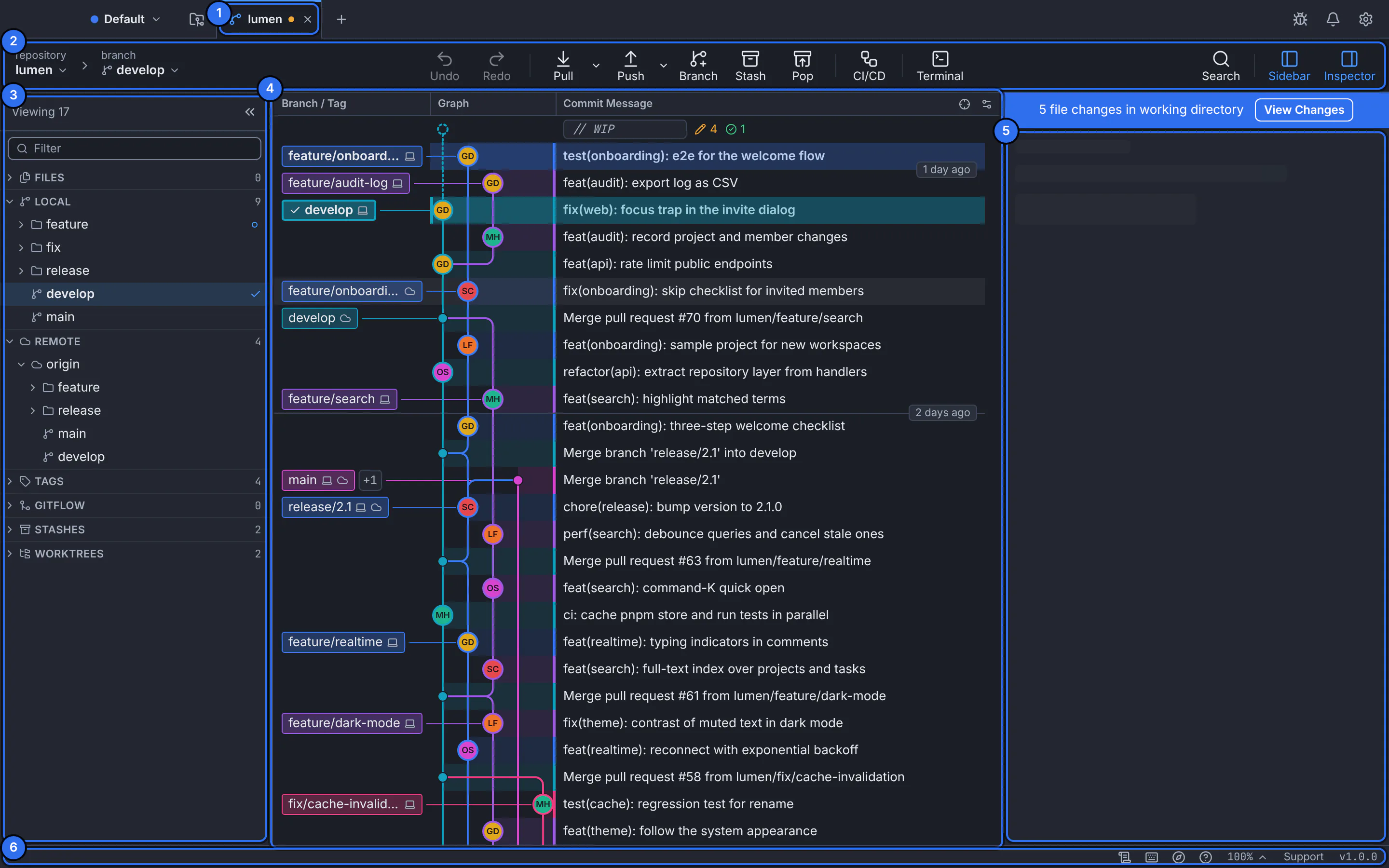
Each repository is a tab at the top of the window.GitTree interface with a demonstration repository. Switch between tabs
Click a tab, or use Next Tab and Previous Tab. With a tab focused, Left and Right move between tabs.
Reorder and close
Alt+Left and Alt+Right move the focused tab; Delete closes it. Close Other Tabs keeps only the one you are on.
Expected result
Your repositories stay open side by side, each with its own graph, changes and terminal.
What a tab tells you
| Mark | Meaning |
|---|---|
| A dot | The repository has uncommitted changes. |
| bare | A bare repository: history only. |
| restricted | Opened in restricted mode (repository trust). |
| Operation | A merge, rebase, cherry-pick, revert or bisect is in progress. |
If something goes wrong
“Changes made outside GitTree are not detected automatically”
GitTree could not watch the folder. The repository refreshes when the window regains focus; choose Refresh Now meanwhile. On macOS, grant access in System Settings › Privacy & Security › Files and Folders.
Questions
Does GitTree reopen my tabs after a restart?
Your recent repositories are on every new tab, one click away. To keep a set of repositories together, use a workspace.