Cherry-pick and revert commits
Cherry-Pick Commit copies the changes of one commit onto your current branch as a new commit, like git cherry-pick. Revert Commit adds a new commit that undoes one, like git revert: the safe way to take back something already pushed.
Works in GitTree Free: every local Git feature, once you are signed in.
On this page
Before you start
- Check out the branch that should receive the change (for a cherry-pick) or that holds the commit to undo (for a revert).
Where to find it
- Right-click a commit in the graph: Cherry-Pick Commit and Revert Commit.
- Select several rows with Ctrl (⌘ on a Mac) held down, then right-click: Cherry-Pick Commits.
| Action | macOS | Windows and Linux |
|---|---|---|
| Find the commit first | ⌘F | Ctrl+F |
Steps
Find the commit
Locate the commit in the graph, on any branch. Right-click it.
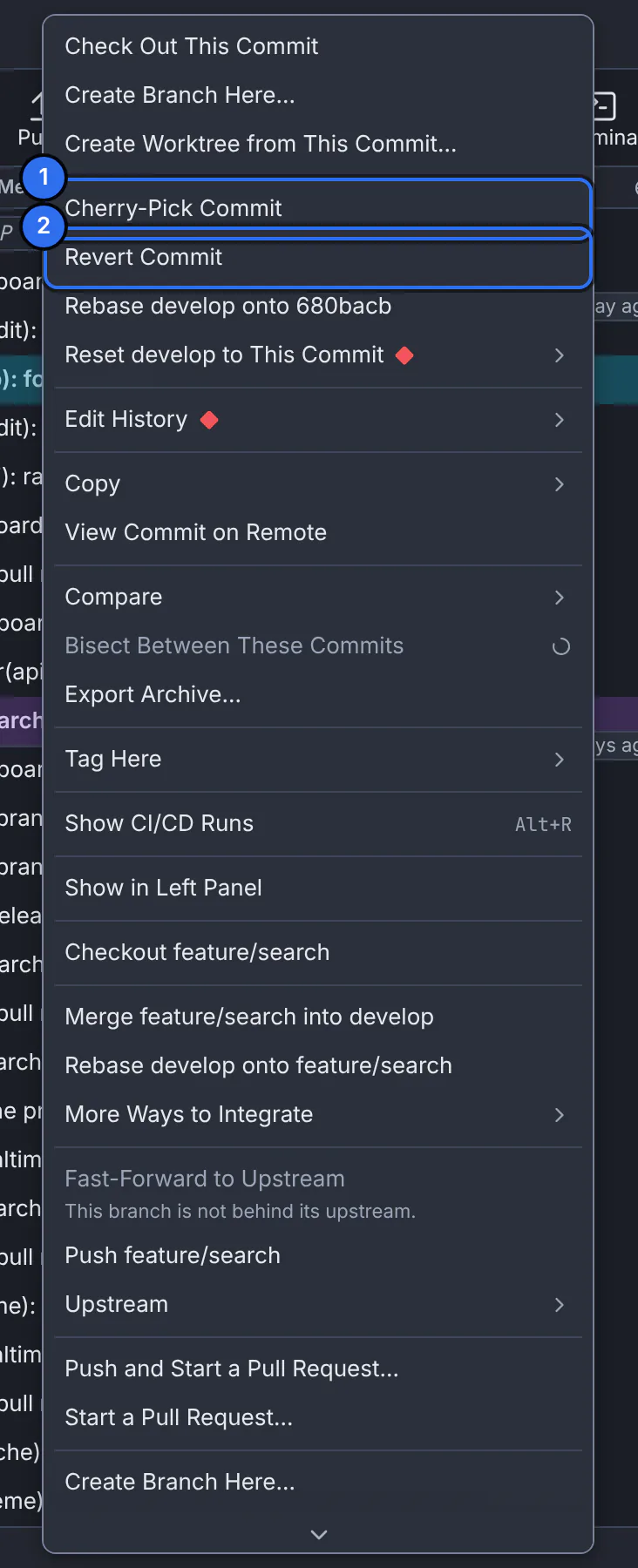
1 copy this commit onto your branch, 2 add a commit that undoes it.GitTree interface with a demonstration repository. Cherry-pick or revert
Choose Cherry-Pick Commit or Revert Commit. Each item is greyed out with the reason when it cannot apply, such as on the commit you are on.
Check the result
GitTree says Cherry-picked. or Reverted., and the new commit is the top row of your branch.
Expected result
Your branch has one new commit with the copied change, or with the opposite of the reverted one. The original commit is untouched.
Merge commits
A merge commit has two parents, so GitTree asks which one its changes are measured against: First parent (the branch merged into), the usual choice, or Second parent (the branch merged in).
When it conflicts
If the change does not apply cleanly, the banner says Cherry-picking … onto … or Reverting … on …. Resolve the files, then Continue, or Abort… to go back to where you were (resolve merge conflicts).
If something goes wrong
Cherry-Pick Commit is greyed out: “This is the commit you are on.”
The commit is already on your branch. Check out the branch that should receive it first.
Questions
Revert or reset?
Revert adds a commit and changes no history, so it is safe on pushed branches. Reset moves the branch back and drops commits from it: use it only on work nobody else has.