Git guides
Undo git reset, rebase and commits: how to recover (almost) anything in Git
Git rarely throws work away for good. Here is how to undo the last commit, an amend, git reset --hard, a rebase, a deleted branch or a force-push with git reflog, and how GitTree’s Undo handles most of it in one click.
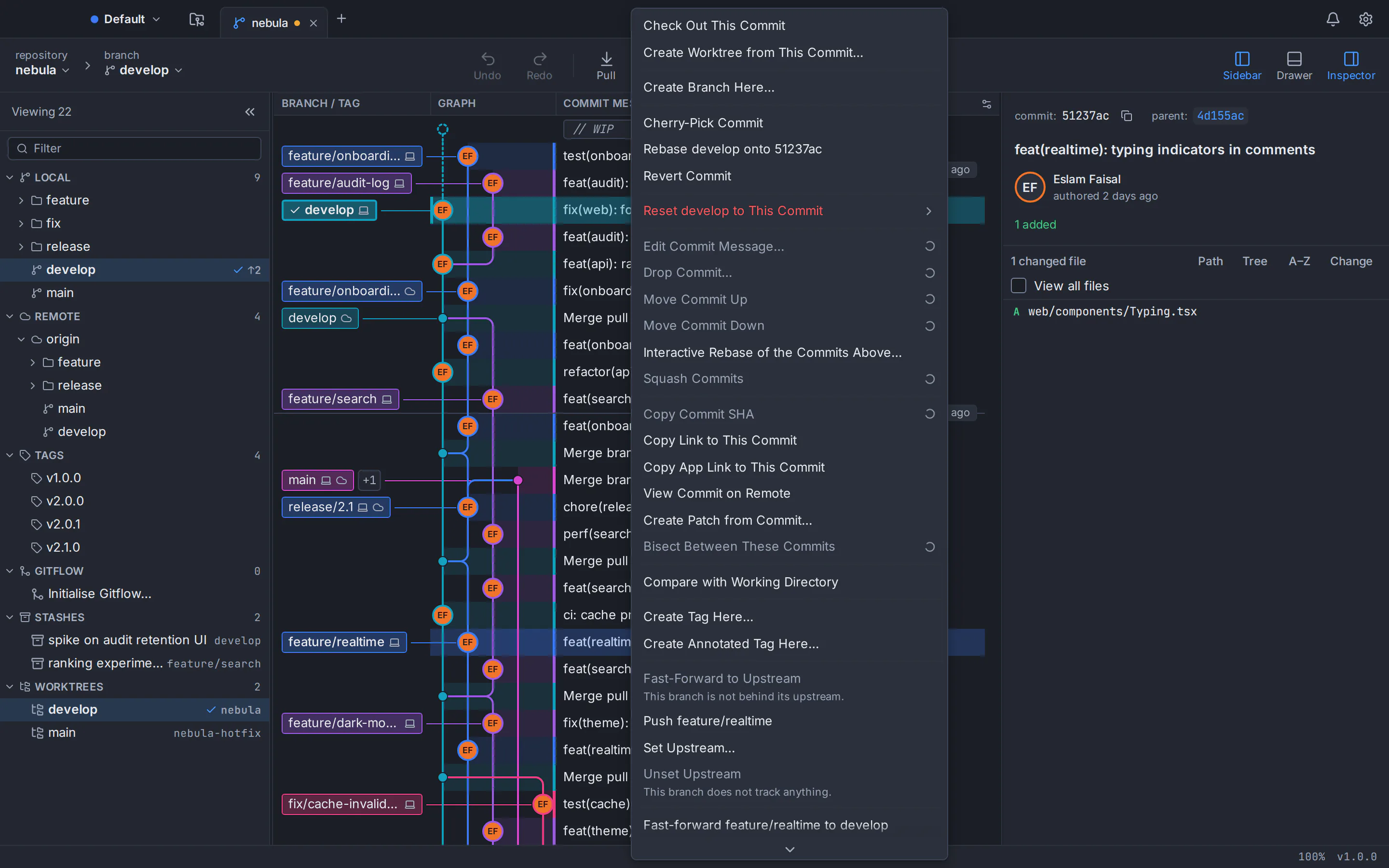
To undo git reset, a rebase or a commit, run git reflog, find the entry from just before the mistake and point your branch back at it, for example with git reset --hard HEAD@{1}. Git logs every move of HEAD and of each branch in the reflog, and by default keeps even a lost commit’s entry for 30 days (90 for commits still on a branch), so committed work is almost never gone. The one real exception is work you never committed.
Below is the recipe for each common mistake. Every command is plain Git and works the same on macOS, Windows and Linux. On Windows, run them in Git Bash, which comes with Git for Windows: PowerShell needs reflog names such as HEAD@{1} in quotes and has no grep. At the end you will see how GitTree, a free desktop Git client, keeps a recovery snapshot for 19 kinds of operation so most mistakes come back with one click.
Git undo cheat sheet: the command for each mistake
Find your situation, then read its section before you run anything. HEAD@{1} means “where HEAD was one move ago”; if you have run other commands since, look up the right number with git reflog first.
| Mistake | Command | Watch out for |
|---|---|---|
| Last commit, keep the changes | git reset --soft HEAD~1 | Only for commits you have not pushed |
| Last commit, already pushed | git revert HEAD | Adds a commit that cancels the old one |
A bad git commit --amend | git reset --soft HEAD@{1} | Run it before HEAD moves again |
git reset --hard | git reset --hard HEAD@{1} | Uncommitted changes are not in the reflog |
| A finished rebase | git reset --hard ORIG_HEAD | The next reset, merge or rebase overwrites ORIG_HEAD |
| A local merge | git reset --hard ORIG_HEAD | Once pushed, use git revert -m 1 <merge> |
| A deleted branch | git branch <name> <hash> | The hash is in the delete message or the reflog |
| A dropped stash | git stash apply <hash> | The hash is in the drop message |
| A force-push | git push --force-with-lease origin <hash>:main | Warn anyone who pulled in between |
Git reflog explained: the safety net under every command
The reflog (reference log) is a private diary of where HEAD and your branch tips have pointed. Every commit, checkout, reset, merge, rebase, amend and pull adds a line, and remote-tracking branches such as origin/main get one too. It lives only in your local .git folder: it is never pushed, and a fresh clone starts with an empty one.
git reflog
git reflog show main
git reflog --date=relative
A typical git reflog after a rebase looks like this, newest entry first:
6c55495 HEAD@{0}: rebase (finish): returning to refs/heads/feature-login
6c55495 HEAD@{1}: rebase (pick): Validate the email field
cb6e15e HEAD@{2}: rebase (pick): Add the login form
2c44bc3 HEAD@{3}: rebase (start): checkout main
595b83d HEAD@{4}: commit: Validate the email field
Read down to the newest line from before the mistake: here HEAD@{4}, the commit made before rebase (start). Use its hash or that name anywhere Git expects a commit; main@{2.hours.ago} works too. Entries expire after 90 days, or 30 for commits no branch can reach, and while an entry exists git gc keeps its commit.
Recover a lost commit with git reflog in four steps
List the reflog
Run
git reflog, orgit reflog show <branch>for one branch, and note the newest entry from before the mistake.Inspect the commit
Run
git log --oneline -5 HEAD@{4}to check that this is the state you want back. Nothing changes yet.Save it on a rescue branch
Run
git branch rescue HEAD@{4}. Your files stay as they are, and the commit can no longer expire.Move your branch back
Commit or stash anything you still need, run
git reset --hard rescueon the broken branch, then delete the helper withgit branch -d rescue.
Git undo last commit: soft, mixed or hard reset
If the commit is still only on your computer, git reset moves the branch back one commit. The mode decides what happens to its changes:
git reset --soft HEAD~1
git reset HEAD~1
git reset --hard HEAD~1--softkeeps the changes staged, ready to commit again: ideal for fixing the message or adding a forgotten file.--mixed, the default, keeps the changes in your working folder, unstaged, so you can split the commit.--hardthrows the changes away with the commit, along with any uncommitted edits. The reflog keeps the commit for a while, but think twice.
If you already pushed it, do not rewrite it: git revert HEAD records a new commit that cancels it.
Undo git commit --amend
An amend replaces the commit with a new one; the original stays in the reflog. Right after the amend, git reset --soft HEAD@{1} puts the branch back on the original and leaves what the amend added staged. Later on, find the commit (amend) line in git reflog and use the entry below it.
git reset --soft HEAD@{1}How to undo git reset --hard
A hard reset moves the branch and overwrites your files, but the commits it dropped are still in Git’s object database. The reflog shows the move as reset: moving to HEAD~2, and the line below it is where you were. If the reset was your last command, this brings everything back:
git reflog
git reset --hard HEAD@{1}git fsck --lost-foundHow to undo a git rebase
If the rebase stopped on a conflict, git rebase --abort returns the branch, the index and your files to where they were. If it finished, you have two ways back. Git points ORIG_HEAD at the old tip when a rebase starts, so right afterwards git reset --hard ORIG_HEAD undoes it. Sturdier still is the branch’s own reflog: a rebase moves the branch only once, at rebase (finish), so feature-login@{1} is the branch exactly as it was.
git rebase --abort
git reset --hard ORIG_HEAD
git reset --hard feature-login@{1}
If you had pushed the rebased branch, restoring it needs a force-push (see below). To rewrite history on purpose, read our guide to interactive rebase in a Git GUI.
Undo a git merge
A merge also leaves the old tip in ORIG_HEAD, so git reset --hard ORIG_HEAD undoes one you have not pushed. Mid-conflict, git merge --abort gets you out, or follow our guide to resolve Git merge conflicts. A pushed merge is reverted with git revert -m 1 <merge-commit>; merging that branch again later will not bring those changes back unless you revert the revert.
git merge --abort
git reset --hard ORIG_HEAD
git revert -m 1 <merge-commit>
Recover a deleted Git branch (and a dropped stash)
Deleting a branch deletes a name, not the commits. git branch -D prints the tip the branch pointed at, and creating the branch again from that hash restores it:
git branch feature-login 1a2b3c4
git reflog | grep "moving from feature-login"
Lost that output? HEAD’s reflog still remembers. The second command finds checkout: moving from feature-login to main; the entry one number higher (HEAD@{6} if the match is HEAD@{5}) is the branch’s last commit. If the branch is still on the remote, git branch feature-login origin/feature-login is quicker.
Recover a dropped stash
git stash drop and git stash pop print the hash of the stash they removed, and git stash apply <hash> brings it back. Without the hash, Git’s documentation suggests this search for unreachable stash commits; it finds stashes saved with the default “WIP on …” message:
git stash apply 9d668e5
git fsck --unreachable | grep commit | cut -d' ' -f3 | xargs git log --merges --no-walk --grep=WIP --oneline
How to undo a force-push
A force-push replaces the remote branch with yours, so commits that were only on the remote drop out of it. Your remote-tracking branch keeps a reflog too: origin/main@{1} is where the remote branch was before your push, as you last saw it, and the push output printed the same hash as the first half of old...new.
git reflog show origin/main
git push --force-with-lease origin 1a2b3c4:main
--force-with-lease refuses the push if the remote moved since your last fetch, so you cannot overwrite a teammate’s fix by accident. Commits you never fetched were never on your computer; whoever pushed them can push them again. Then tell anyone who pulled in between.
One-click Undo in GitTree: a recovery snapshot for 19 kinds of operation
Everything above works in GitTree too: it runs your installed Git (2.39 or newer), and its built-in terminal opens your own shell under the commit graph. What it adds: GitTree keeps a recovery snapshot under refs/ogt/trash for 19 kinds of operation, saving whatever a destructive step would remove before it runs, and the Undo button in the toolbar reverses the last step.
Undo covers commits and amends, checkouts, resets, rebases (interactive ones too), discarded files, hunks and lines, deleted branches and tags, cleaned untracked files and more. For a hard reset run from GitTree, the snapshot holds your uncommitted changes too, which plain git reset --hard cannot bring back.
Two of the 19 are kept rather than reversed. A force-push changes a remote, which only another push can change back, so GitTree keeps the tip it replaced and leaves that push to you (it always force-pushes with --force-with-lease). A dropped stash is snapshotted, but Undo does not restore it yet. GitTree also refuses an undo that would overwrite later work, and says why. A normal push cannot be undone from the app; revert instead.
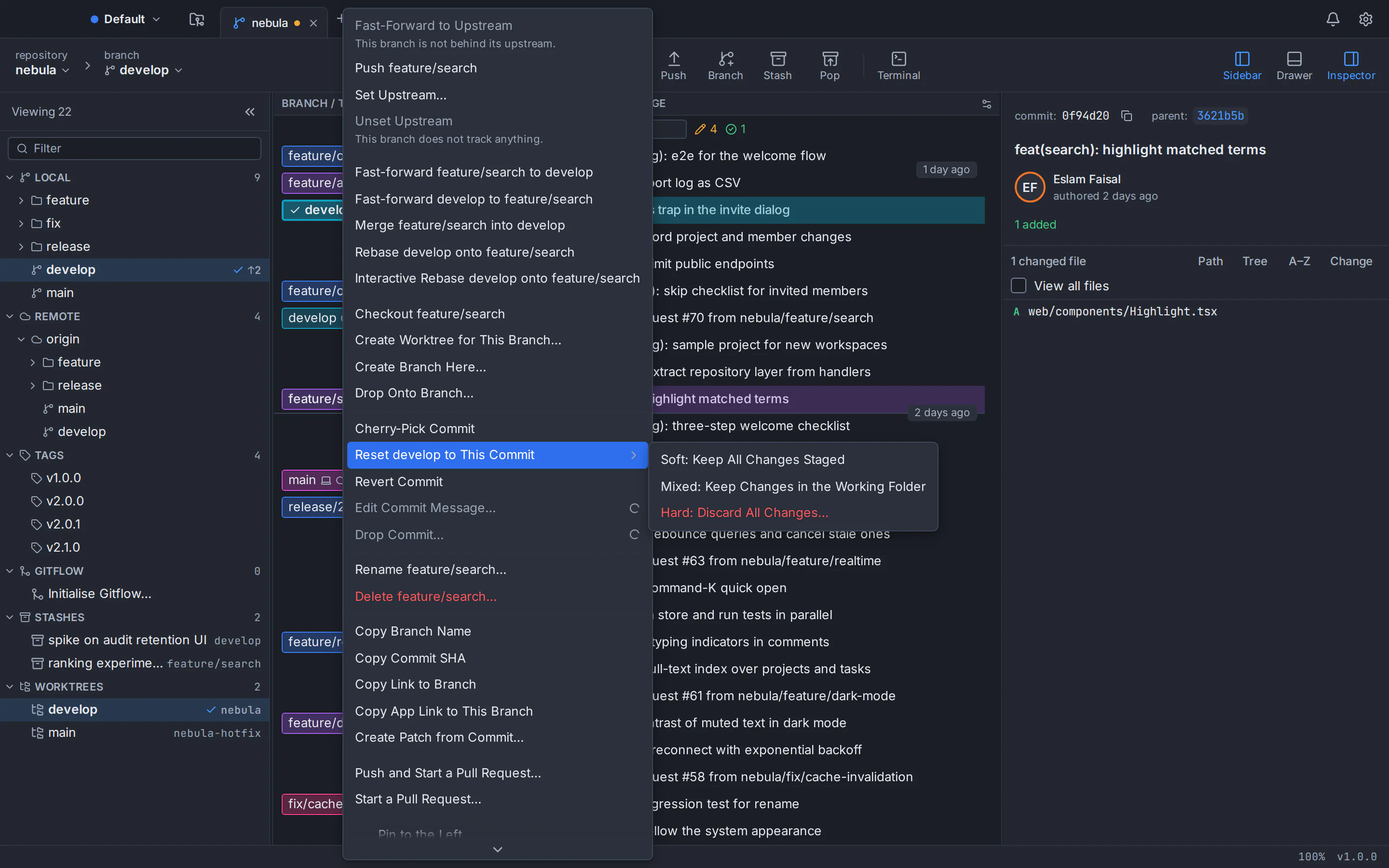
How to undo a reset, rebase or deleted branch in GitTree
Work as usual
Reset, rebase, discard or delete a branch as you normally would. GitTree takes the snapshot first; the hard reset dialog says so.
Click Undo
Click Undo in the toolbar or run it from the command palette (Ctrl/⌘+Shift+P). Its tooltip names the step, such as “Undo: delete branch feature-login”; a step that cannot be undone shows why.
Go further back with the reflog
Undo covers what GitTree ran itself. For a command typed in a terminal, run View Reflog… from the palette, pick an entry and choose Restore as Branch.
Check the graph before you push
The commit graph shows the branch back where it was, so you can confirm the result before anything leaves your computer.
Habits that keep every Git mistake reversible
- Commit early, even messily. Only committed work reaches the reflog; tidy it later with an interactive rebase.
- Branch before risky edits.
git branch backup/before-rebasecosts nothing and never expires. - Never use a plain `--force`.
--force-with-leasewill not overwrite commits you have not seen. - Revert shared history, reset private history. Once others have pulled a commit, revert it.
- Keep Git current. GitTree needs Git 2.39 or newer, and Ubuntu 22.04 ships 2.34; see how to upgrade Git on Ubuntu.
Still choosing between typing and clicking? Read Git GUI vs command line, or start with Git for beginners, with a GUI.
GitTree is free today, private repositories included, on macOS 13 or later, Windows 10 and 11 (x64) and 64-bit Linux (x86_64: Ubuntu 22.04+, Debian 12+). It needs a free account and Git 2.39 or newer. Get it from the download page, or see how it runs on Linux.
Frequently asked questions
How do I undo git reset --hard?
Run git reflog and find the line just below reset: moving to …; that is where your branch was. If the reset was your last command, git reset --hard HEAD@{1} brings the dropped commits back. Changes you never committed are not in the reflog, so Git cannot restore them; if you ran the hard reset in GitTree, its Undo restores them from the snapshot taken first.
How do I undo the last commit but keep my changes?
Run git reset --soft HEAD~1 to keep the changes staged, or git reset HEAD~1 to keep them unstaged in your working folder. Both rewrite only your local branch, so use them for commits you have not pushed. For a pushed commit, run git revert HEAD, which adds a commit that cancels it.
How do I undo a git rebase after it has finished?
Right after the rebase, git reset --hard ORIG_HEAD returns the branch to its old tip. If you have run other commands since, use git reset --hard <branch>@{1}: a rebase moves the branch only once, when it finishes. If you had pushed the rebased branch, push the restored one with --force-with-lease.
How long does git reflog keep lost commits?
A lost commit, one that no branch reaches any more, keeps its reflog entry for 30 days by default; entries for commits still on a branch last 90 days. While an entry exists, garbage collection keeps its commit. To keep a commit indefinitely, put a branch or tag on it, for example git branch rescue <hash>, because Git never deletes commits a branch points at.
Can I recover uncommitted changes after git reset --hard?
Usually not with Git alone. The reflog records commits, not edits in your working folder, so check your editor’s local history. Staged files may survive as dangling objects that git fsck --lost-found writes to .git/lost-found/other/, without file names. GitTree snapshots uncommitted changes before its own hard reset.
How do I undo a force-push?
Find the remote tip you replaced: git reflog show origin/main lists it as origin/main@{1}, and the push output showed it as the first hash in old...new. Then run git push --force-with-lease origin <hash>:main. If the push overwrote commits you never fetched, ask whoever pushed them to push them again.
Can GitTree undo a git push?
No. A normal push cannot be undone from GitTree; revert the commit instead. For a force-push, GitTree keeps the remote tip it replaced in a recovery snapshot, so nothing is lost, but restoring the remote takes another push. Undo covers local operations such as commits, resets, rebases, checkouts and branch deletions.
Is the git reflog shared with my team?
No. The reflog lives only in your local .git folder. It is never pushed, fetching does not bring anyone else’s, and a fresh clone starts with an empty one. So a teammate’s lost commit can only be recovered on their machine, and your reflog keeps your commits even if someone overwrites the remote branch.
Sources
Claims about other products were checked against their official pages on October 6, 2026. Prices and features change; the vendors’ pages are the source of truth.