Pull requests
With a hosting account connected, GitTree lists the repository’s pull requests in the left panel and opens each one beside the graph: its conversation, commits, files and checks, with Review… and Merge…. Pull requests are part of GitTree Pro.
Needs GitTree Pro or a running trial; Free keeps every local Git feature. Compare the plans.
On this page
Before you start
- GitTree Pro or a running trial (Free and Pro).
- An account connected under Connected accounts in Preferences: GitHub, GitHub Enterprise, GitLab, Bitbucket, Bitbucket Data Center or Azure DevOps.
Where to find it
- Pull Requests in the left panel, with My pull requests, Assigned to me, Awaiting my review and All.
- Right-click a branch: Start a Pull Request… or Push and Start a Pull Request….
| Action | macOS | Windows and Linux |
|---|---|---|
| The command palette | ⌘⇧P | Ctrl+Shift+P |
Steps
Open a pull request
Expand Pull Requests in the left panel, search by title, number, branch or author, and select one. It opens in the middle, with who wants to merge which branch into which.
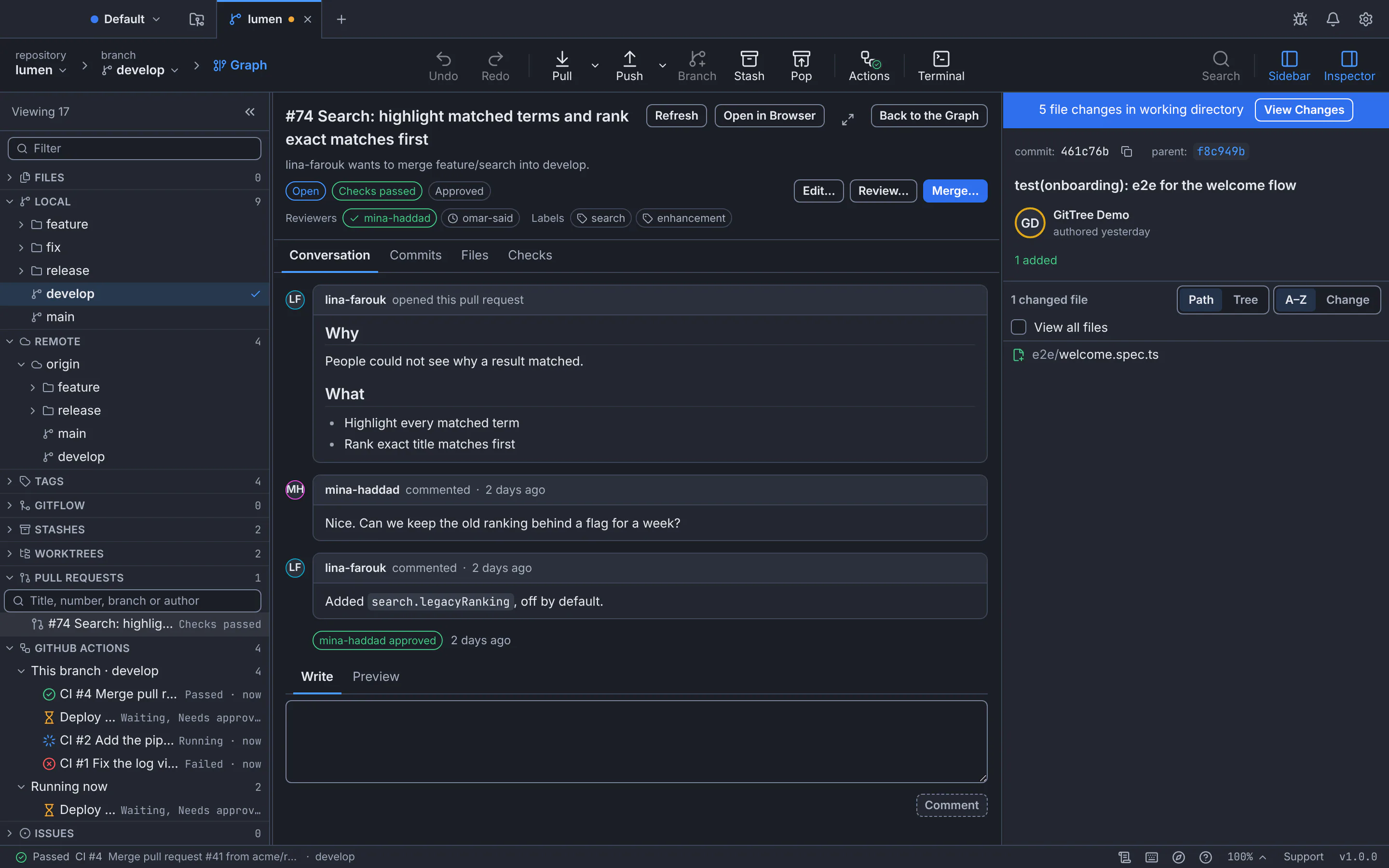
Pull request #74 beside the graph: its checks and approvals, the conversation and the actions on it.GitTree interface with a demonstration repository. Read it
Switch between Conversation, Commits, Files and Checks. Write a comment under the conversation and press Comment.
Review it
Press Review… to approve, request changes or comment.
Merge it
Press Merge… and choose the Merge method the repository allows, such as Create a merge commit or Squash and merge. GitTree merges only while the pull request’s head is still the commit you reviewed.
Expected result
GitTree says Pull request #… merged. Fetch to see the merge in your graph; Back to the Graph returns to it.
Start a pull request
Right-click your branch and choose Start a Pull Request… (or Push and Start a Pull Request… if it is not on the remote yet). Fill in Title, the description and reviewers, optionally Open as a draft, and press Create Pull Request.
If something goes wrong
“Pull requests, issues and CI/CD runs are part of GitTree Pro.”
Your trial has ended or was never started. Every local Git feature keeps working on Free; start a trial or get Pro to use pull requests.
The provider did not confirm the change
Press Refresh to see whether it happened; GitTree does not send it twice.
Questions
Can I read pull requests of a public repository without connecting GitHub?
For public GitHub repositories, GitTree can read them without a connected GitHub account, within GitHub’s hourly limit. Connect GitHub to do more.