Find and open the built-in tools
GitTree has small, independent tools beside your daily Git work, much like an editor’s extensions. Tools in the toolbar opens a panel of cards, one per tool, with what it does and its shortcut; the left panel’s TOOLS section lists the same tools.
Works in GitTree Free: every local Git feature, with no account needed.
On this page
Before you start
- A repository open in a tab for the repository tools; Repo Insights, Recorded commands, Worktree cards and Attention also open from the home page.
Where to find it
- Tools in the toolbar, after Terminal (on the home page, in the page header).
- The TOOLS section of the left panel.
- The command palette, by each tool’s name.
| Action | macOS | Windows and Linux |
|---|---|---|
| The command palette | ⌘⇧P | Ctrl+Shift+P |
Steps
Open the launcher
Press Tools. A panel shows a card for each tool: its icon, its name, one line on what it does and its shortcut. Cards are grouped Repository, Automation & delivery and Workspace. A Free or Pro mark appears where the plan matters. A tool that cannot run right now is dimmed and says why.
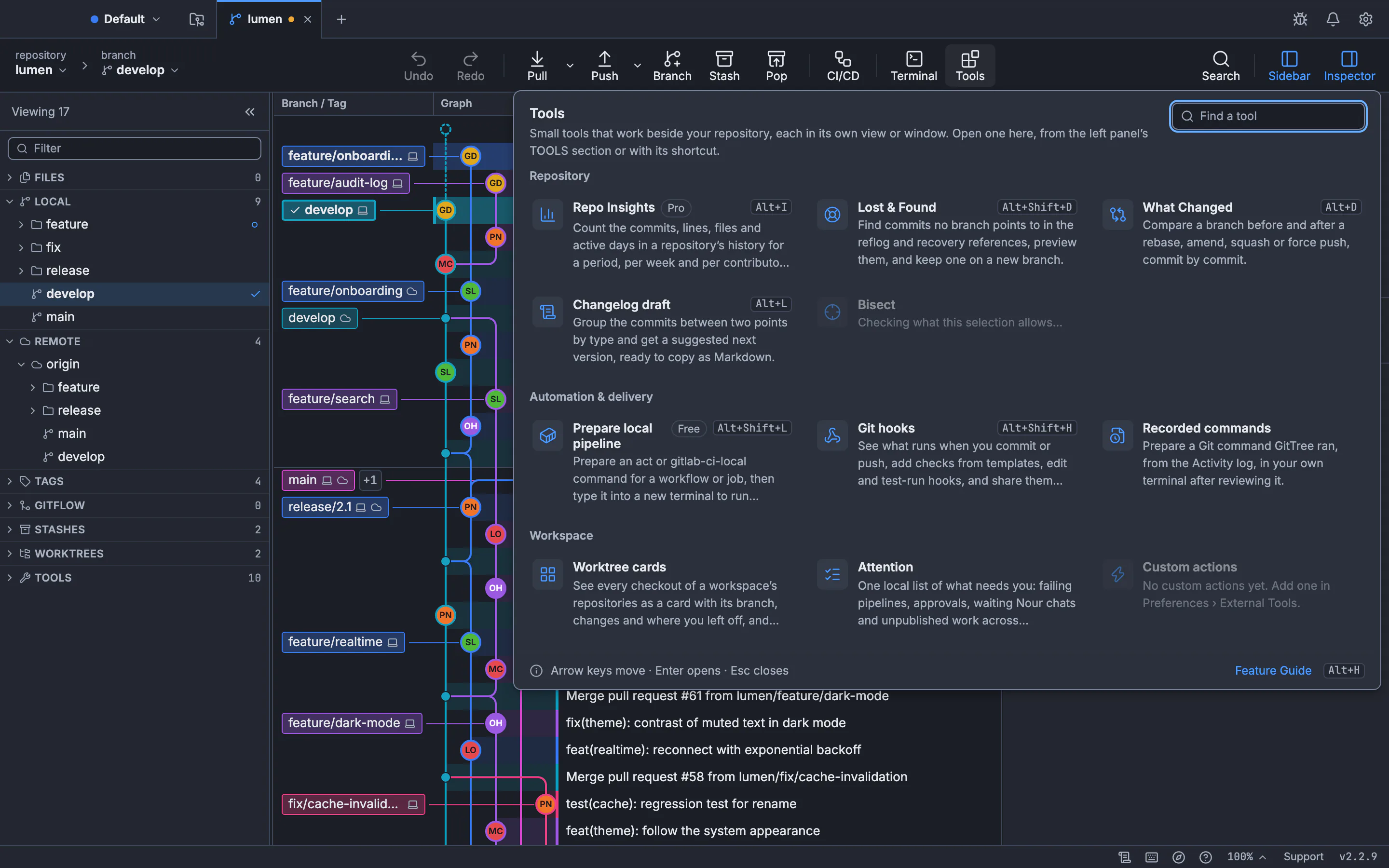
Each card names the tool, what it does and its shortcut. Repo Insights is marked Pro. Local pipelines are marked Free.GitTree interface with a demonstration repository. Pick a tool
Click a card, or move between cards with the arrow keys and press Enter. The panel closes and the tool opens in its own view, dialog or window.
Learn more
See all features at the bottom opens the Feature Guide, where every feature has its card, where to find it and what it needs.
Expected result
You reach any built-in tool in two clicks, or with its shortcut.
The tools
| Tool | What it does | Guide |
|---|---|---|
| Repo Insights | Counts commits, lines, files and active days, in its own window | Features |
| Prepare local pipeline | Runs GitHub Actions or GitLab CI jobs on your computer with act or gitlab-ci-local | Run pipelines locally |
| Lost & Found | Finds commits no branch points to and keeps one on a new branch | Lost & Found |
| What Changed | Compares a branch before and after a rebase, amend or force push | Rebase branches |
| Changelog draft | Groups commits between two points by type and suggests the next version | Select and compare commits |
| Recorded commands | Prepares a Git command GitTree ran in your own terminal | Activity and notifications |
| Search the graph | Finds a commit by message, author or SHA | Search history |
| Worktree cards | Shows every checkout with its branch and status | Worktree cards |
| Attention | One local list of what needs you across worktrees | Organize workspaces |
If something goes wrong
A card is dimmed
Its reason is on the card: most repository tools need a repository open in a tab.
Questions
Are the built-in tools free?
Lost & Found, local pipelines, What Changed, the changelog draft, recorded commands, search and worktree cards are part of the Free plan. Repo Insights runs need Pro; its window opens for everyone.