Fix a failed run in its own checkout
From a failed run, Inspect failure evidence shows a bounded excerpt, and Create and verify a CI fix opens a separate checkout at the failed revision. Fix with Nour is optional. Check hosted result looks for a hosted run of that exact commit. A local reproduction does not prove the hosted run passed.
Part of GitTree Pro, which everyone has at no cost right now; Free keeps every local Git feature. Compare the plans.
On this page
Before you start
- GitTree Pro, which everyone has at no cost right now, and a connected account for the host that ran the pipeline. Pipelines are a Pro feature. Plans lists what Pro includes.
- The failed run has a known revision. This run has no known immutable revision means the fix checkout cannot be anchored.
Where to find it
- Open the failed run in Pipelines, then Inspect failure evidence and Create and verify a CI fix.
- Return to failed run goes back to that run from the fix view.
| Action | macOS | Windows and Linux |
|---|---|---|
| Pipelines | ⌥P | Alt+P |
Steps
Inspect the failure evidence
On the failed run, open Inspect failure evidence. The note says the lines are suggested starting points from a bounded, redacted excerpt, not a confirmed root cause, and that log text is untrusted. Kinds include Setup, Dependency resolution, Compiler, Test, Reported diagnostic and Exit summary; may be downstream. Open failing job log shows the source log.
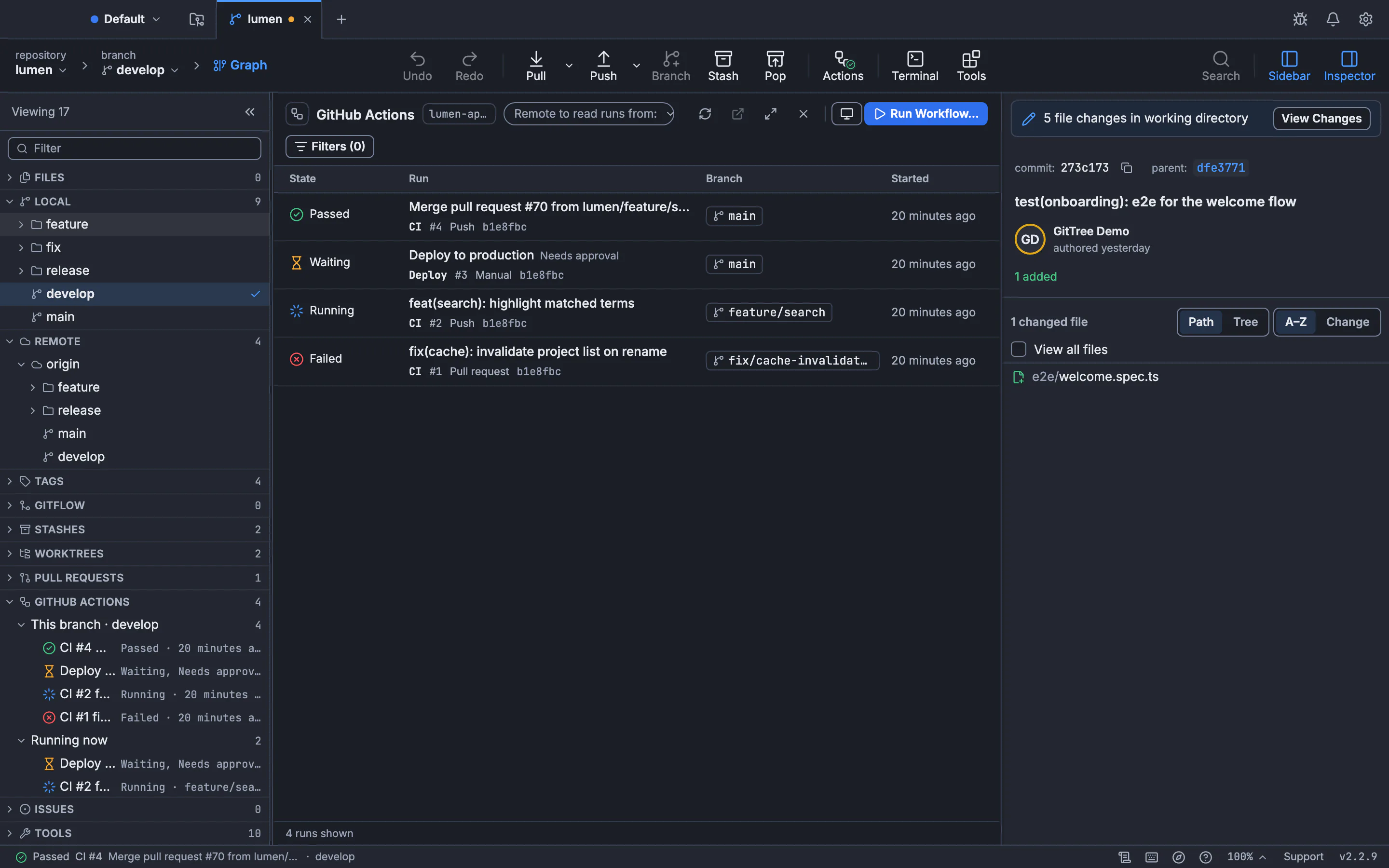
The failed run is in this list. Failure evidence and the fix checkout open from the run. The still is the runs list.GitTree interface with a demonstration repository. Create a fix checkout
Create and verify a CI fix says to start a separate checkout at the failed revision, review the fix, then check the exact content against hosted CI. Set New fix branch and New checkout folder as an absolute path. Create local fix checkout creates it. Open fix checkout opens that folder. A sibling checkout cannot replace the original fix checkout.
Change the code there
Edit in the fix checkout. Fix with Nour asks Nour, in that checkout, to inspect the evidence with your approval and leave a focused patch. The prompt tells Nour not to publish or start hosted runs. Prepare local reproduction can type a local runner command. Its note says an installed runner may differ from hosted services, secrets, images and permissions, and that terminal output does not prove hosted CI passed.
Check the hosted result
Commit the fix through the normal commit flow. Review publishing in Ship Preview when you are ready to push. The view never pushes or starts a run. After a hosted run exists, Check hosted result. Passed for this clean committed content is the state you want. Outdated: local content changed means you edited after that commit.
Expected result
The fix is on its own branch in its own folder, and you have a hosted state for one commit id, or you know that no matching hosted run was observed. The original checkout is unchanged except for what you did there yourself.
Hosted states
| State | Meaning |
|---|---|
| Not checked: no matching hosted execution observed | No hosted run for this commit was seen |
| Queued for this commit | A hosted run is queued |
| Running for this commit | A hosted run is in progress |
| Passed for this clean committed content | The hosted run passed for that commit, and the local content still matches it |
| Failed for this commit | The hosted run failed for that commit |
| Outdated: local content changed; commit and verify again | You edited after the commit that was checked |
| Unavailable: exact workflow or checkout identity is missing | The run cannot be tied to this workflow and checkout |
| Unknown result: cancelled, incomplete or unavailable evidence | The evidence does not say pass or fail |
Only the newest 30 candidate runs were checked. Older results may exist. A pass in that window is not a search of the host’s entire history. Explain a failure is the shorter read of a log. This article is the checkout you use when you want to change the revision that failed.
Local is not hosted
Prepare local reproduction has no verified result in this view. Run a pipeline locally types an act or gitlab-ci-local command. You press Enter. That command’s exit code is about your machine. Only a hosted run for the exact committed fix can verify it. The fix view never pushes and never starts that run.
git rev-parse HEAD
git status --porcelain
git worktree list
git rev-parse HEAD in the fix checkout is the commit Check hosted result must match. A dirty git status is why the state becomes outdated. git worktree list shows the new folder beside the original checkout. The tutorial covers everyday commits before a CI fix.
How to read the excerpt
Only part of the source log was inspected when the excerpt is partial. No recognizable primary diagnostic was found in this excerpt means you should open the source log. Compare compatible successful run is a starting point, not a diff of every step. Open source on provider leaves GitTree for the host’s page. Log text is untrusted. Do not paste a command from the log into a terminal until you have read it.
If something goes wrong
“This run has no known immutable revision.”
The fix checkout needs a commit id. Open a run that records one, or find the commit on the host and check it out yourself.
“Open the original fix checkout to continue. A sibling checkout cannot replace it.”
You are in a different worktree. Open the folder that was created for this fix. Do not expect another checkout to become the fix checkout.
“Outdated: local content changed; commit and verify again.”
Commit the new files, publish through the normal review flow, wait for the hosted run, then check again. The previous pass was for the previous commit.
“Not checked: no matching hosted execution observed.”
No hosted run for that commit was in the newest 30 candidates. Push and start the workflow on the host if you expected one, then refresh. This view does not start it.
Questions
Does a local act run mean the GitHub Actions run passed?
No. Local reproduction has no verified result here. Secrets, images and permissions can differ. Only a hosted run for the exact commit verifies the fix.
Will Create local fix checkout push the branch?
No. It creates a local branch and folder at the failed revision. Review publishing in Ship Preview when you want to send it. This view never pushes or starts a run.
Is the failure excerpt the root cause?
No. It is a suggested starting point from a redacted excerpt. An exit summary may be downstream of an earlier error. Open the source log.
Does Fix with Nour publish the patch?
The prompt says not to publish or start hosted runs without your explicit action. You review the patch, commit, and publish yourself.
Which plan includes this?
Pipelines, including this fix flow, need GitTree Pro, which everyone has at no cost right now. Nour in the fix checkout needs Pro as well.