Uninstall GitTree
Uninstall GitTree… appears in About when this copy can remove itself. On macOS the app moves to the Trash. On Windows it is removed through Settings. On Linux an AppImage moves to the Trash and a Debian package is removed with apt-get. Repositories, settings and the keychain are not touched. A short survey is optional, and skipping sends nothing.
Works in GitTree Free: every local Git feature, with no account needed.
On this page
Before you start
- Save or discard unsaved edits. If any remain, About says Save or discard your unsaved work first, then uninstall. The button does not discard them for you.
- You know which copy you are running. A store-managed copy does not offer Uninstall GitTree…. The store removes that copy. A Mac disk image or a translocated app is not offered either.
Where to find it
- About GitTree, the button Uninstall GitTree…, on a copy that can remove itself: a macOS app that is not a store or disk-image copy, an AppImage, or the Debian package installed in
/usr/binwhenpkexecandapt-getexist. - Windows: Settings, which runs the uninstaller. The About button is not shown for the Windows installer copy.
| Action | macOS | Windows and Linux |
|---|---|---|
| The command palette | ⌘⇧P | Ctrl+Shift+P |
Steps
Save your work
Commit or discard files you still need. Uninstall does not commit. If unsaved work is registered, the button refuses and shows Save or discard your unsaved work first, then uninstall.
Open About
Open About GitTree. If this copy can remove itself, Uninstall GitTree… is on the dialog. If the button is absent, this copy is a macOS disk image, a store-managed copy, a Windows installer build, or a Linux Debian layout that is not the installed
/usr/binpackage. Use that channel’s own removal, described below.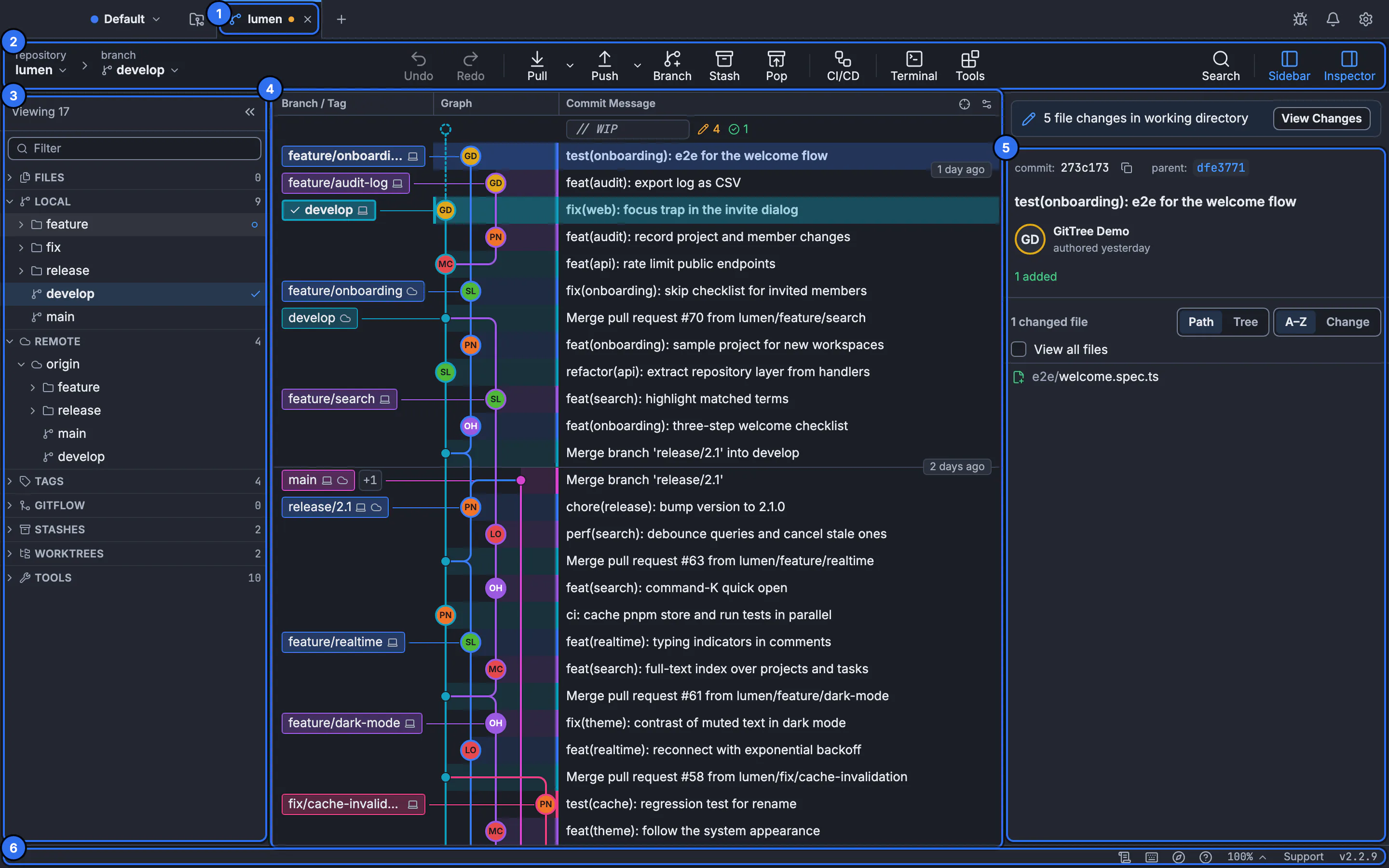
About is opened from the app. The still is the workspace, not the About dialog.GitTree interface with a demonstration repository. Answer the survey or skip it
Uninstall opens a short survey in a small GitTree window first, including on Windows when you uninstall there. Skipping sends nothing. Updates do not show the survey. Removing the Debian package with
aptyourself prints the address of the same survey. The survey is not required for the removal.Remove the copy
On macOS, the
.appmoves to the Trash. On Windows, remove GitTree from Settings so the uninstaller runs. On Linux, an AppImage file moves to the Trash, and the Debian package runspkexec apt-get removefor the packagegit-tree, which asks for an administrator prompt. Confirm the Trash or the package tool when the system asks.
Expected result
That copy of the app is in the Trash, removed by apt, or removed by the Windows uninstaller. Your repositories, GitTree settings and keychain entries are still on the computer. Open a repository with another Git client, or install GitTree again, and the folders are where you left them.
macOS, Windows and Linux
| Copy | What removes it | When the About button is hidden |
|---|---|---|
| macOS .app | Moves the bundle to the Trash | Store copy, disk image, or a translocated app |
| Windows installer | Settings runs the uninstaller | The About button is not offered for this format |
| Linux AppImage | Moves the file to the Trash | The button is offered for the AppImage you are running |
| Linux Debian package git-tree | pkexec apt-get remove | Not the /usr/bin copy, or pkexec or apt-get is missing |
| Store-managed copy | The store | The app does not remove a store copy |
Installers for the three systems are on Download. Install on macOS, Windows and Linux are the matching install articles. Uninstall does not uninstall Git. Git remains available for the terminal.
What is left on the computer
Removal never touches your repositories, settings or keychain. A clone stays in the folder you chose. Preferences you set in Git config stay in Git’s config. SSH keys stay in the keychain or in the files you created. Open a repository still applies the next time you install.
git -C ~/src/your-repo status
sudo apt-get remove git-tree
The git status line is how you confirm a repository after the app is gone. The apt-get line is the same package removal the app runs through pkexec for a Debian install. Run it only if you intend to remove the package. The tutorial does not require the app to remain installed for you to read a lesson.
The survey
The survey window is optional. Skip it and nothing is sent. The app does not block removal on an unanswered survey. A Debian removal you start from apt prints the survey address instead of opening the window first. There is no survey on an ordinary update.
If something goes wrong
“Save or discard your unsaved work first, then uninstall.”
Close the editors that still have unsaved changes, or save them. The button does not discard the edits. Try again when nothing unsaved is registered.
Uninstall GitTree… is not in About.
This copy cannot remove itself. Use Settings on Windows, the store for a store copy, or the disk image’s own delete. A Debian copy only offers the button for the /usr/bin package when pkexec and apt-get exist.
The administrator prompt was cancelled.
apt-get remove did not run. The package is still installed. Start Uninstall GitTree… again and accept the prompt, or run pkexec apt-get remove git-tree yourself.
The app is gone and a repository will not open in another tool.
The folder was not deleted by uninstall. Open that path. If Git says it is not a repository, the folder was never a checkout. Uninstall did not convert it.
Questions
Does uninstall delete my repositories?
No. Repositories, settings and the keychain are not touched. Only the app copy is moved to the Trash or removed by its package tool.
Is the survey required?
No. Skipping sends nothing. Removal continues. Updates never show the survey.
How do I uninstall on Windows?
Settings runs the uninstaller. About does not offer Uninstall GitTree… for the Windows installer format. The optional survey still appears for a Windows uninstall.
How do I uninstall the Debian package?
From About, when this is the /usr/bin copy and pkexec and apt-get exist. That runs pkexec apt-get remove for the package git-tree. You can run the same apt-get remove yourself.
Can I restore a Mac app I uninstalled?
The bundle was moved to the Trash. Put it back from the Trash before you empty the Trash. An AppImage was moved the same way.