Comparisons
GitKraken vs Sourcetree vs GitHub Desktop: which Git client should you use in 2026?
A neutral, sourced comparison of three of the best-known Git GUIs: what each one costs, where it runs, how it handles history, rebase and conflicts, and which one fits the way you work.
Disclosure: GitTree’s maker wrote this article, so we have a stake in GitTree. We describe every product, ours included, from its official pages and our own use, and say where another tool is the better fit.
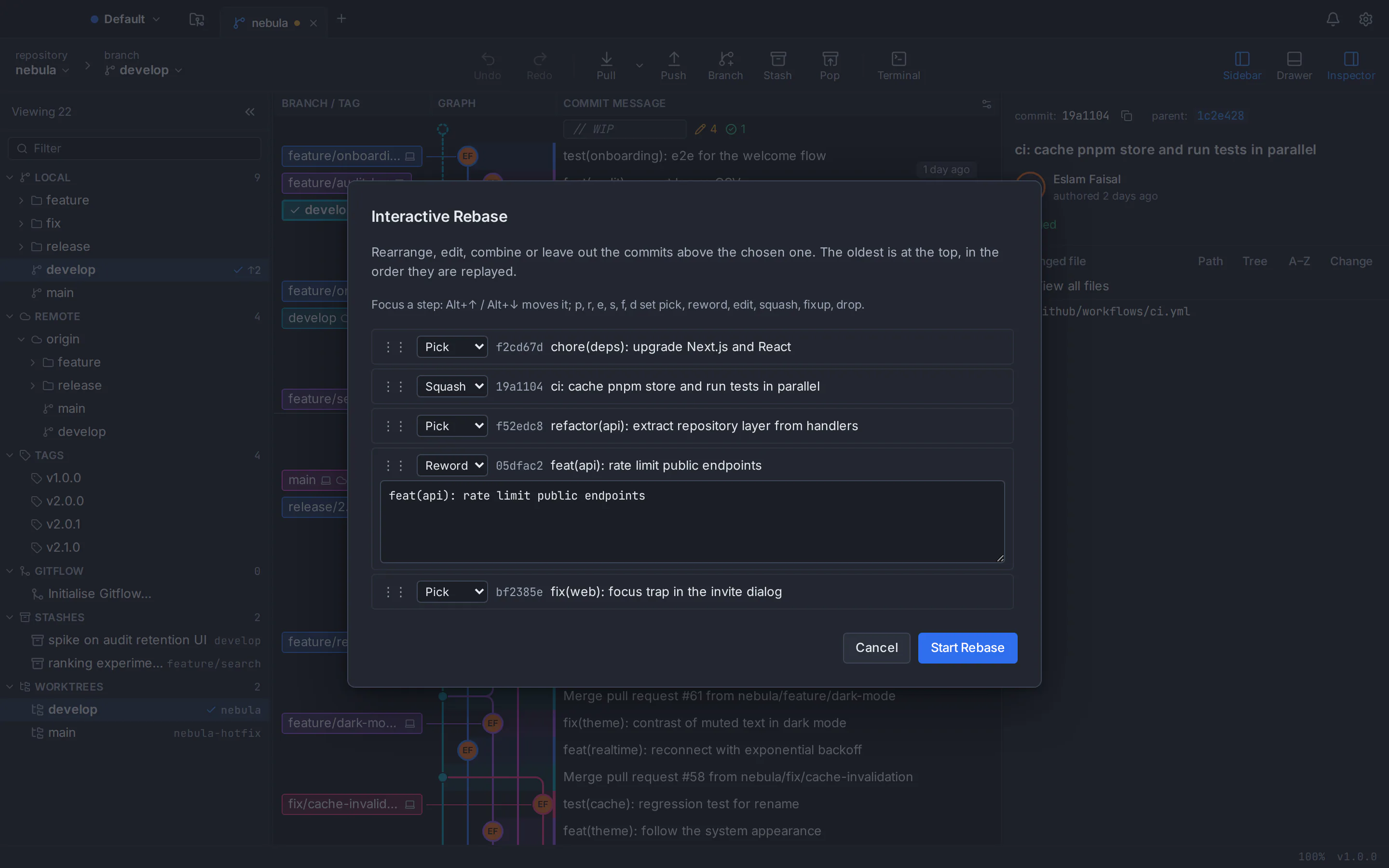
GitKraken vs Sourcetree vs GitHub Desktop, in short: GitHub Desktop is the simplest and the only open-source one, made for beginners on GitHub, but it has no commit graph. Sourcetree is free and feature-rich, with a branch graph, interactive rebase and Git Flow, but it runs on macOS and Windows only, with no Linux version. GitKraken Desktop is the most complete, with in-app pull requests, issue trackers, AI and official Linux builds, but its free plan covers only local repositories and public remotes, so private work needs a paid seat.
A note first: GitTree’s maker wrote this comparison. The three products are described only from their official websites, documentation and release notes, checked in October 2026 and listed in the sources at the end. Our own app gets one labelled section near the end.
Sourcetree vs GitKraken vs GitHub Desktop: the comparison table
The differences that decide most choices, as of October 2026. The vendors’ pages remain the source of truth.
| Feature | GitKraken Desktop | Sourcetree | GitHub Desktop |
|---|---|---|---|
| Maker | GitKraken (Axosoft) | Atlassian | GitHub |
| Platforms | macOS 12+, Windows 10+ and Linux (.deb, .rpm, .tar.gz, Snap) | macOS 10.15+ and Windows only; no Linux version | macOS 12+ and 64-bit Windows 10+ only; no official Linux build |
| Price | Free for local repos and public remotes; Pro $10 per seat per month, billed annually | Free | Free; AI features need GitHub Copilot |
| Licence | Proprietary subscription | Proprietary freeware | Open source (MIT) |
| Account | GitKraken account at onboarding | Optional on Mac; required on Windows; no Linux version | Optional for local repositories |
| Git | Bundled | Bundled, with Git LFS | Bundled, with Git LFS |
| Commit graph | Yes | Yes | No: a linear list |
| Interactive rebase | Pick, reword, squash, drop, reorder (free plan: public repos only) | Squash, reword, amend, delete, reorder | No general editor; drag to reorder or squash |
| Merge conflicts | Three-panel tool; editable output is paid | Mine or theirs per file, or an external tool | Ours or theirs per file, your editor, or Copilot |
| Undo | Most recent action | No general undo | Last unpushed commit, plus a brief undo after squash or reorder |
| Pull requests in the app | Create, view and merge on GitHub, GitLab, Bitbucket, Azure DevOps | Opens the browser | List, check out and follow checks (GitHub only) |
| AI | GitKraken AI on paid plans | None | GitHub Copilot (limited free tier) |
| Interface languages | English (no other language documented) | About a dozen, no Arabic | English only |
GitKraken vs Sourcetree vs GitHub Desktop on price: which is really free?
GitHub Desktop is free and open source under the MIT licence, and commercial use is allowed. Only its optional AI features (commit messages and conflict resolution) depend on another product: they need GitHub Copilot, which as of October 2026 has a limited free tier and a Pro plan at $10 a month. Sourcetree is free too, with no paid tier or trial; even the Windows Enterprise MSI for managed installs is a free download. It is closed-source freeware.
GitKraken Desktop has a free Community plan limited to local repositories and public remotes, and many features, including the merge conflict tool, interactive rebase, undo, worktrees and Git LFS, are marked “Public Repos Only”. Private hosted repositories need a paid plan. As of October 2026:
- Pro: $120 per seat per year ($10 a month), up to 2 seats, with private repositories, Jira Cloud, Trello and AI credits.
- Advanced: $168 per seat per year ($14 a month), up to 10 seats, adding self-hosted integrations and SSO.
- Business: $216 per seat per year ($18 a month), up to 100 seats; Enterprise is quoted for 20 seats or more.
- Every paid plan renews yearly. New accounts get a 14-day trial, and students get 6 months free through the GitHub Student Developer Pack.
At work the licence matters as much as the price; our guide to free Git GUIs for commercial use covers the terms of each.
Platforms: which of the three runs on Linux?
GitKraken Desktop runs on macOS 12+ (separate Apple silicon and Intel downloads), Windows 10+ and Linux, and it is the only one of the three with an official Linux build: .deb for Ubuntu 18.04+ and Debian 10+, .rpm for RHEL 8+ and Fedora 39+, a .tar.gz and a Snap package. It is an Electron app with large installers: about 220 MB for the Apple silicon .dmg in version 12.6.0.
Sourcetree is built for macOS 10.15+ and Windows, with no Linux version. The most-voted request for one, SRCTREE-2991, collected 437 votes and is closed; a newer one, SRCTREE-8143, is marked “Future Consideration”. Atlassian develops its two desktop versions as separate apps with slightly different features.
GitHub Desktop supports macOS 12+ (its beta has already dropped macOS 12) and 64-bit Windows 10+; Linux is not officially supported. Issue #1525, the request for a Linux version, has been open since 2017 with more than 3,000 thumbs-up, and the team has no immediate plans. A community fork offers Linux packages, but its latest release dates from February 2025.
On Ubuntu or Debian, see GitHub Desktop on Linux: what works and Sourcetree for Linux: what to use instead.
GitHub Desktop vs Sourcetree: simplicity or a full branch graph
Both are free, so this is the choice most people weigh first. GitHub Desktop’s design document says that when it must choose, it prioritises beginners, and it shows: cloning, committing selected lines, branching and opening pull requests on GitHub take little to learn. History is a linear list, not a graph, and in June 2026 a maintainer wrote that the team decided against a general interactive rebase editor. You can still drag commits to reorder or squash them and amend the last commit. It keeps one stash at a time, has no blame or file history, and added worktrees in 3.6.0.
Sourcetree exposes much more of Git: a branch graph, staging by file, hunk or line, interactive rebase, Git Flow out of the box, Git LFS, submodules, subtrees, and Mercurial as well as Git. It lacks a built-in three-way merge editor (conflicts go per file or to an external tool), a general undo, worktree management and in-app pull requests: “Create Pull Request” opens the browser.
Verdict: GitHub Desktop if you are new to Git, work on GitHub and want a calm interface. Sourcetree if you want a branch graph, tidy history before pushing, or use Bitbucket, Jira links or Mercurial. Neither has a Linux version.
GitKraken vs Sourcetree: integrations and polish against a free price tag
Both draw a commit graph and offer line staging, interactive rebase, Git Flow, Git LFS and submodules, so the difference is what surrounds Git. GitKraken Desktop adds a three-panel merge tool, undo for the last action, a built-in terminal, a command palette, worktrees, and pull requests you create, view and merge in the app on GitHub, GitLab, Bitbucket and Azure DevOps. On its free plan, most of this (interactive rebase, Git LFS and the terminal included) works only with public repositories. Paid plans also let you edit Jira and Trello issues (the free plan can only view them) and add team features such as shared Cloud Workspaces and Team View, SSO, and GitKraken AI.
Sourcetree’s strengths are the price and the Atlassian ecosystem: it is free for everyone, turns Jira issue keys in commit messages into links, signs in to Bitbucket Cloud and Data Center, and has a free MSI for rolling out to many Windows machines.
Test performance on your own repositories. GitKraken’s help centre links slowness to large repositories with many references and suggests showing fewer commits in the graph and turning off auto-fetch; Sourcetree’s public issue tracker holds user reports of slowness on large repositories.
Verdict: if your team will pay and wants pull requests, issue trackers and AI in one place, GitKraken is the more complete tool. If you want a capable graph client at no cost on macOS or Windows, Sourcetree does the job, but it is not an option on Linux.
GitHub Desktop vs GitKraken: GitHub-first and simple, or everything in one app
These two sit at opposite ends. GitHub Desktop is deliberately GitHub-centric: its design document says it is not meant to be an agnostic Git client, and GitLab, Bitbucket and Azure DevOps work only as plain remotes. In return its GitHub integration is tight, with review and failed-check notifications, checks you can re-run, and warnings from rulesets and protected branches. It also works without signing in for local repositories.
GitKraken Desktop works with every major host, draws the full graph and has a real interactive rebase and merge tool, but it asks for an account, and on the free plan those features are limited to public repositories. Both tie AI to a plan: GitHub Desktop’s needs Copilot, which has a limited free tier, and GitKraken AI needs a paid subscription.
Verdict: GitHub Desktop for the shortest path from a change to a GitHub pull request; GitKraken for developers who juggle several hosts or rewrite history often, and whose employer pays for seats.
Which Git client should you choose? Picks by use case
- New to Git and on GitHub: GitHub Desktop. Our beginner’s guide to Git with a GUI covers the basics.
- A free graph client on macOS or Windows, not Linux: Sourcetree, especially with Bitbucket or Jira.
- Your company pays and wants integrations: GitKraken Desktop, for pull requests across hosts, Jira, Trello, SSO and hosted AI.
- Open source only: GitHub Desktop, the only open-source client of the three.
- Still on Mercurial: Sourcetree, which handles both Git and Mercurial.
- On Linux: GitKraken is the only one with an official build, but private repositories need Pro. For a free client with private repositories included, read on.
Want more options? Our round-up of the best Git GUI clients covers them with the same sourcing.
A free option that also runs on Linux: GitTree
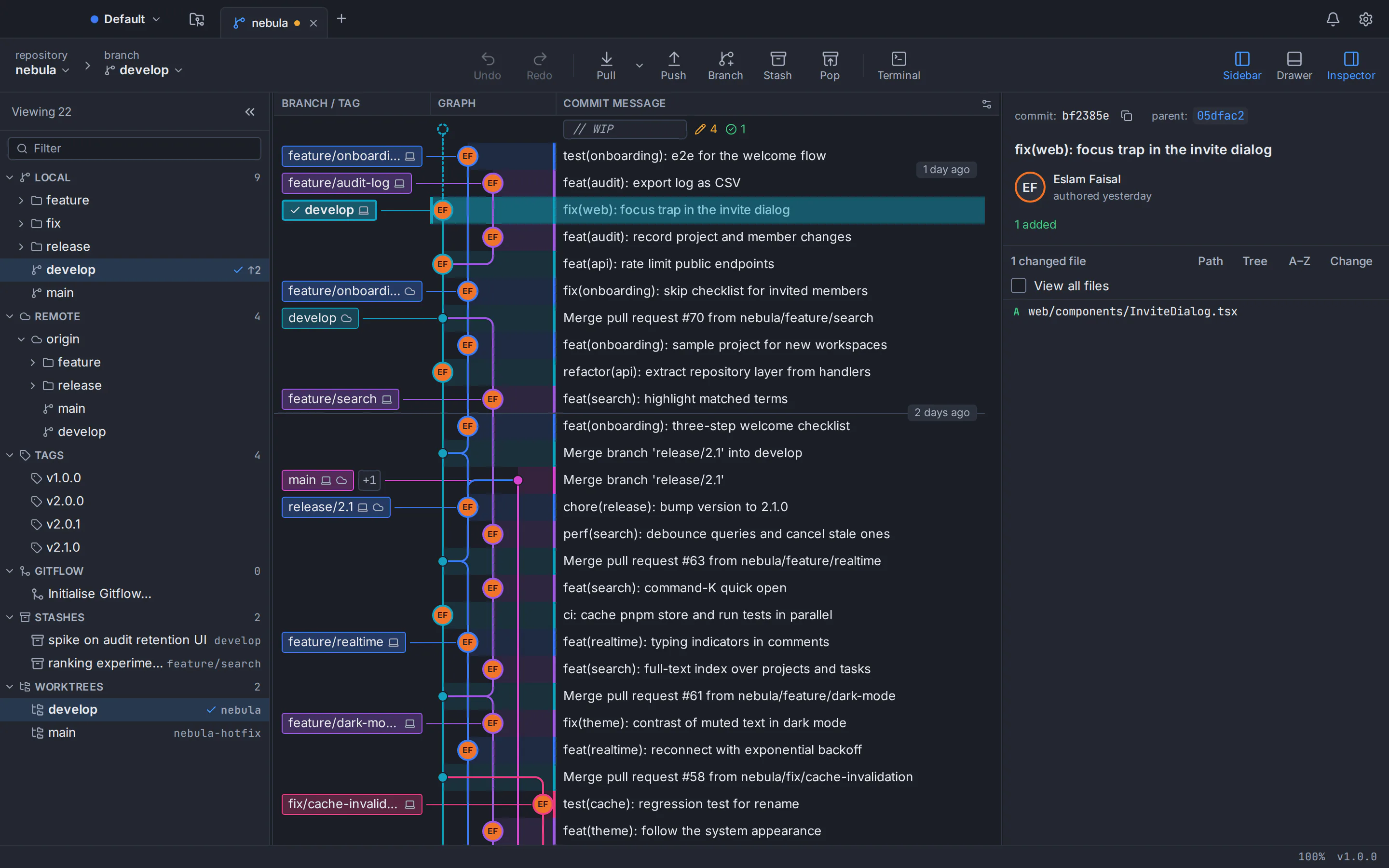
This is our app, so read with that in mind. GitTree is a desktop Git client for macOS, Windows and Linux, free today for individuals and organizations, private repositories included. It runs on macOS 13+ as one universal app, on Windows 10 (22H2) and 11 (x64), and on Linux as a .deb for Ubuntu 22.04+ and Debian 12+ or a portable AppImage. It fills the gap in the table: a free client with a graph, full interactive rebase and a three-way conflict editor that also runs on Linux.
- A commit graph with colour-coded lanes, hide, solo and pin for branches, and search with
author:,file:andchange:filters. - Staging by file, hunk or line, and stashing only the lines you select.
- Interactive rebase with pick, reword, edit, squash, fixup and drop, plus autosquash; our interactive rebase guide shows it step by step.
- A three-way conflict editor with per-hunk and per-line choices, and undo and redo for commits, resets, rebases and more, plus a reflog view.
- Pull requests in the app on GitHub, GitLab, Bitbucket and Azure DevOps (GitLab and Azure DevOps support is new), and optional AI drafts through your own Claude Code, Codex or Antigravity CLI.
- No telemetry, and an interface in English and Arabic with full right-to-left support.
The trade-offs sit where the three above are stronger. GitTree is not open source. It needs a free GitTree account, a network connection on first launch and a check-in at least once every 7 days. It uses your installed Git (2.39 or newer) instead of bundling one. Its Windows installer is not code-signed yet, so SmartScreen may warn. And it is new, at version 1.2.9, with no Jira, SSO or team features.
On Ubuntu 22.04 and Linux Mint 21 the system Git (2.34) is too old, so add the git-core PPA first (our guide to upgrading Git on Ubuntu explains it), then install the .deb from the folder you saved it in, using the file name you saved. Ubuntu 24.04 and Debian 12 already ship a new enough Git, so they can skip the two PPA lines:
git --version
sudo add-apt-repository ppa:git-core/ppa
sudo apt update && sudo apt install git
sudo apt install ./Git-Tree-Linux.debSee every GitTree feature, the GitTree for Linux install guide, or our detailed pages: GitTree compared with GitKraken, GitTree compared with Sourcetree and GitTree compared with GitHub Desktop. Every installer is on the GitTree download page.
Frequently asked questions
Is GitKraken better than Sourcetree?
It depends on whether you will pay. GitKraken Desktop offers more around Git: in-app pull requests for four hosts, Jira and Trello, a built-in terminal, team features, AI and an official Linux build. Sourcetree is free for everyone, while GitKraken’s free plan covers only local repositories and public remotes; private work needs Pro at $10 per seat per month, billed annually, as of October 2026.
Is GitHub Desktop or Sourcetree better for beginners?
For most beginners, GitHub Desktop. It is designed to put beginner workflows first, needs no account for local repositories and makes committing, branching and opening pull requests on GitHub straightforward. Sourcetree shows more of Git, including a branch graph, interactive rebase and Git Flow, which helps once you outgrow the basics but can feel busy at first.
Which is free: GitKraken, Sourcetree or GitHub Desktop?
GitHub Desktop and Sourcetree are both free with no paid tiers, and GitHub Desktop is also open source under the MIT licence, though its optional AI features need GitHub Copilot. GitKraken Desktop’s free Community plan is limited to local repositories and public remotes; as of October 2026, private repositories need Pro at $120 per seat per year (list price, billed annually).
Do GitKraken, Sourcetree and GitHub Desktop run on Linux?
Sourcetree is built for macOS and Windows only, with no Linux version announced, and GitHub Desktop has no official Linux build either; a community fork exists, but its latest release dates from February 2025. GitKraken Desktop is the only one of the three with official Linux packages (.deb, .rpm, .tar.gz and Snap), though its free plan excludes private remote repositories.
Can I use GitKraken’s free plan with private repositories?
Not with private hosted repositories. As of October 2026, GitKraken’s Community plan covers local repositories and public remotes only, and private remotes need Pro or higher. On the free plan, interactive rebase, undo, worktrees, Git LFS and the merge conflict tool are limited to public repositories, and the conflict tool’s editable output needs a paid licence.
Is there a free GitKraken alternative that runs on Linux?
GitTree, made by the author of this article, is one. It is free today, private repositories included, and runs on macOS, Windows and Linux, where it ships as a .deb for Ubuntu 22.04+ and Debian 12+ and as an AppImage. It has a commit graph, interactive rebase, a three-way conflict editor and undo. It is closed source, needs a free account and needs Git 2.39 or newer.
Sources
Claims about other products were checked against their official pages on October 6, 2026. Prices and features change; the vendors’ pages are the source of truth.
- GitKraken Desktop: product page
- GitKraken: pricing
- GitKraken: download
- GitKraken Help: how to install GitKraken Desktop
- GitKraken Help: release notes
- GitKraken Help: interactive rebase
- GitKraken Help: branching and merging
- GitKraken Help: undo and redo
- GitKraken Help: integrations
- GitKraken Help: pull requests
- GitKraken Help: GitKraken AI
- GitKraken Help: performance issues
- GitKraken: GitHub Student Developer Pack offer
- GitKraken: end user licence agreement
- Sourcetree: official website
- Sourcetree: download archives
- Sourcetree for Windows Enterprise
- Sourcetree for Mac release notes (4.2.19)
- Sourcetree for Windows release notes (3.4.32)
- Atlassian Support: Sourcetree Enterprise and MSI installation
- Atlassian blog: interactive rebase in Sourcetree
- Atlassian blog: Jira integration and external project links in Sourcetree
- Atlassian Jira: SRCTREE-2991 “SourceTree linux desktop”
- Atlassian Jira: SRCTREE-8143 “SourceTree Linux App”
- Atlassian Jira: SRCTREEWIN-3515 “Undo most recent commit”
- Atlassian Jira: SRCTREEWIN-7654 “Add pull request feature to SourceTree”
- Atlassian Jira: SRCTREEWIN-2093, user performance reports
- GitHub Desktop: product page
- GitHub Desktop: download
- GitHub Docs: supported operating systems for GitHub Desktop
- GitHub Docs: viewing the branch history in GitHub Desktop
- GitHub Docs: options for managing commits in GitHub Desktop
- GitHub Docs: stashing changes in GitHub Desktop
- GitHub Docs: managing worktrees in GitHub Desktop
- GitHub Docs: viewing a pull request in GitHub Desktop
- GitHub Docs: configuring Copilot in GitHub Desktop
- GitHub Docs: GitHub Copilot plans
- GitHub Desktop repository: what GitHub Desktop is (design document)
- GitHub Desktop repository: MIT licence
- GitHub Desktop repository: issue #1525, Linux support
- GitHub Desktop repository: issue #12354, interactive rebase
- GitHub Desktop repository: issue #9452, history graph
All product names are trademarks of their respective owners. GitTree is independent and not affiliated with or endorsed by any of them.