How to use Git on Ubuntu with a GUI: from install to your first push
Everything a new Linux user needs to work with Git in a desktop app: the right Git version for your release, an SSH key for GitHub, cloning, staging, committing, pushing, branches and merges, with screenshots and short clips of each step.
Written by Kodmora
The software house behind GitTree
- Linux
- Git basics
- GitHub
- Remotes and push
On this page
To use Git on Ubuntu with a GUI, install Git 2.39 or newer, tell Git your name and email, install a Git client, connect your GitHub or GitLab account with an SSH key, and clone a repository. From then on the daily loop is the same in any app: stage, commit, push, pull, branch and merge. This tutorial walks through each step on Ubuntu 24.04 and Linux Mint with GitTree, the Git client we make, and shows the terminal command next to every button, so you always know what happens underneath.
Before you start: check your Ubuntu release and Git version
Open a terminal (Ctrl+Alt+T) and run git --version. A desktop Git client runs on top of this Git, so its version matters more than the app’s:
| Release | Git it ships | What to do |
|---|---|---|
| Ubuntu 24.04 LTS, Linux Mint 22 | 2.43.0 | sudo apt install git |
| Debian 12 | 2.39.5 | sudo apt install git |
| Ubuntu 22.04 LTS, Linux Mint 21 | 2.34.1 | Add ppa:git-core/ppa first, as in upgrading Git on Ubuntu 22.04 |
Set up Git and a Git GUI on Ubuntu, step by step
Install Git
Run
sudo apt install git. On Ubuntu 22.04 or Linux Mint 21, runsudo add-apt-repository ppa:git-core/ppaandsudo apt updatefirst, so you get Git 2.39 or newer.Tell Git who you are
Run
git config --global user.name "Your Name"andgit config --global user.email you@example.com. Every commit carries this name and email; use the email of your GitHub or GitLab account so your commits link to your profile.Install GitTree
Run
curl -fsSL https://gittree.app/install.sh | bash. The script downloads the latest release from GitHub, checks its SHA-256, installs the .deb on Ubuntu and Debian, adds the git-core PPA on Ubuntu 22.04 and Linux Mint 21, and opens the app. Prefer a file? The .deb and the AppImage are on the download page.Start without an account
At Sign in to GitTree, choose Continue with local Git (no account). Local Git needs no account, and you can sign in later for the hosting integrations.
The same setup as one block, for the terminal on Ubuntu 24.04:
sudo apt install git
git config --global user.name "Your Name"
git config --global user.email you@example.com
curl -fsSL https://gittree.app/install.sh | bashConnect Ubuntu to GitHub or GitLab with an SSH key
GitHub no longer accepts your account password for Git, so you need an SSH key or a token. On Linux an SSH key is the least fuss: you create it once, add its public half to your account, and every push and pull uses it. In GitTree it takes three buttons in Preferences › SSH:
- Under Generate a new key, keep Ed25519 (recommended), put your email in Comment, optionally tick Protect the key with a passphrase, and press Generate Key. An existing key is never overwritten.
- Press Copy Public Key, then on GitHub open Settings › SSH and GPG keys › New SSH key (on GitLab, Edit profile › SSH Keys) and paste it.
- Under Test a connection, enter
github.comas Host andgitas User, and press Test. The host accepted your key. means you are done.
The same three steps in the terminal, if you prefer:
ssh-keygen -t ed25519 -C "you@example.com"
cat ~/.ssh/id_ed25519.pub
ssh -T git@github.com
GitTree uses the keys in your ~/.ssh folder and never edits ~/.ssh/config. If you protect a key with a passphrase, Remember key passphrases keeps it in your system keyring (GNOME Keyring or KeePassXC through the Secret Service), never in a file. More options are in the SSH settings guide.
Clone a repository from GitHub
On GitHub, press Code on the repository page and copy the SSH address (git@github.com:owner/repo.git). In GitTree, choose Clone on the start page, paste the address and pick the folder it goes into:
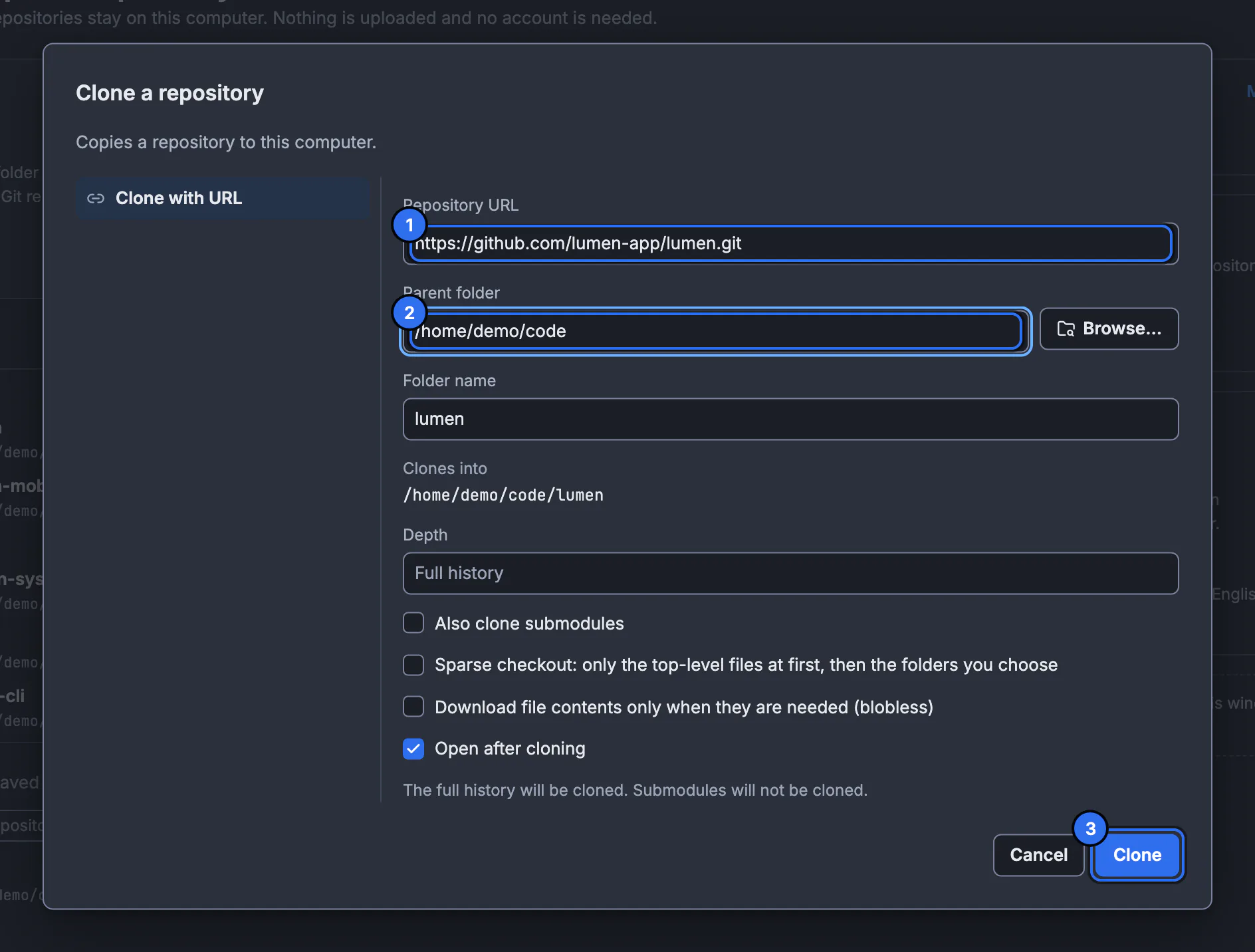
That is git clone with a folder picker. Leave Open after cloning ticked and the repository opens in its own tab, on its default branch, with the commit graph of its whole history. Already have the folder? Use Open instead, or drag the folder onto the window.
Stage and commit your changes
Edit files with any editor. The // WIP row at the top of the graph counts your changes; select it and the Working Changes panel lists them. Stage what belongs in this commit, type a summary and press Ctrl+Enter:
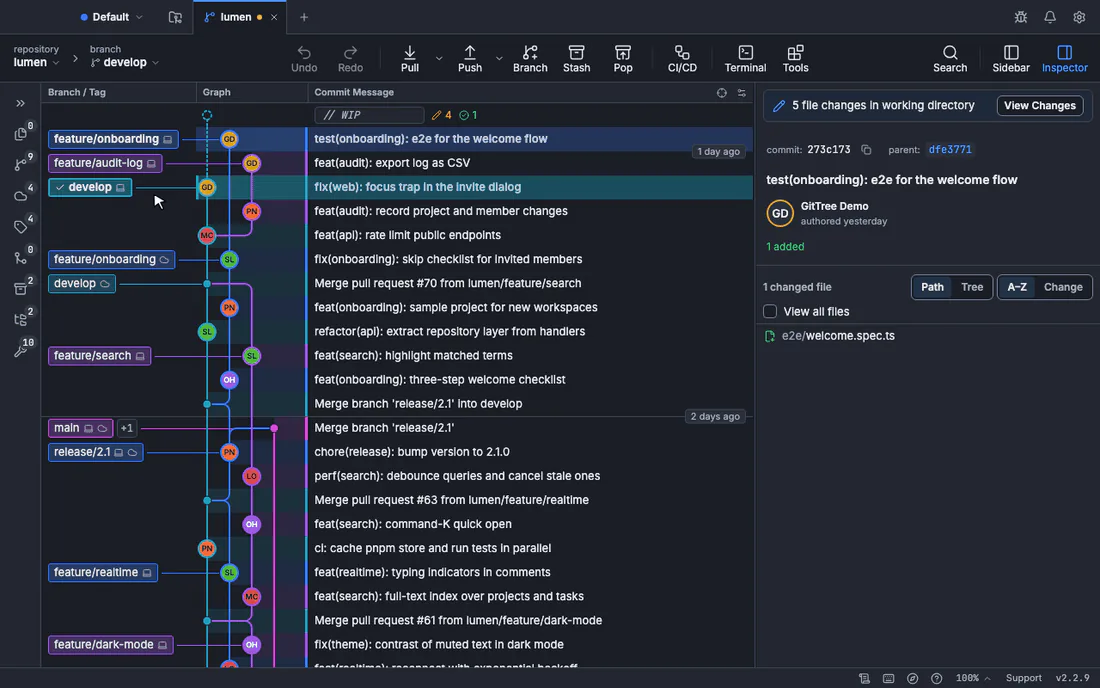
- Stage File or Stage All Changes is
git add; you can also stage single hunks or lines, which isgit add -pwithout the prompts. See staging specific lines. - The counter beside Summary helps you keep it under 72 characters, the line GitHub and
git log --onelineshow. - Made a mistake? Undo in the toolbar reverses the last commit, reset or discard; amending the last commit fixes its message or contents.
Push and pull
Your commit exists only on your computer until you push it. Push sends the current branch; a new branch gets its upstream on its first push, so there is no git push -u to remember. Pull brings in your colleagues’ commits, and the arrow next to it chooses how: fast-forward only, fast-forward or merge, or rebase.
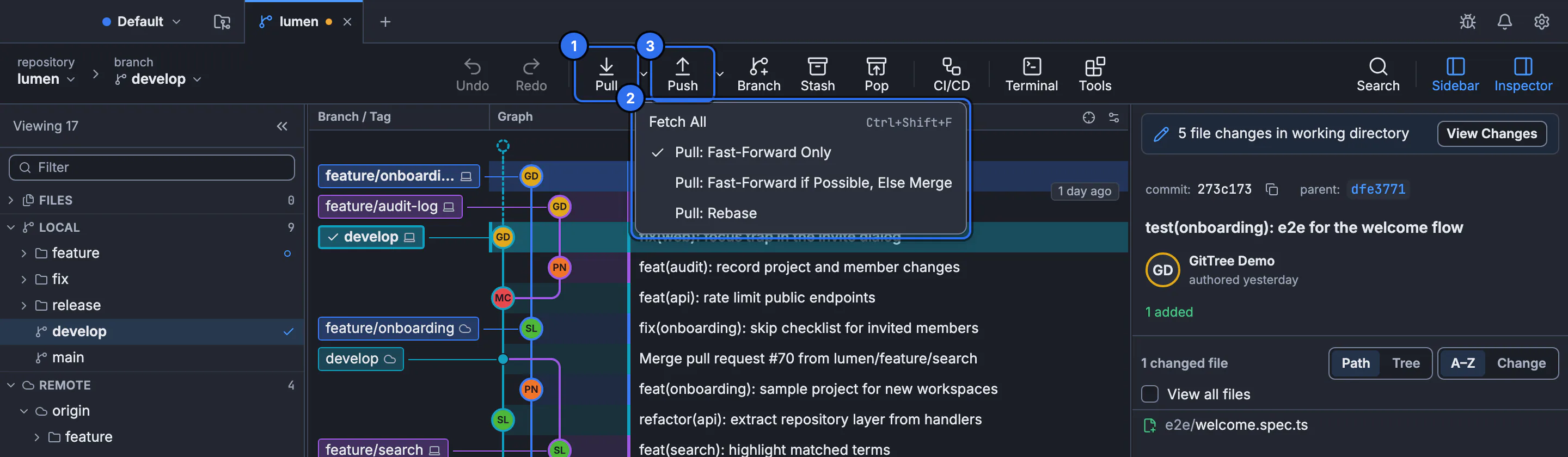
Before you push, the graph shows your local branch label ahead of its remote label; after the push the two labels meet on the same commit. Fetch All updates what you see of the remote without touching your files, a safe way to check for new work. The fetch, pull and push guide covers each mode.
Work on a branch and merge it
Keep main clean by doing each piece of work on its own branch. Branch in the toolbar creates one at the current commit and checks it out:
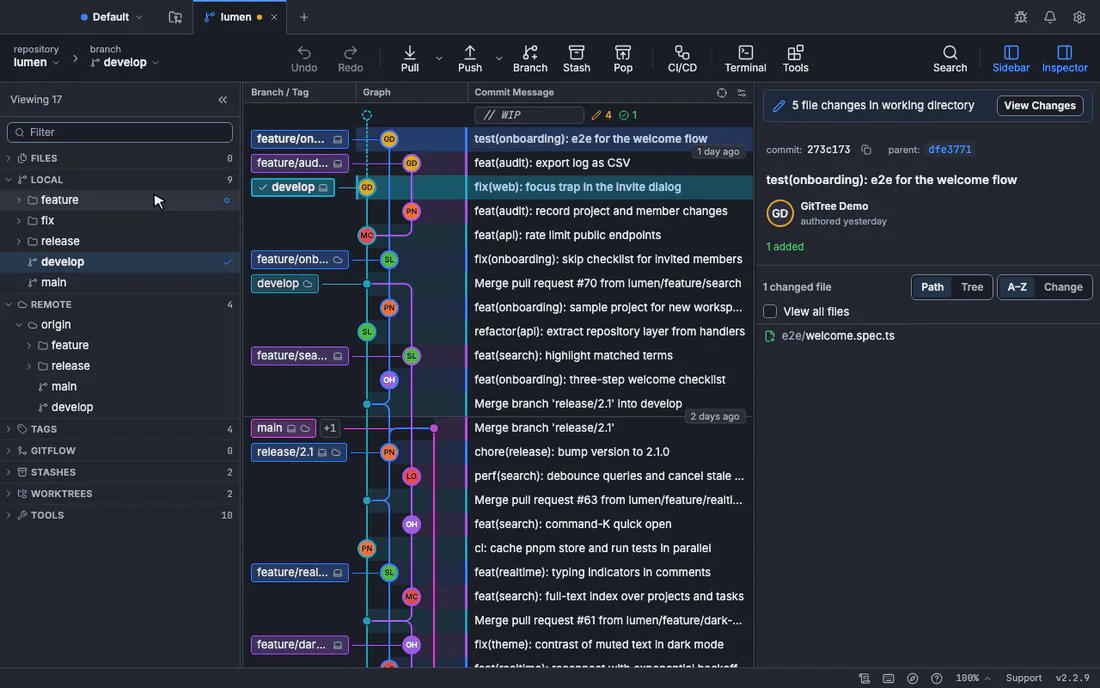
Commit and push on the branch as before. When it is ready, open a pull request on GitHub, or merge locally: check out main, right-click the branch label and choose Merge … into main. GitTree checks for conflicts before it changes anything, and if there are some, its three-way editor shows both sides and the result, line by line.
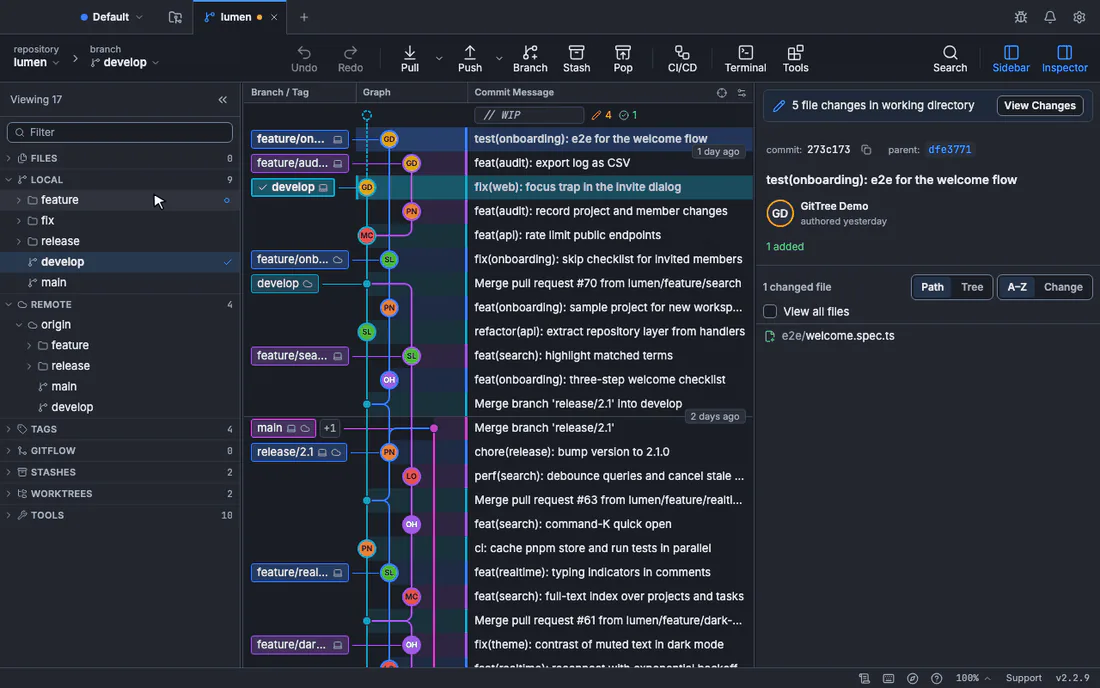
Step-by-step guides for each part: create and switch branches, merge a branch into another and resolve merge conflicts.
Keep the terminal: use the GUI and the command line together
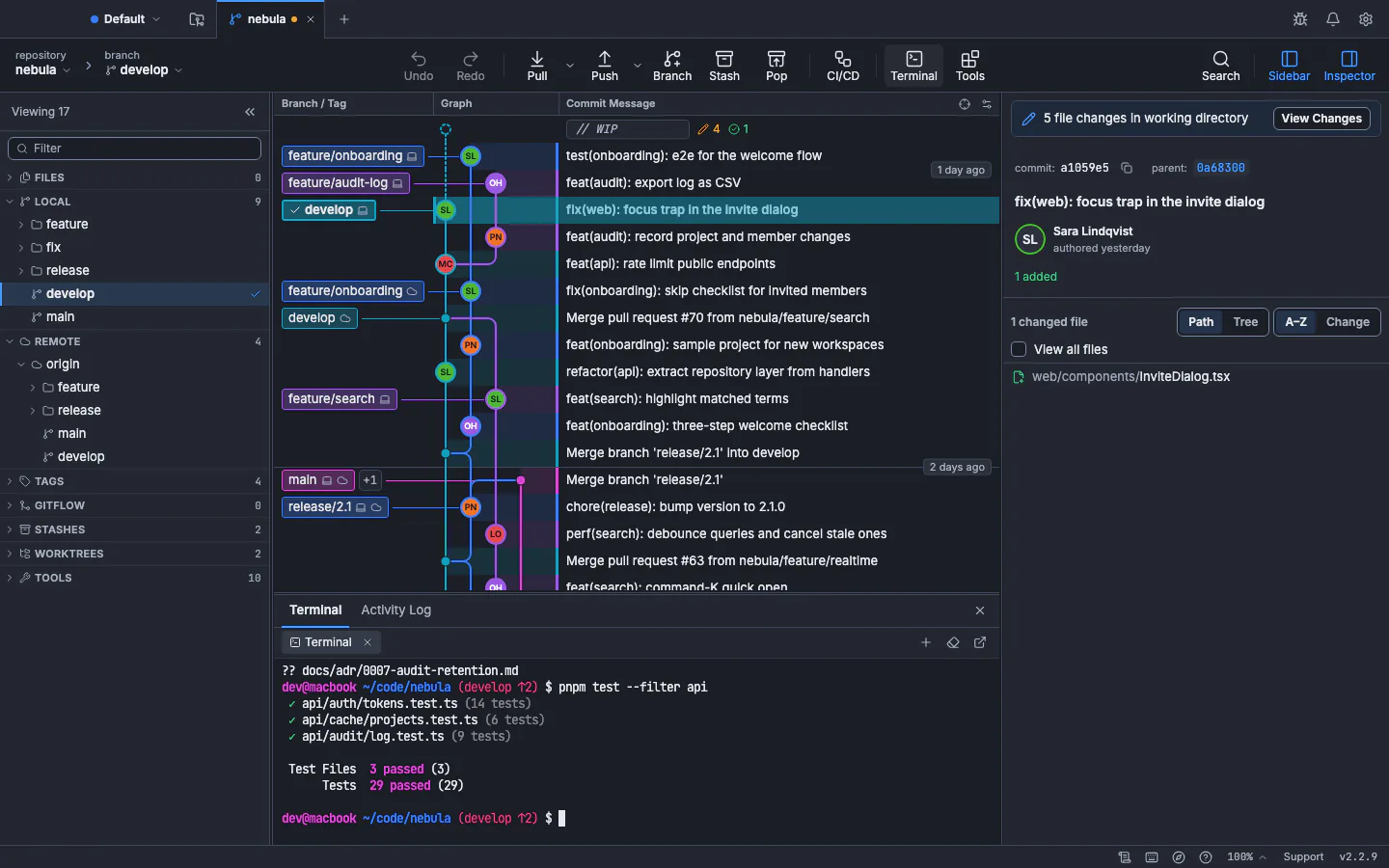
A Git GUI on Linux does not replace your terminal. GitTree runs the Git you installed, in the same repository folder, so you can commit in the app and rebase in a shell, and each sees the other’s work at once. It also has a terminal of its own, docked under the graph and opened in the repository, and a command palette (Ctrl+Shift+P) that finds about 300 commands by name.
Troubleshooting Git on Ubuntu
GitTree says “This Git is too old”
Your Git is older than 2.39, which is what Ubuntu 22.04 and Linux Mint 21 ship. Add the git-core PPA as in upgrading Git on Ubuntu, then choose Check again.
Permission denied (publickey) when you push
GitHub did not accept any key this computer offered. Check that the public key is on your account, that the remote uses the SSH address rather than HTTPS, and in Preferences › SSH press Use for SSH Remotes on the key you added, then test the connection again.
The keyring keeps asking for a password
GitTree keeps tokens and remembered passphrases only in the Secret Service. Make sure GNOME Keyring or KeePassXC is running and unlocked in your session; the keyring and SSH troubleshooting page has the details.
The AppImage does not start
FUSE is usually missing on a fresh install. Install it and start the AppImage again:
sudo apt install fuse3Next steps: compare the options in our best Git GUI for Linux guide, see what Git’s own git gui and gitk can and cannot do, or go back to basics with Git for beginners with a GUI.
Frequently asked questions
Can I use Git on Ubuntu without the terminal?
Almost entirely. You need the terminal once, to install Git and a Git client (one command each). After that a desktop app such as GitTree clones, stages, commits, pushes, pulls, branches and merges with buttons, and shows the commit graph as you go.
How do I connect Ubuntu to GitHub?
Create an SSH key (in GitTree: Preferences › SSH › Generate Key; in a terminal: ssh-keygen -t ed25519), add the public key under GitHub Settings › SSH and GPG keys, and test it with ssh -T git@github.com or GitTree’s Test a connection. Then clone with the git@github.com: address.
Which Git version do I need on Ubuntu 22.04?
GitTree needs Git 2.39 or newer. Ubuntu 22.04 and Linux Mint 21 ship 2.34.1, so add the git-core PPA first: sudo add-apt-repository ppa:git-core/ppa, sudo apt update, sudo apt install git. Ubuntu 24.04 and Debian 12 are already new enough.
Does this work on Linux Mint and Pop!_OS?
Yes. Both are based on Ubuntu, use the same packages and run the same commands. GitTree is tested on Ubuntu 22.04, Ubuntu 24.04 and Debian 12 on 64-bit x86_64 machines; derivatives with WebKitGTK 4.1, such as Linux Mint 21 and later, run it too.
Is GitTree free on Ubuntu?
Yes. The Free plan covers every Git feature, private repositories and work use included. GitTree Pro adds the hosting integrations (pull requests and CI/CD for GitHub, GitLab, Bitbucket and Azure DevOps) and Nour, the AI assistant, and everyone has Pro at no cost right now.
Where does GitTree keep my GitHub credentials on Linux?
SSH keys stay in your ~/.ssh folder. Tokens for connected accounts and remembered key passphrases go only into the Secret Service (GNOME Keyring or KeePassXC), never into a file, your Git config or a log.
Sources
Claims about other products were checked against their official pages on November 19, 2026. Prices and features change; the vendors’ pages are the source of truth.
- GitHub Docs: Generating a new SSH key and adding it to the ssh-agent
- GitHub Docs: Testing your SSH connection
- GitLab Docs: Use SSH keys to communicate with GitLab
- Pro Git: First-Time Git Setup
- Ubuntu Packages: git in Ubuntu 24.04 (noble)
- Debian Packages: git in Debian 12 (bookworm)
- GitTree docs: Install GitTree on Linux