How to rename a Git branch, locally and on the remote
Renaming a local branch takes one command. Remotes have no rename, so you push the new name and delete the old one. Here is the whole sequence, including what your teammates need to do.
Written by Kodmora
The software house behind GitTree
- Branches
- Remotes and push
On this page
To rename the branch you are on, run `git branch -m new-name`. To rename another branch, run git branch -m old-name new-name. If the branch is on a remote, push the new name with git push -u origin new-name, then delete the old one with git push origin --delete old-name.
How do I rename a local Git branch?
# the branch you are on
git branch -m feature/search-box

# any other branch
git branch -m feature/search feature/search-box
The commits do not change, and Git moves the branch’s reflog with it. -m refuses to replace a branch that already has the new name. -M forces that, so use it only when you mean to throw the other branch away.
How do I rename a remote branch?
Git has no remote rename. You publish the new name and remove the old one, in this order:
- Rename the local branch:
git branch -m old-name new-name - Push it and set the upstream:
git push -u origin new-name - Delete the old name:
git push origin --delete old-name
Skip -u and the branch keeps tracking the old remote name. You can fix that later with git branch -u origin/new-name. The lesson on remotes and upstreams explains what tracking does.
What do my teammates need to do?
Their clones still use the old name. Each person runs this once:
git fetch origin --prune
git branch -m old-name new-name
git branch -u origin/new-name new-name
How do I rename the default branch?
Use your host’s settings, not the commands above, because the default branch is also a setting on the server and open pull requests point at it. After the rename, everyone updates their clone as shown, and also refreshes the remote’s default:
git remote set-head origin -aWhy does a case-only rename fail?
Many file systems treat Feature and feature as the same name, and Git usually stores branches as files. Go through a temporary name:
git branch -m Feature feature-tmp
git branch -m feature-tmp feature
How to rename a branch in GitTree
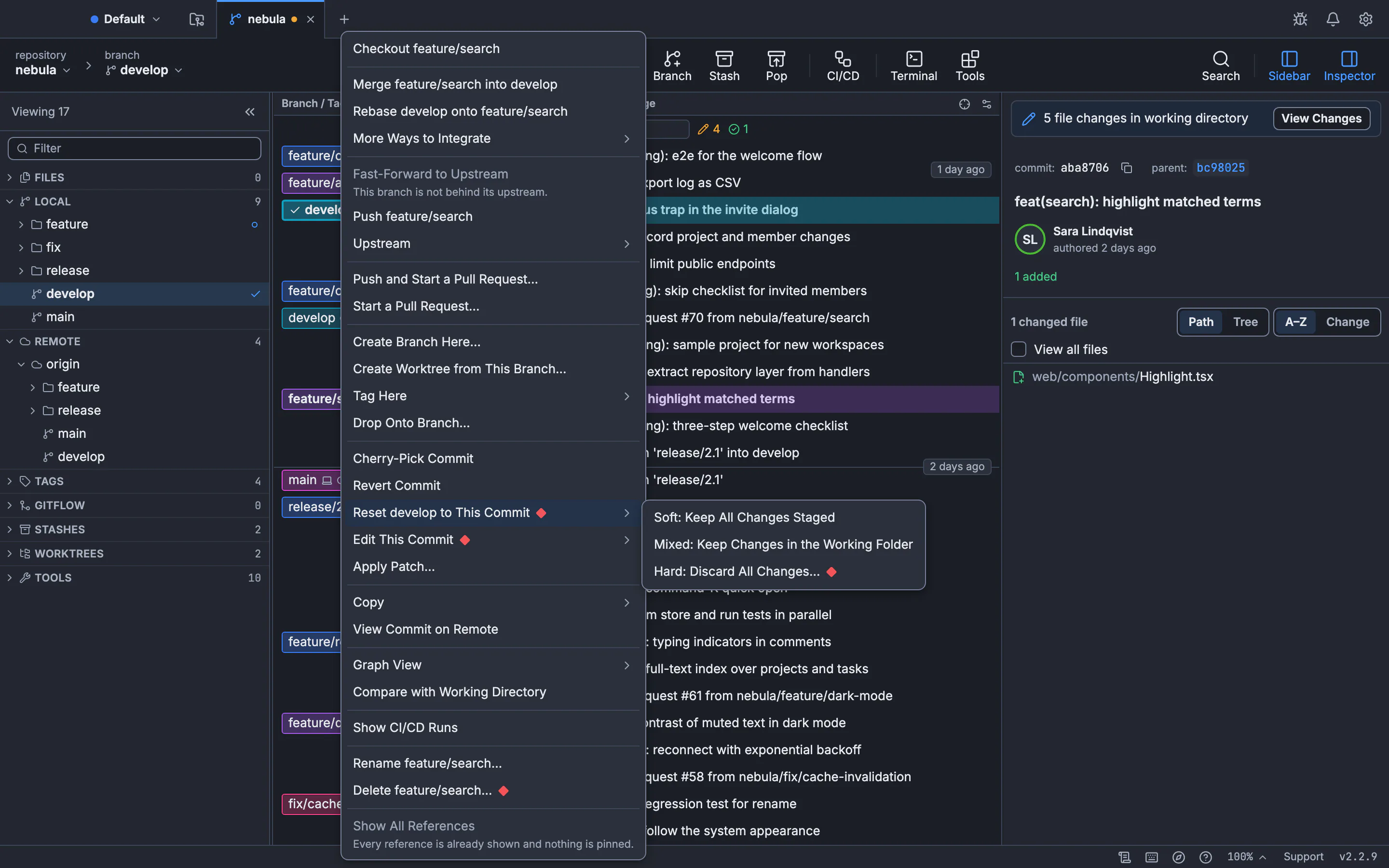
Open the branch’s menu
Right-click the branch label in the graph. The menu names the branch in each action, such as Rename feature/search….
Rename it
Type the new name and press Rename. Its upstream setting moves with it.
Update the remote
The branch on the remote keeps its old name until you push the renamed one. Then delete the old name from the branch’s menu.
The guide to renaming and deleting branches has the details, and how to delete a branch covers cleaning up the old name.
Frequently asked questions
Does renaming a branch change its commits?
No. A branch is a name pointing at a commit, so only the name changes. No hash changes and nobody has to rebase.
Can I rename a branch while I am on it?
Yes. git branch -m new-name renames the current branch, and you stay on it.
Is there a git rename remote branch command?
No. Push the new name, then delete the old one. Some hosts offer a rename in their web interface, which also keeps pull requests attached.
What does git branch -M do?
It renames the branch even if the new name already exists, replacing that branch. Use -m unless you want that.
Why does my branch still push to the old name?
Its upstream still points there. Run git branch -u origin/new-name or push once with git push -u origin new-name.
Sources
Claims about other products were checked against their official pages on November 7, 2026. Prices and features change; the vendors’ pages are the source of truth.