How to initialize a new Git repository
A folder becomes a Git repository with one command. Here is the full path from git init to your first push, how git init differs from git clone, and how to fix the mistakes people make at the start.
Written by Kodmora
The software house behind GitTree
- Git basics
- Remotes and push
On this page
To initialize a Git repository, open the folder in a terminal and run `git init -b main`. Git creates a hidden .git folder and an empty main branch. Your files are not tracked yet: run git add . and git commit -m "Initial commit" to save the first version.
What does git init do?
git init creates a .git folder holding the repository’s database, settings and hooks. That folder is the repository: it holds the whole history. Your project files stay exactly where they are, and nothing is committed or sent anywhere. Running it again in an existing repository is safe. Git prints “Reinitialized existing Git repository” and keeps your history.
How do I initialize a repository step by step?
cd my-project
git init -b main

# keep generated files out before the first add
printf "node_modules/\ndist/\n.env\n" > .gitignore

git add .
git status
git commit -m "Initial commit"
git init -b maincreates the repository withmainas its first branch (Git 2.28 or later)..gitignorelists what Git should never track. Write it before the firstgit add, because a file that is already tracked stays tracked.git statusshows what the first commit will contain. Read it for secrets and build output.git commitsaves the first version. If Git asks who you are, setuser.nameanduser.emailfirst.
git config --global user.name "Your Name"
git config --global user.email "you@example.com"
How do I make main the default branch?
Older setups create master. Set the default once, or rename the branch in a repository that has no commits worth keeping under the old name:
# every new repository from now on
git config --global init.defaultBranch main

# this repository only
git branch -m master main
How do I connect a new repository to GitHub, GitLab or Bitbucket?
Create an empty repository on your host, with no README or licence, so the two histories match. Then add it as a remote and push:
git remote add origin git@github.com:you/my-project.git
git push -u origin main
The -u links your branch to the remote one, which is explained in how to set an upstream branch. If you prefer no commands at all, read push a project to GitHub without the command line.
What is the difference between git init and git clone?
git init | git clone | |
|---|---|---|
| Starts from | A folder on your computer | A repository that already exists |
| History | Empty | The full history of the remote |
| Remote | None until you add one | origin is set up for you |
| Use it when | You start a new project | You join an existing project |
What can go wrong with git init?
I ran git init in the wrong folder
Remove the .git folder that was just created. Check first with git rev-parse --show-toplevel, which prints the repository’s root, so you delete the right one.
git rev-parse --show-toplevel
rm -rf .gitGit says “not a git repository”
You are outside any repository. Run git init to create one, or cd into the project first.
An empty folder does not appear in git status
Git tracks files, not folders. Add a file to it, for example a .gitkeep, to make it appear.
What is git init --bare?
A bare repository has the history but no working files, so nobody edits in it. Servers use bare repositories as the shared copy you push to. For a project on your own computer, you want a normal git init.
How to initialize a repository in GitTree
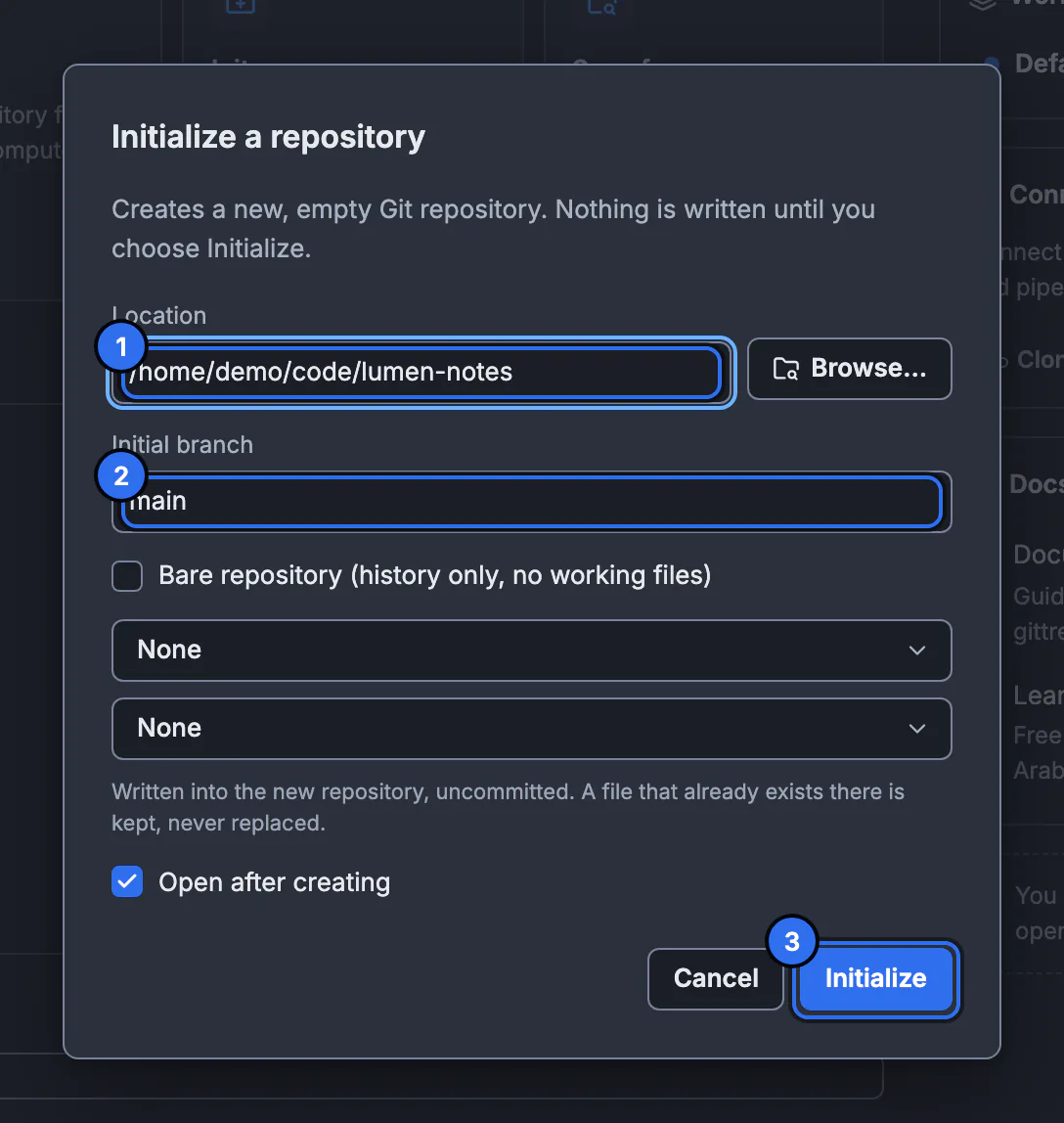
Open the dialog
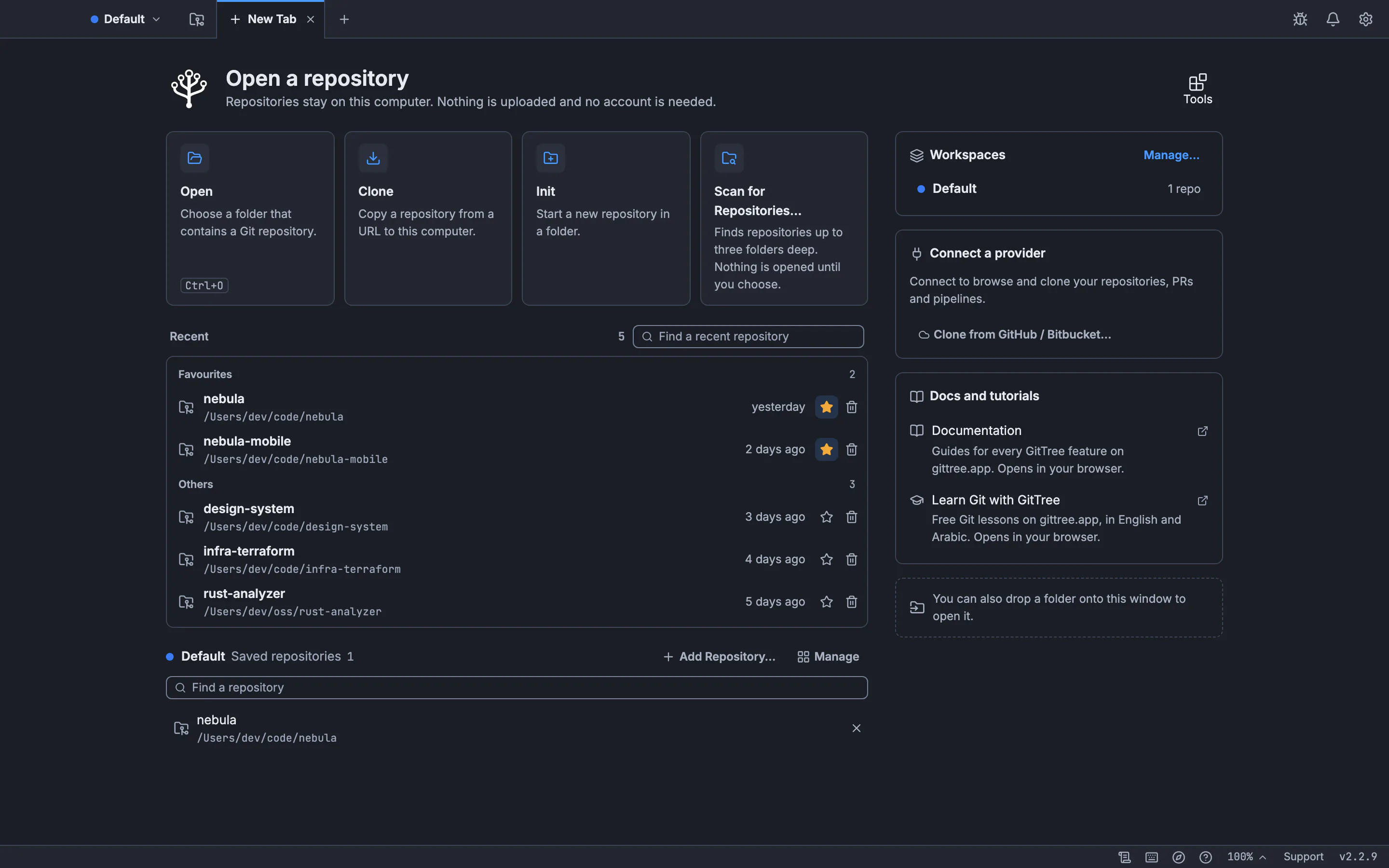
Select Init on the New Tab page, or run Initialize Repository… from the command palette.
Choose the location
Type a folder in Location or use Browse…. It can be new, empty or a project without Git.
Name the branch and pick templates
Set Initial branch, then optionally choose a .gitignore template and a Licence. An existing file is never replaced.
Initialize
Press Initialize. The repository opens in its own tab, with your files ready for the first commit.
See create a repository for every option, and the create, clone and open lesson to practise.
Frequently asked questions
Does git init delete my files?
No. It only adds a .git folder. Your files stay as they are, and they stay untracked until you add them.
Can I run git init on an existing project?
Yes. Open the project folder and run it. Add a .gitignore before the first git add so generated files stay out.
How do I initialize a repository with main instead of master?
Run git init -b main, or set git config --global init.defaultBranch main once.
Should I run git init in a folder inside another repository?
Usually not. A repository inside another one confuses both. If you need one project inside another, use a submodule.
How do I undo git init?
Delete the .git folder. Your files stay, and the folder stops being a repository. Everything in the history is gone, so do this only in a repository you just created.
Sources
Claims about other products were checked against their official pages on November 7, 2026. Prices and features change; the vendors’ pages are the source of truth.