Is there a Bitbucket desktop app? The Git clients that work with it
Atlassian does not ship an app called Bitbucket Desktop. Its desktop Git client is Sourcetree, and several others connect to Bitbucket too. Here is how they compare, including on Linux and for pull requests.
Written by Kodmora
The software house behind GitTree
- Git GUI clients
- Comparisons
- Remotes and push
Disclosure: GitTree’s maker wrote this article, so we have a stake in GitTree. We describe every product, ours included, from its official pages and our own use, and say where another tool is the better fit.
On this page
Atlassian does not publish an app called Bitbucket Desktop. Bitbucket is a hosting service you use in the browser. To work with it from your desktop, you use any Git client: Atlassian’s own is Sourcetree, for macOS and Windows only, no Linux version. Other clients connect to Bitbucket as well. Our pick, with an obvious bias, is GitTree, which also runs on Linux and handles pull requests in the app with Pro.
GitTree’s maker wrote this post, so weigh our recommendation accordingly. Claims about other products come from their official pages, listed in the sources below.
Do I need a special app for Bitbucket?
No. Bitbucket hosts plain Git repositories, so clone, commit, push and pull work in every Git client and on the command line:
# over SSH
git clone git@bitbucket.org:your-workspace/your-repo.git

# over HTTPS
git clone https://bitbucket.org/your-workspace/your-repo.git
What differs between clients is how much of Bitbucket they bring into the app: browsing your repositories, pull requests and pipelines. That is what the table below compares.
Which Git clients work with Bitbucket?
| Client | Systems | Bitbucket Cloud | Bitbucket Data Center or Server |
|---|---|---|---|
| GitTree | macOS, Windows and Linux | With Pro: clone, publish, pull requests and pipelines in the app | With Pro: newer support, try it on your server first |
| Sourcetree | macOS and Windows only, no Linux version | Accounts included; Create Pull Request opens the browser | Accounts included |
| GitKraken Desktop | macOS, Windows and Linux | Cloud integrations; private repositories need a paid plan | From its Advanced plan |
| Tower | macOS and Windows only, no Linux version | From its Basic plan: create, merge and comment on pull requests | From its Pro plan |
| Fork | macOS and Windows only, no Linux version | Sign-in and integration included | Bitbucket Server integration |
| SmartGit | macOS, Windows and Linux | Included; free licences are non-commercial | Commercial licence |
Which Bitbucket client should I choose?
- You want a free client and do not need Linux: Sourcetree is the natural start. GitTree’s Sourcetree comparison shows where it stops.
- You work on Linux: Sourcetree is not an option, as Sourcetree for Linux explains. GitTree, GitKraken Desktop and SmartGit all have Linux builds.
- You review pull requests all day: choose a client that shows them in the app, such as GitTree with Pro, Tower, or SmartGit.
- Your company runs Data Center: check the licence first, because most clients put self-hosted servers on a higher plan.
- You use one app on every system: GitTree, GitKraken Desktop and SmartGit run on macOS, Windows and Linux.
How do I sign in to Bitbucket from a desktop client?
Your Atlassian password does not work for Git over HTTPS. Use an SSH key, an API token or an OAuth sign-in in your client. For SSH, add your public key to your Bitbucket account, then test it:
ssh-keygen -t ed25519 -C "you@example.com"
ssh -T git@bitbucket.orgHow to connect Bitbucket to GitTree
Open the accounts settings
Go to Preferences, then Integrations, then Connected accounts, and choose Connect Bitbucket…. Hosting integrations are part of GitTree Pro.
Sign in with the browser
Choose Sign In with Bitbucket, select Grant access, and let the browser open GitTree again.
Or use a token
For an Atlassian API token, fill in Atlassian account email and choose Enter the API Token…. For a workspace, project or repository token, choose Enter an Access Token….
Check the account
The account card shows your login and how it connected. Your Bitbucket pull requests, pipelines and repositories then appear in GitTree.
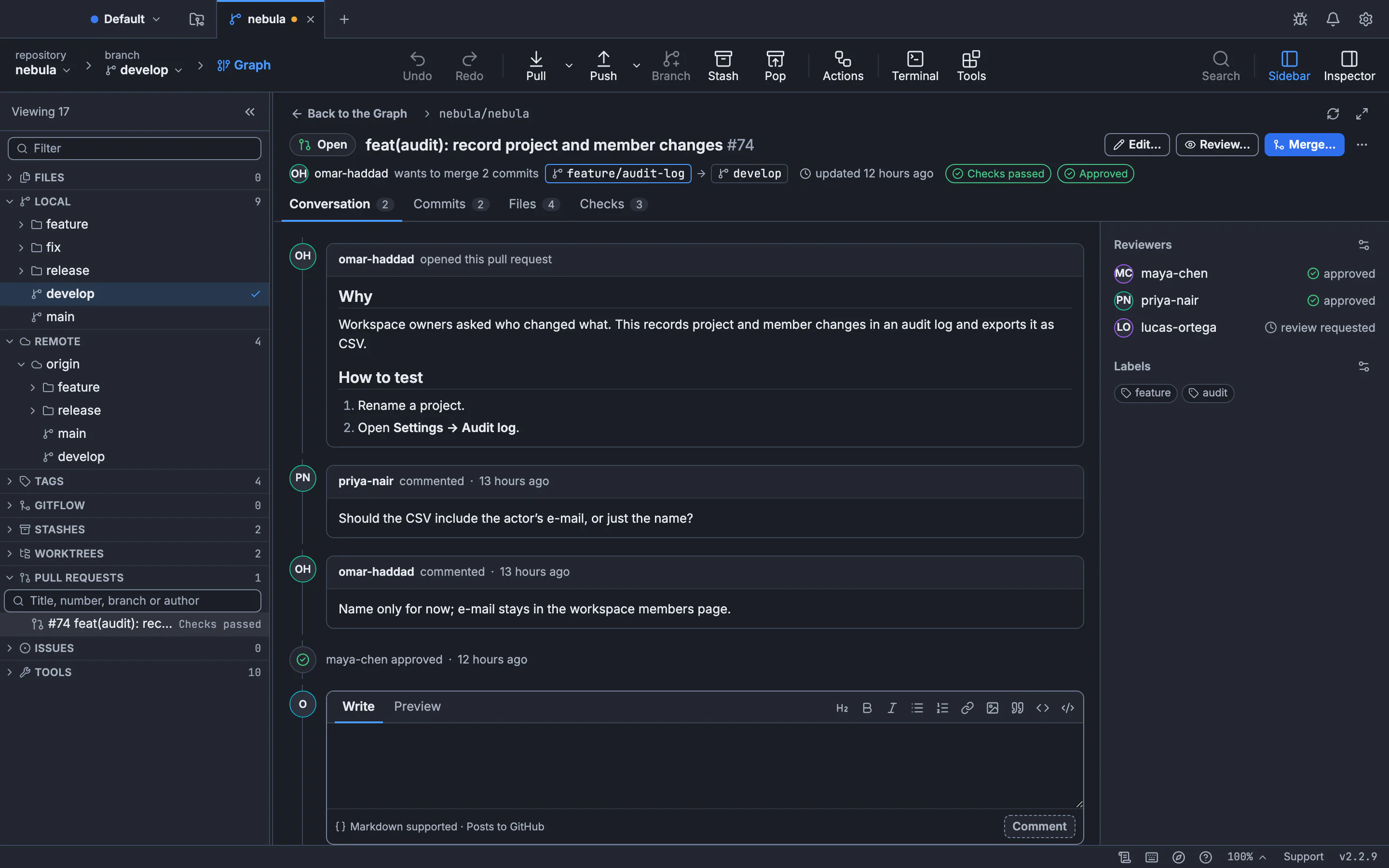
The guides to connecting Bitbucket Cloud and connecting Bitbucket Data Center have the details. Local Git work needs no connection, so the Free plan covers clone, commit, push and pull over your own SSH key or token.
Frequently asked questions
Does Bitbucket have a desktop app?
No app carries that name. Atlassian’s desktop Git client is Sourcetree, for macOS and Windows only, no Linux version.
Is Sourcetree the same as Bitbucket?
No. Bitbucket is a hosting service for Git repositories. Sourcetree is a separate desktop Git client from the same company, and it works with other hosts too.
Is there a Bitbucket client for Linux?
Yes. GitTree, GitKraken Desktop and SmartGit have Linux builds and connect to Bitbucket. Any other Git client on Linux can clone and push too.
Can I use GitHub Desktop with Bitbucket?
It can work with a Bitbucket repository through Git, but it is built around GitHub and has no Bitbucket pull request integration.
Do I need GitTree Pro to use Bitbucket?
Not for Git itself. The Free plan clones, commits, pushes and pulls with your own credentials. Pro adds the connected account, with pull requests and pipelines in the app.
Sources
Claims about other products were checked against their official pages on November 7, 2026. Prices and features change; the vendors’ pages are the source of truth.
- Sourcetree
- GitKraken integrations and plan requirements
- Tower remote services
- Tower pricing and plans
- Fork
- SmartGit pricing and licences
- GitHub Desktop
- Atlassian: Bitbucket Cloud SSH keys
All product names are trademarks of their respective owners. GitTree is independent and not affiliated with or endorsed by any of them.