Comparisons
Which Git GUIs are free for commercial use in 2026? A licence-by-licence guide
A licence-by-licence check of the best-known Git clients: which ones you may use at work without paying, which limit private repositories, and what each costs a team as of October 2026.
Disclosure: GitTree’s maker wrote this article, so we have a stake in GitTree. We describe every product, ours included, from its official pages and our own use, and say where another tool is the better fit.
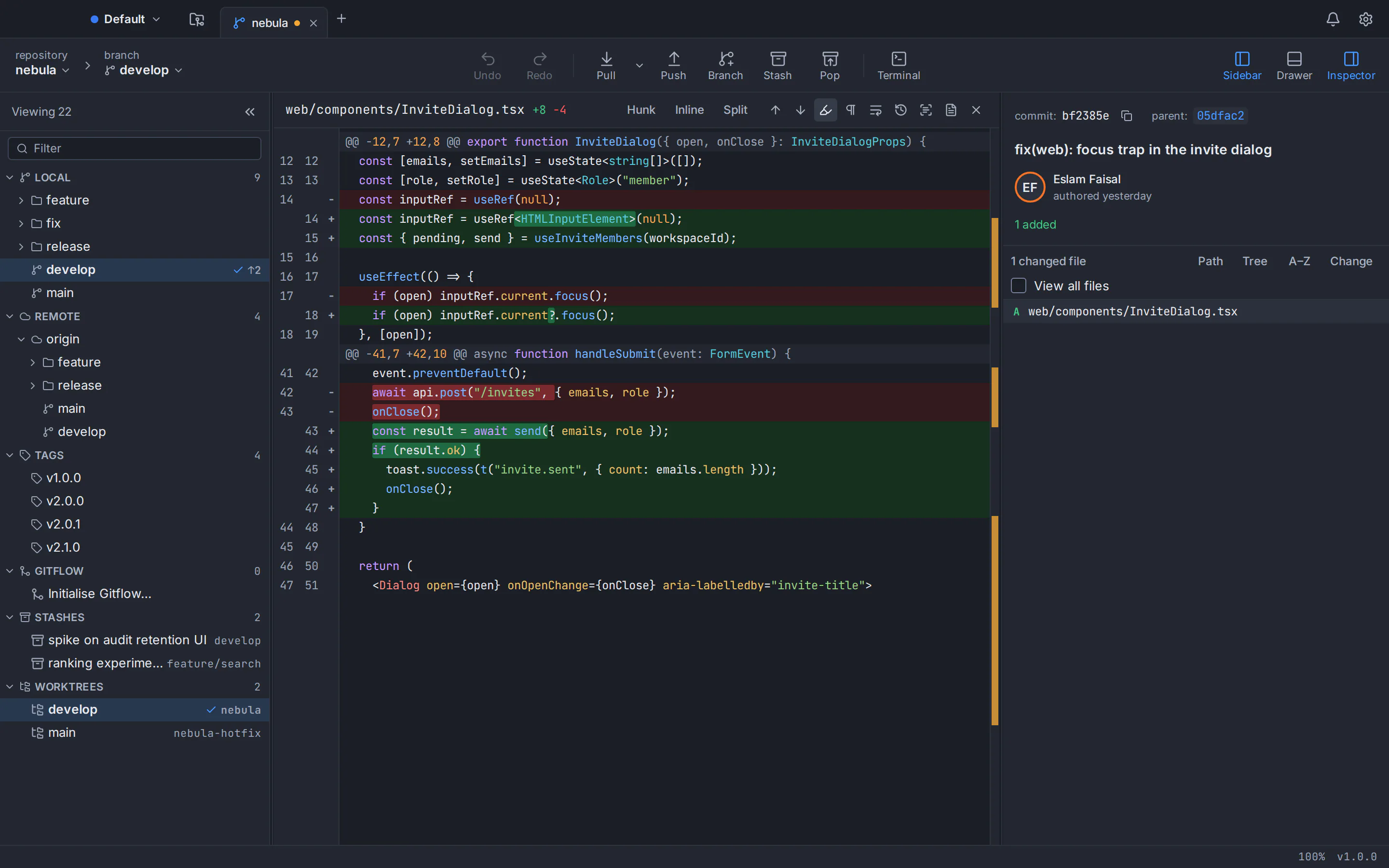
Looking for a Git GUI free for commercial use? As of October 2026, four options cost nothing at work, private repositories included: GitHub Desktop (open source under the MIT licence), Sourcetree (free, with no paid tier), Git’s own basic tools git gui and gitk, and GitTree, which is free today for individuals and organizations. GitKraken’s free plan covers only local repositories and public remotes, so company code in private remote repositories needs a paid seat. Fork, Sublime Merge, Tower and SmartGit can be tried for free, but using them for paid work needs a licence.
A note first: GitTree’s maker wrote this post, and GitTree is one of the options. Claims about other products come from their official pricing pages, licence agreements and documentation, checked in October 2026 and listed in the sources; where terms are unclear, we say so and link them. This is not legal advice, so read the current terms before you roll a tool out to a team.
Git GUI free for commercial use: the licence table
“Free for commercial use” here means you may use it for paid work or inside a company, on private code, without buying anything. A trial or an evaluation does not count, and neither does a licence limited to hobby, student or non-profit use.
| Git client | Free for commercial use? | Private repositories at no cost | Paid plans (as of October 2026) | Licence |
|---|---|---|---|---|
| GitTree | Yes, free today for individuals and organizations | Yes | None: no paid plan exists | Free, closed source; free account required |
| GitHub Desktop | Yes, under the MIT licence | Yes, on GitHub and GitHub Enterprise; other hosts as plain remotes | The app is free; optional AI needs GitHub Copilot | Open source (MIT) |
| Sourcetree | Free, and no commercial restriction appears on its official pages | Yes | None | Proprietary freeware (Atlassian Customer Agreement) |
| git gui and gitk | Yes | Yes, on any local clone | None | Part of the Git suite (GNU GPL version 2) |
| GitKraken Desktop | Not stated; the free plan is pitched “for OSS development” | No: the free plan covers local repos and public remotes only | Pro $120, Advanced $168, Business $216 per seat per year; Enterprise quoted | Proprietary subscription (EULA) |
| Fork | No: free evaluation, then a licence | Only while evaluating | $59.99 once per user, personal and commercial use | Proprietary (EULA) |
| Sublime Merge | No: free evaluation, then a licence | Only while evaluating | Personal $99 once; Business $75 per user per year | Proprietary (EULA) |
| Tower | No: 30-day trial, then a subscription | Only during the trial | Basic $69, Pro $129, Enterprise $149 per user per year | Proprietary subscription (EULA) |
| SmartGit | No: free licences are non-commercial only | Only under a non-commercial licence | From $5 per user per month, or perpetual | Proprietary (syntevo EULA) |
Is GitKraken free for commercial use?
Not for most company work. GitKraken Desktop’s free Community plan supports “only local repos and public remotes”, and the pricing page pitches it “for OSS development”. Private remote repositories, where most commercial code lives, need Pro or a higher plan.
Where the terms are ambiguous: neither the GitKraken pricing page nor its end user licence agreement explicitly allows or forbids commercial use of the Community plan. The EULA grants use “solely for your internal business purposes”, yet the free plan is aimed at open-source development. If you plan to use it for business work on local or public repositories, ask GitKraken or your legal team first.
On the free plan, the merge conflict tool, interactive rebase, undo, worktrees, Git LFS and blame are marked “Public Repos Only”. As of October 2026 the paid plans, billed annually per seat and excluding tax, are Pro at $120 (at most 2 seats), Advanced at $168 (at most 10 seats, adding self-hosted integrations and SAML SSO) and Business at $216 (at most 100 seats), with Enterprise quoted for 20 seats or more.
For more, see GitKraken vs Sourcetree vs GitHub Desktop and our page on GitTree as a free GitKraken alternative.
Is Sourcetree free for commercial use?
Sourcetree is free, with no paid tier, seats or trial, and even its Enterprise MSI for managed installs is a free download. No restriction on commercial use appears on its official pages, and it works with private repositories on Bitbucket, GitHub, GitLab and Azure DevOps.
What is not spelled out: we found no licence page specific to Sourcetree. Atlassian’s install guide says you agree to the Atlassian Customer Agreement, a general agreement for Atlassian products. If your company needs a written commercial-use clause, check that agreement or ask Atlassian support.
Two practical points for teams. Sourcetree runs on macOS and Windows only, with no Linux version (see Sourcetree for Linux: what to use instead). And while the Mac version needs no account, Sourcetree for Windows asks every user to register on first launch with an Atlassian account or a Bitbucket Data Center server.
Is GitHub Desktop free for commercial use?
Yes. GitHub Desktop is open source under the MIT licence, which allows commercial use. Its download page asks you to accept GitHub’s Open Source Applications Terms, which reserve GitHub’s trademarks but contain no restriction on commercial use, and which give way to the open-source licence where that licence expressly supersedes them. It works with any private repository you can reach on GitHub or GitHub Enterprise.
The limits are elsewhere. GitHub Desktop is built around GitHub, so GitLab, Bitbucket and Azure DevOps work only as plain remotes, and it has no commit graph. It runs on macOS 12+ and 64-bit Windows 10+ only, with no official Linux build (GitHub Desktop for Linux covers the options). Its AI features need GitHub Copilot: Copilot Free is a limited plan for individual developers, and a company team would use Copilot Business at $19 per seat per month (as of October 2026).
Fork, Sublime Merge, Tower and SmartGit: free to try, paid for work
These four offer free trials, evaluations or non-commercial licences, but none is free for ongoing commercial use.
Fork
Fork’s licence lets you evaluate it for free, but long-term use needs a licence: $59.99 once, covering personal and commercial use for one user on up to 3 machines. No evaluation length or team pricing is listed. Fork runs on macOS and Windows only, with no Linux version.
Sublime Merge
Sublime Merge has no enforced evaluation time limit, but its vendor says a licence must be purchased for continued use. A personal licence costs $99 once, with 3 years of updates, and its owner may use it at work; businesses and organizations must buy business licences at $75 per user per year. It has official builds for macOS, Windows and Linux.
Tower
Tower has no free plan; it offers a 30-day trial of the full Pro edition instead. Commercial use then needs a subscription, per user per year as of October 2026: Basic at $69 (for individuals), Pro at $129 (for professionals and small teams) or Enterprise at $149. Self-hosted servers such as GitHub Enterprise or self-managed GitLab need Pro. Students, educators and non-profits can apply to use it free. It runs on macOS and Windows only, with no Linux version.
SmartGit
SmartGit’s free licences are non-commercial: Hobby for personal projects not connected to paid work, plus licences for education and for qualifying open-source developers and charities. They are reviewed by hand and, under the EULA, cover only the latest version and those released in the previous 6 months. Commercial use costs from $5 per user per month, or a perpetual licence. SmartGit runs on macOS, Windows and Linux.
Our comparison pages set each against GitTree: the free Fork alternative, the free Sublime Merge alternative, the free Tower alternative and the free SmartGit alternative.
Which free Git client works with private repositories?
At no cost and with no evaluation clock: GitHub Desktop (GitHub and GitHub Enterprise; other hosts as plain remotes), Sourcetree, git gui and gitk, and GitTree. GitKraken’s Community plan handles local repositories but not private remotes.
On Linux the list shrinks. GitHub Desktop and Sourcetree have no official Linux version, git gui and gitk are basic, and GitKraken, SmartGit and Sublime Merge need a paid seat or licence for private commercial work. GitTree ships a .deb and an AppImage for 64-bit (x86_64) Ubuntu and Debian. Our round-up of the best Git GUI for Linux goes further.
Team use: what ten seats cost
For a team, the price per seat multiplies. These are list prices for 10 people as of October 2026, tax excluded; vendors may discount, and your team may need a different plan.
| Git client | Cost for 10 users | Team terms |
|---|---|---|
| GitTree | $0 | Free for organizations; no SSO, admin controls or MSI |
| GitHub Desktop | $0; its AI needs Copilot Business at $19 per seat per month | Machine-wide MSI for Group Policy deployment |
| Sourcetree | $0 | Free Enterprise MSI; Windows users register with Atlassian or Bitbucket Data Center |
| GitKraken Desktop | $1,680 a year on Advanced (Pro allows 2 seats) | Advanced adds self-hosted integrations and SAML SSO |
| Fork | $599.90 once | One licence per user; no team pricing listed |
| Sublime Merge | $750 a year | Business seats for named users; no site licences |
| Tower | $1,161 a year on Pro, after its 10% discount for 10+ seats (Basic is for individuals) | Team management and self-hosted servers start at Pro; Enterprise adds SAML SSO |
| SmartGit | From $600 a year | Per named user; on-premise licence server for larger teams |
GitTree costs $0 because there is nothing to buy, but it also lacks the admin tooling paid tools sell: no SSO, no admin console, no MSI. Organizations on gittree.app let owners invite teammates, but there are no in-app team features.
Which free Git GUI should you use at work?
- Open source required, or a GitHub team new to Git: GitHub Desktop.
- A free graph client on macOS or Windows, not Linux: Sourcetree, if Atlassian’s general terms suit you.
- A licence budget and a need for SSO, licence servers or team admin: GitKraken, Tower or SmartGit; for a simple per-user licence, Fork or Sublime Merge.
- Free, private repositories and no seats to count: GitTree, with the trade-offs below.
For a feature-by-feature view, read our round-up of the best Git GUI clients.
GitTree: free for individuals and organizations, private repositories included
This is our app, so read this section with that in mind. GitTree is a desktop Git GUI for macOS, Windows and Linux, free today for individuals and organizations, private repositories included: no paid plan, no seats and no trial clock, and its terms of use say it is free to download and use. We write “free today” deliberately; it is the price we can state, not a promise about the future.
- Private repositories on GitHub, GitLab, Bitbucket and Azure DevOps, plus GitHub Enterprise Server, self-managed GitLab and Bitbucket Data Center (GitLab, Azure DevOps and the self-hosted editions are new), with pull requests you review and merge in the app.
- Interactive rebase, a three-way conflict editor, and undo and redo for commits, resets and rebases, none limited to public repositories.
- Work and personal profiles, commit signing with GPG, SSH or X.509, and no telemetry (how GitTree handles your data).
The trade-offs are real. GitTree is not open source. It needs a free GitTree account: the first launch needs the network, then it works offline for up to 7 days between checks. It uses the Git you install (2.39 or newer) rather than bundling one. Its Windows installer is not code-signed yet, so SmartScreen may warn. And it is new, at version 1.2.9.
How to set up GitTree for work in four steps
Check that Git 2.39 or newer is installed
Run
git --version. On Windows, install Git for Windows; on Ubuntu 22.04 and Linux Mint 21, which ship Git 2.34, addppa:git-core/ppafirst.Download and install GitTree
Get it from the GitTree download page: a universal .dmg for macOS 13+, an installer for 64-bit Windows 10 (22H2) and 11, or a .deb or AppImage for Ubuntu 22.04+ and Debian 12+ on Linux.
Sign in and clone your private repository
Create a free account with GitHub, GitLab, Bitbucket or Azure DevOps, connect your company’s host, and clone over HTTPS or SSH. Tokens stay in your operating system’s keychain.
Set up a work profile
Add a profile with your work name, email and signing key, so work commits carry the right identity without editing
~/.gitconfig.
On Ubuntu 22.04 or Linux Mint 21, these commands install a current Git; our guide to upgrading Git on Ubuntu explains each step:
git --version
sudo add-apt-repository ppa:git-core/ppa
sudo apt update && sudo apt install git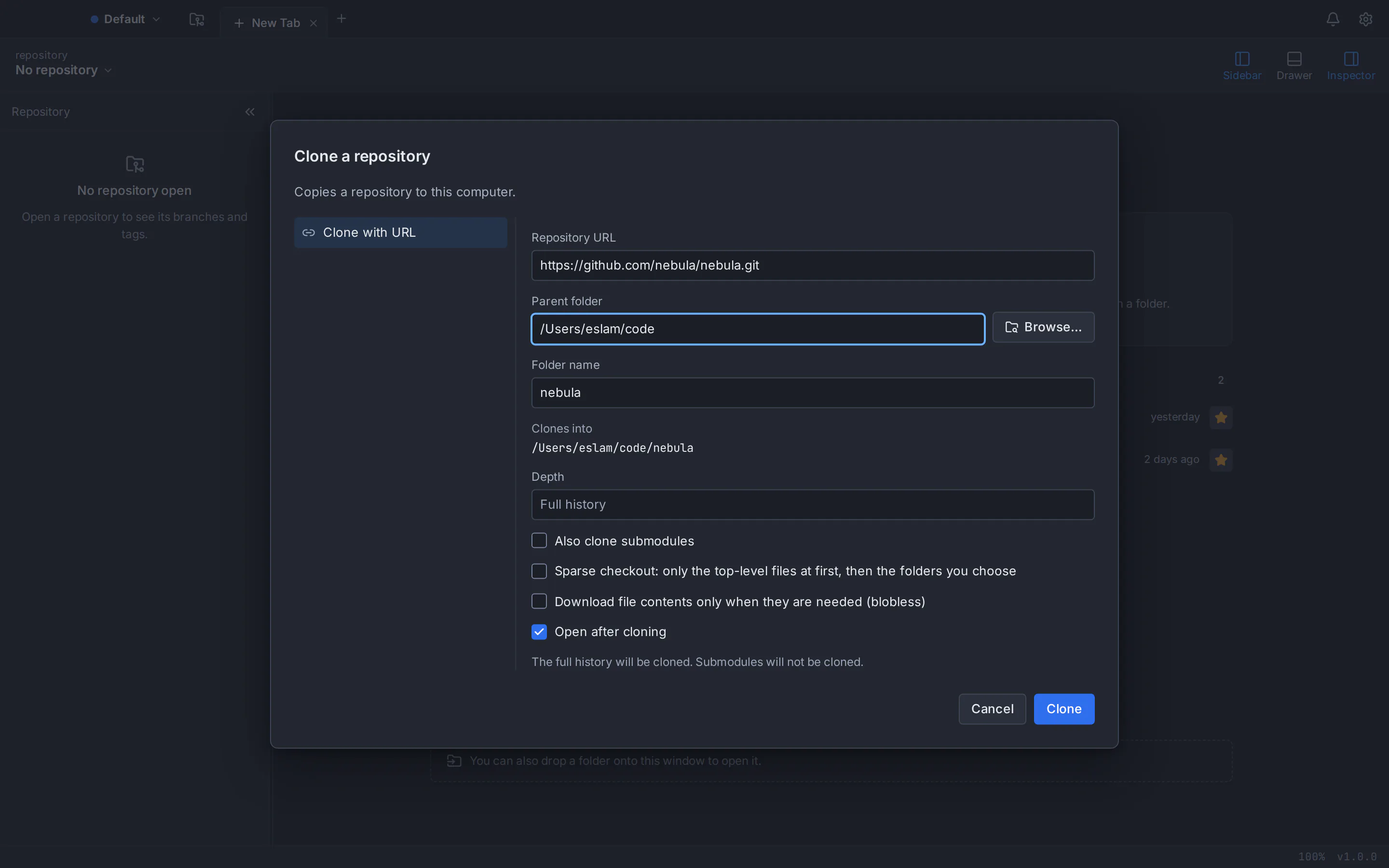
See every GitTree feature, or our detailed pages on GitTree compared with Sourcetree and GitTree compared with GitHub Desktop.
Frequently asked questions
Is GitKraken free for commercial use?
Only in a narrow sense. As of October 2026, GitKraken Desktop’s free Community plan supports only local repositories and public remotes and is pitched “for OSS development”; its pricing page neither allows nor forbids commercial use explicitly. Private remote repositories, where most company code lives, need Pro at $120 per seat per year or higher.
Is Sourcetree free for commercial use?
Sourcetree is free with no paid tier, and no commercial-use restriction appears on its official pages, so it can be used at work at no cost. Its install guide refers to the general Atlassian Customer Agreement rather than a Sourcetree licence. It runs on macOS and Windows only, with no Linux version.
Is GitHub Desktop free for commercial use?
Yes. GitHub Desktop is open source under the MIT licence, which permits commercial use, and it works with private repositories on GitHub and GitHub Enterprise. Its optional AI features need GitHub Copilot, which has a limited free plan for individuals and paid plans for teams. It runs on macOS and Windows only, with no official Linux build.
What is the best free Git client for private repositories?
It depends on your host and system. GitHub Desktop suits private GitHub repositories, and Sourcetree covers several hosts on macOS and Windows, with no Linux version. GitTree, made by this post’s author, is free today with private repositories on macOS, Windows and Linux. GitKraken’s free plan excludes private remotes.
Can a company use GitTree for free?
Yes. GitTree is free today for individuals and organizations, private repositories included, with no paid plan or seats, and its terms say it is free to download and use. Each person needs a free GitTree account and Git 2.39 or newer. It is closed source and has no SSO, admin controls or MSI.
Is SmartGit free for commercial use?
No. SmartGit’s free licences, for hobby projects, education, and qualifying open-source developers and charities, are for non-commercial work, are reviewed by hand and cover only recent versions. Commercial use needs a paid licence, which as of October 2026 starts at $5 per user per month, with a perpetual option too.
Sources
Claims about other products were checked against their official pages on October 6, 2026. Prices and features change; the vendors’ pages are the source of truth.
- GitKraken: pricing
- GitKraken: end user licence agreement
- Sourcetree: official website
- Sourcetree for Windows Enterprise
- Atlassian: install Sourcetree
- Atlassian Support: Sourcetree Enterprise and MSI installation
- Atlassian Customer Agreement
- GitHub Desktop: product page
- GitHub Desktop: download
- GitHub Desktop repository: MIT licence
- GitHub Docs: GitHub Open Source Applications Terms and Conditions
- GitHub Docs: supported operating systems for GitHub Desktop
- GitHub Desktop repository: what GitHub Desktop is (design document)
- GitHub Docs: GitHub Copilot plans
- Git: about Git (licence)
- Git documentation: git gui
- Git documentation: gitk
- Fork: buy a licence
- Fork: licence agreement
- Sublime Merge: buy a licence
- Sublime HQ: sales FAQ
- Sublime Merge: download
- Tower: pricing
- Tower: end user licence agreement
- SmartGit: pricing
- SmartGit: licence agreement
- SmartGit: register for a non-commercial licence
All product names are trademarks of their respective owners. GitTree is independent and not affiliated with or endorsed by any of them.